Hello,
Thanks for contacting Ansys Forum support.
Looking at the shared snap the Names given on the geometry are separate curves entities in SpaceClaim which can not be transferred as is. Also, I see that you have 2 main fluid regions, naming MRF and Main Fluid.
Please follow below steps:
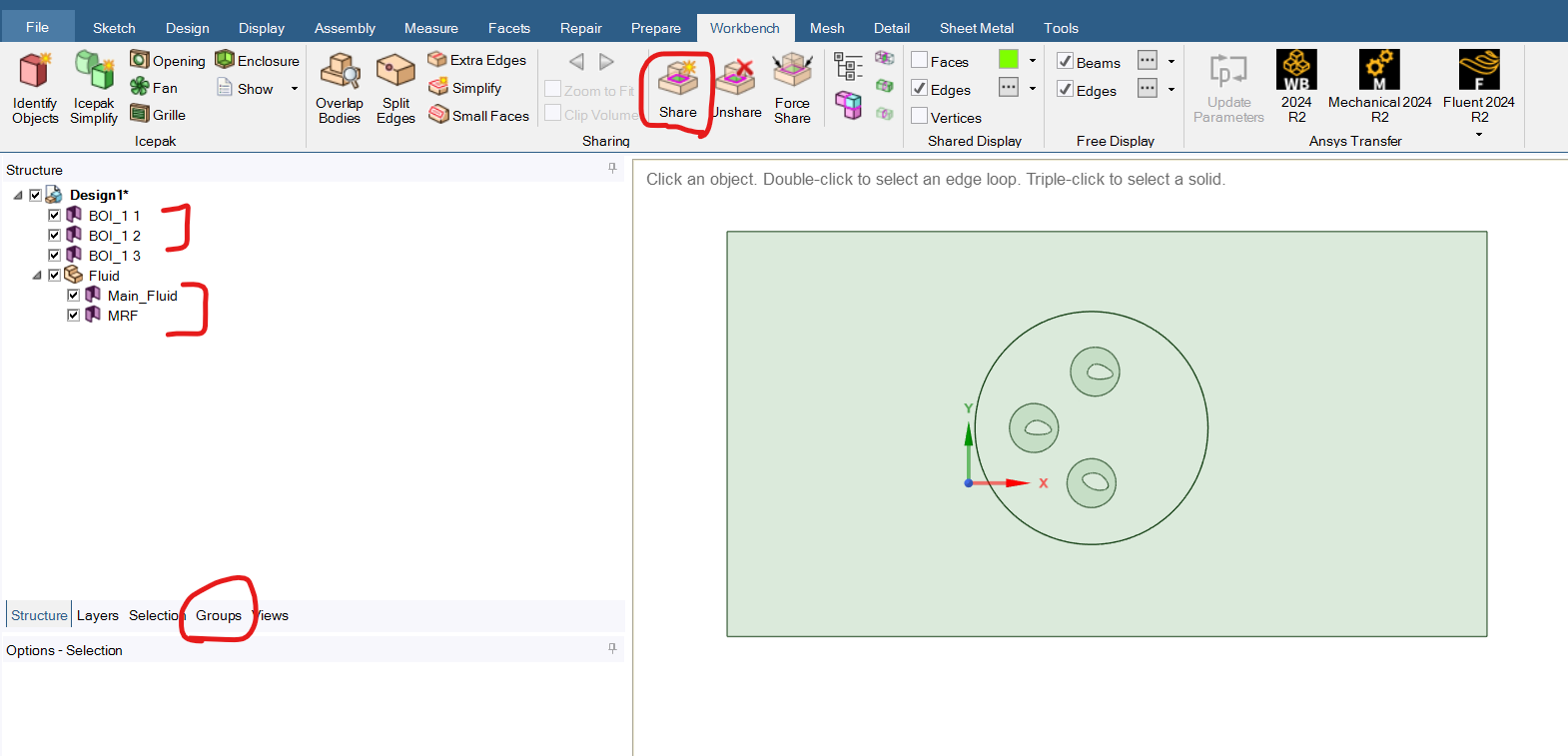
1) Create separate component for the Fluid regions. Select those 2 bodies from structure tree and move to new component.
2) Keep the BOI bodies in separate component or let it be outside of Fluid bodies components.
3) Hide the BOI bodies and make sure only 2 fluid regions are visible. perform share topology from Workbench > Share tab.
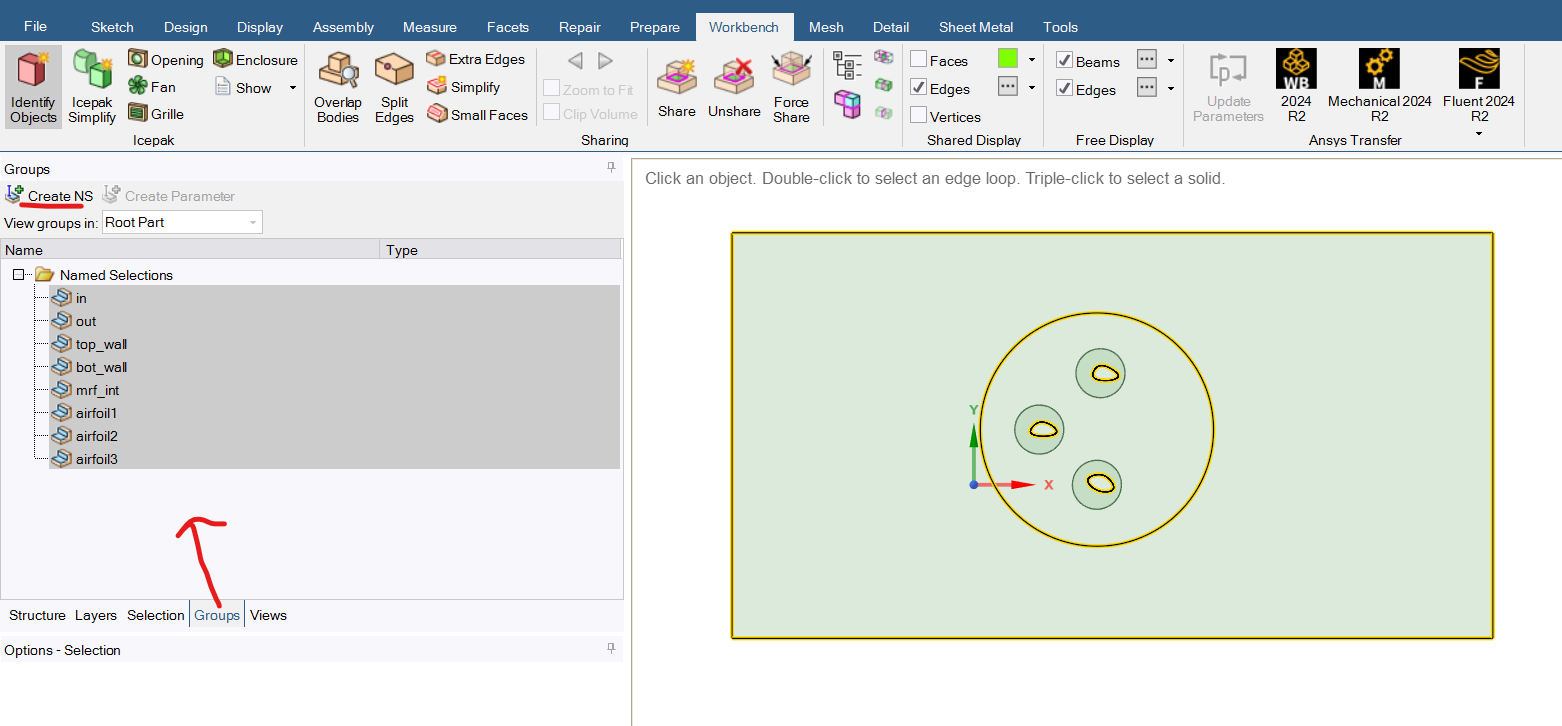
4) Then go to Groups tab > and select those desired edges from GUI where you want to add named selections like inlet, airfoil, wall upper etc. those NS will be transferred to Fluent meshing.
5) Then you should be able to get the desired meshing operations working fine.
Regards,
Anil




























 You are navigating away from the AIS Discovery experience