-
-
June 5, 2018 at 9:54 pm
-
June 6, 2018 at 2:49 pm
raul.raghav
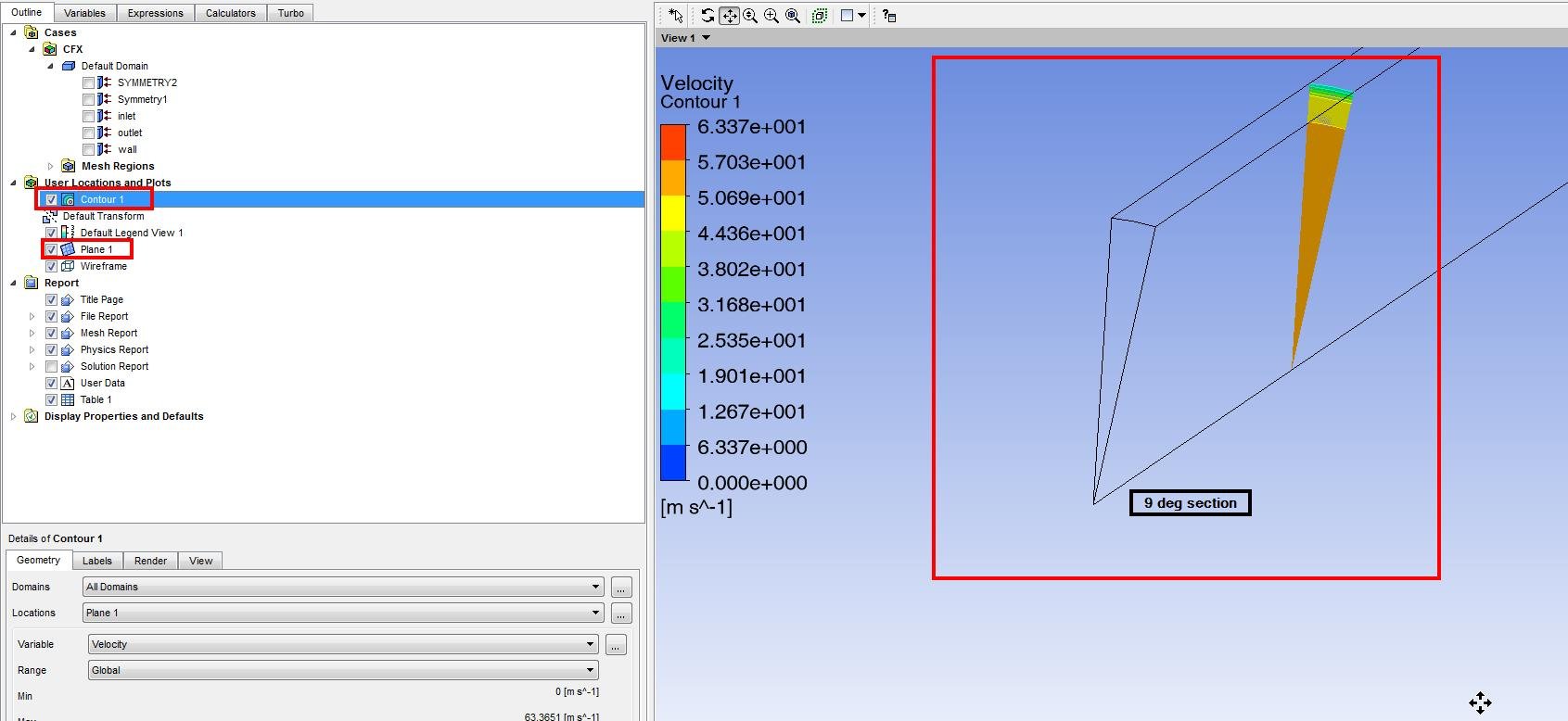
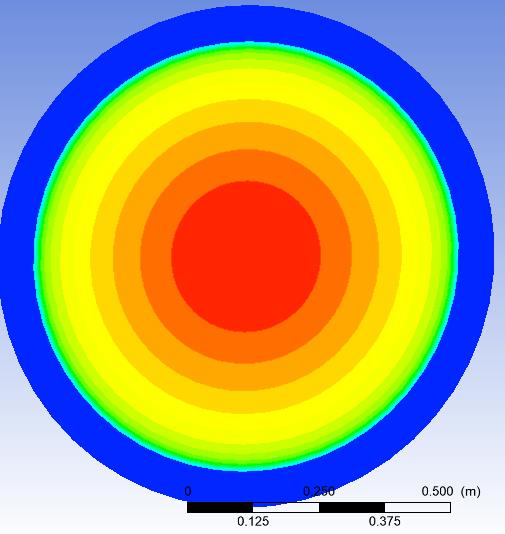
SubscriberScreenshot 1: Create a Plane and a Contour (with any variable) of the geometry you have. I have a 9 deg axisymmetric section in the figure.
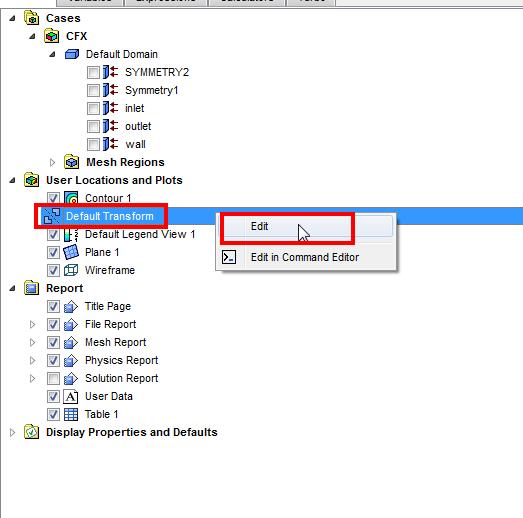
Screenshot 2: Double click on the "Default Transform"
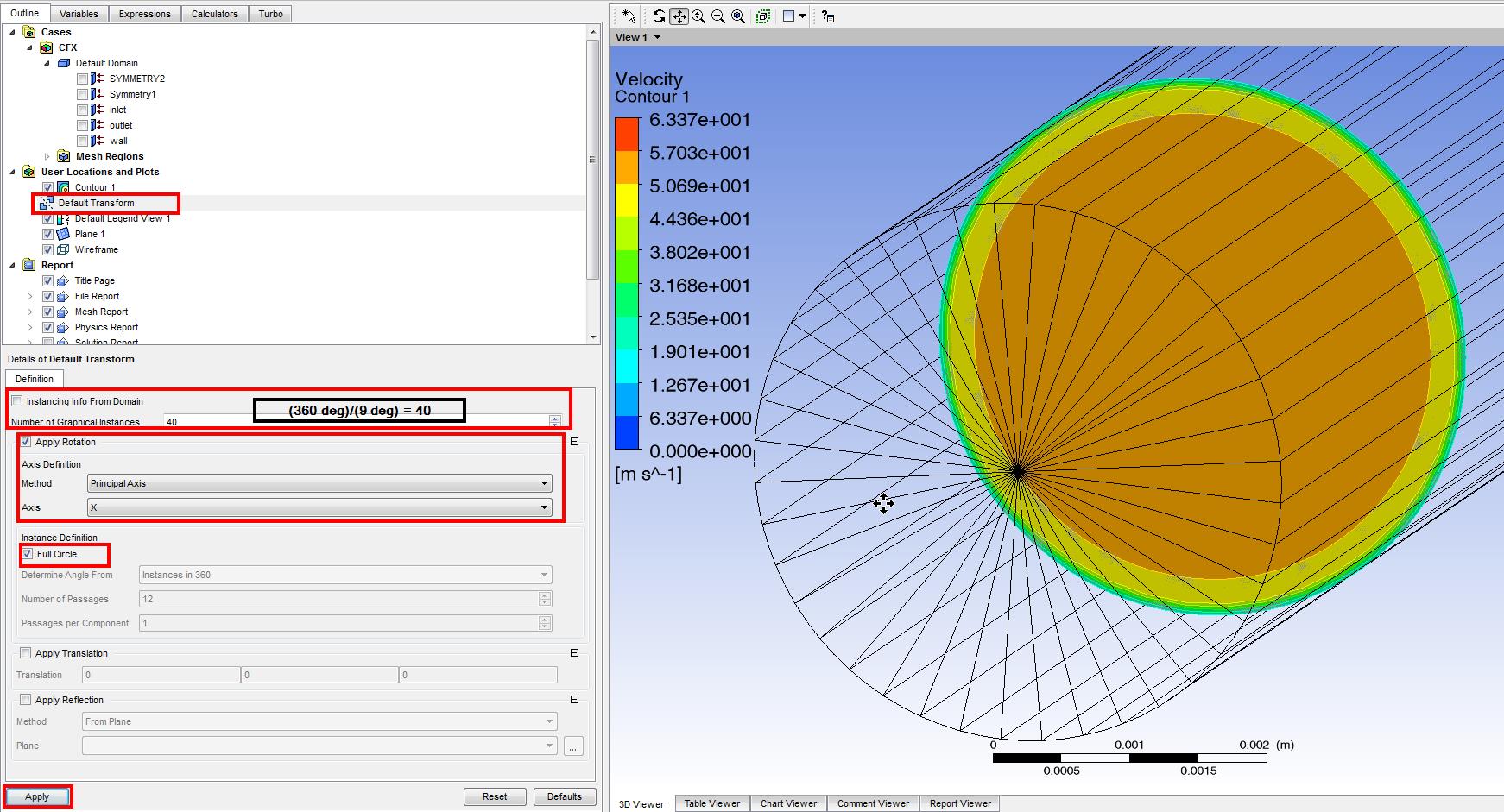
Screenshot 3: I would need (360 deg)/(9 deg) = 40Â instances. Just use the settings in the screenshot and you should be good.
The following screenshots will walk you through the process:
-
June 6, 2018 at 3:34 pm
-
June 6, 2018 at 6:10 pm
raul.raghav
SubscriberAs I mentioned in screenshot 1, I had a 9-degree axisymmetric section. In your case, you would have had 7.2-degree section;Â (360 deg)/(7.2 deg) = 50
-
Viewing 3 reply threads
- The topic ‘How can I rotate 2D pipe flow and show it 3D in CFD-Post ?’ is closed to new replies.

Innovation Space
Trending discussions
Top Contributors
-
4678
-
1565
-
1386
-
1241
-
1021
Top Rated Tags
© 2025 Copyright ANSYS, Inc. All rights reserved.
Ansys does not support the usage of unauthorized Ansys software. Please visit www.ansys.com to obtain an official distribution.