-
-
June 30, 2020 at 5:14 pm
fz.erraghroughi
Subscriberhello, everyone,
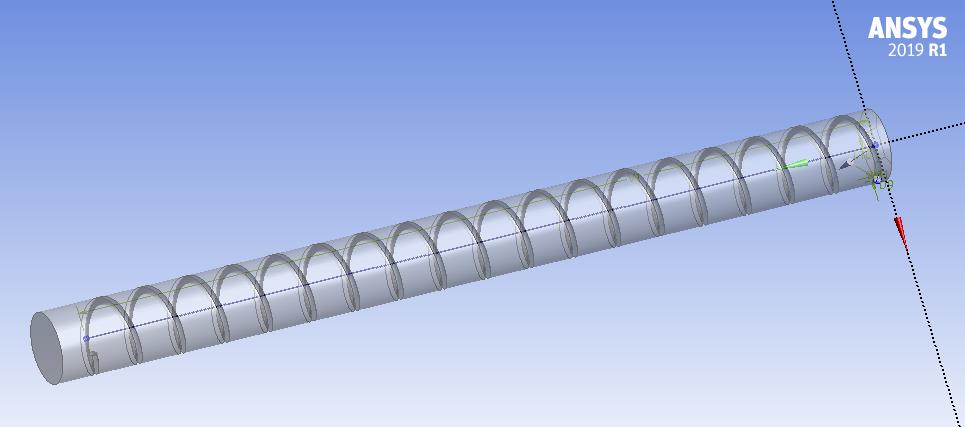
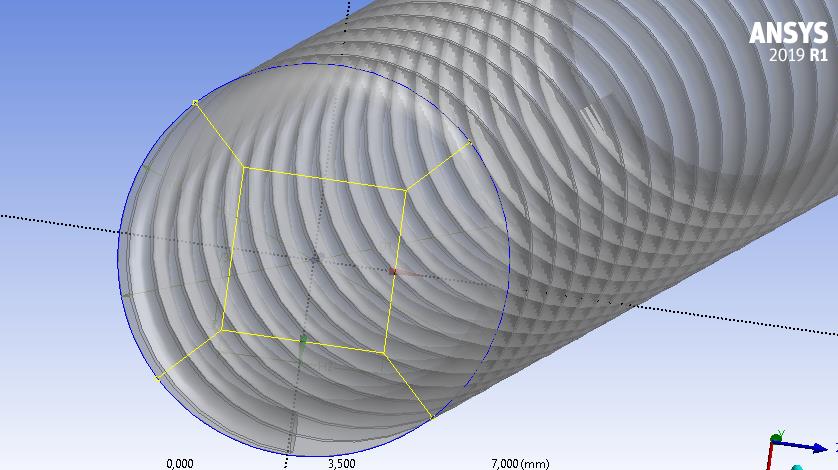
how can I generate hexahedral mesh for the following geometry (see fig1), I m trying to study flow in presence of wire coiled insert. The mesh generated automatically is shown in fig2, I tried to use multizone, sweep methods and also I create some lines for edge sizing but nothing is working for me!
Please any guidelines, I will be very grateful.
Â
regards.
-
July 1, 2020 at 12:38 am
Karthik Remella
AdministratorAre the parts you have sweepable? Could you please Right Click and see if Meshing recognizes portions of your geometry as sweepable? If they are, then you should be able to able to generate a hex mesh. If they are not sweepable, then you will need to further decompose your geometry. Here are a few videos you can use to decompose your geometry for hex mesh.
https://youtu.be/P19GOTQWmc0
https://youtu.be/XvczcKVfGnI
https://youtu.be/aY7DziKp_ng
https://youtu.be/Q9vtmTlCK9c
I hope this helps.
Thanks.
Karthik
-
July 1, 2020 at 5:54 am
Keyur Kanade
Ansys EmployeeThis geometry would be very difficult to mesh with hex elements in workbench meshing.Â
You can create full tet mesh or hybrid mesh(tet + hex).Â
You can slice the geometry so that you can get hex mesh as much as possible. Then remaining can be meshed with tet.Â
Regards,
Keyur
Â
If this helps, please mark this post as 'Is Solution' to help others.
Guidelines on the Student Community
How to access ANSYS help links
Â
-
- The topic ‘hexahedral mesh’ is closed to new replies.
-
4808
-
1582
-
1386
-
1242
-
1021
© 2026 Copyright ANSYS, Inc. All rights reserved.