-
-
January 9, 2019 at 12:50 pm
Georgiro
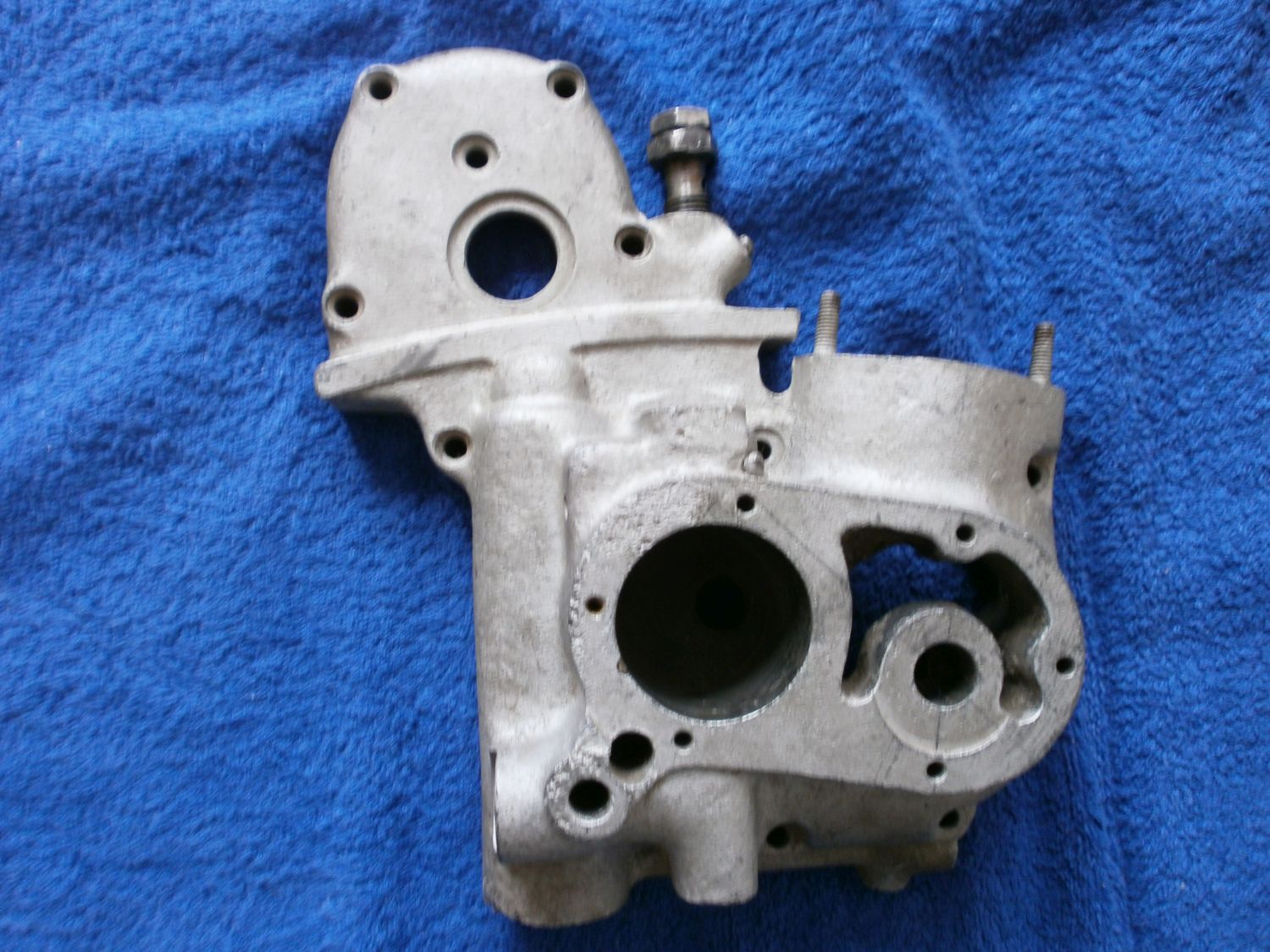
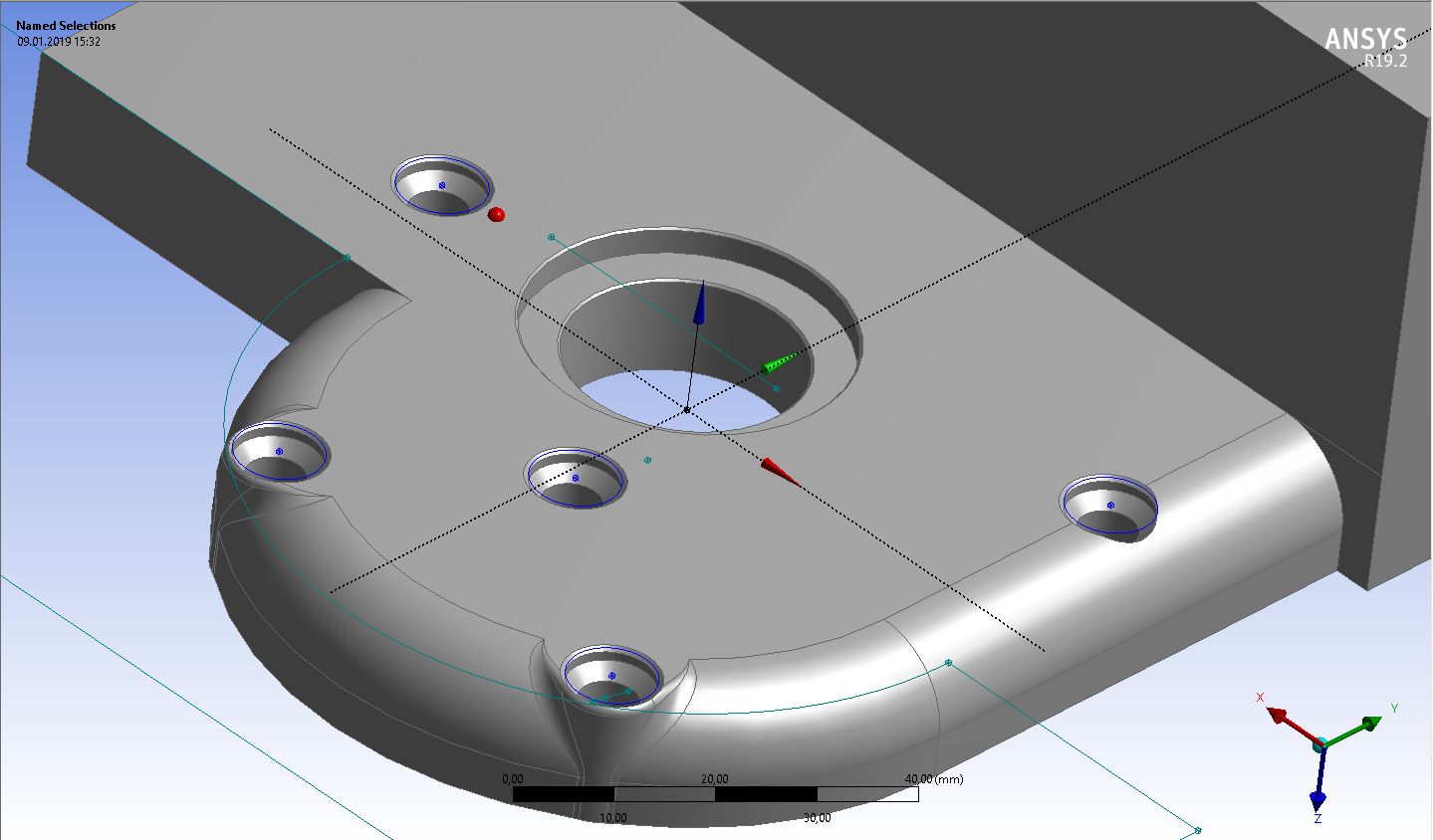
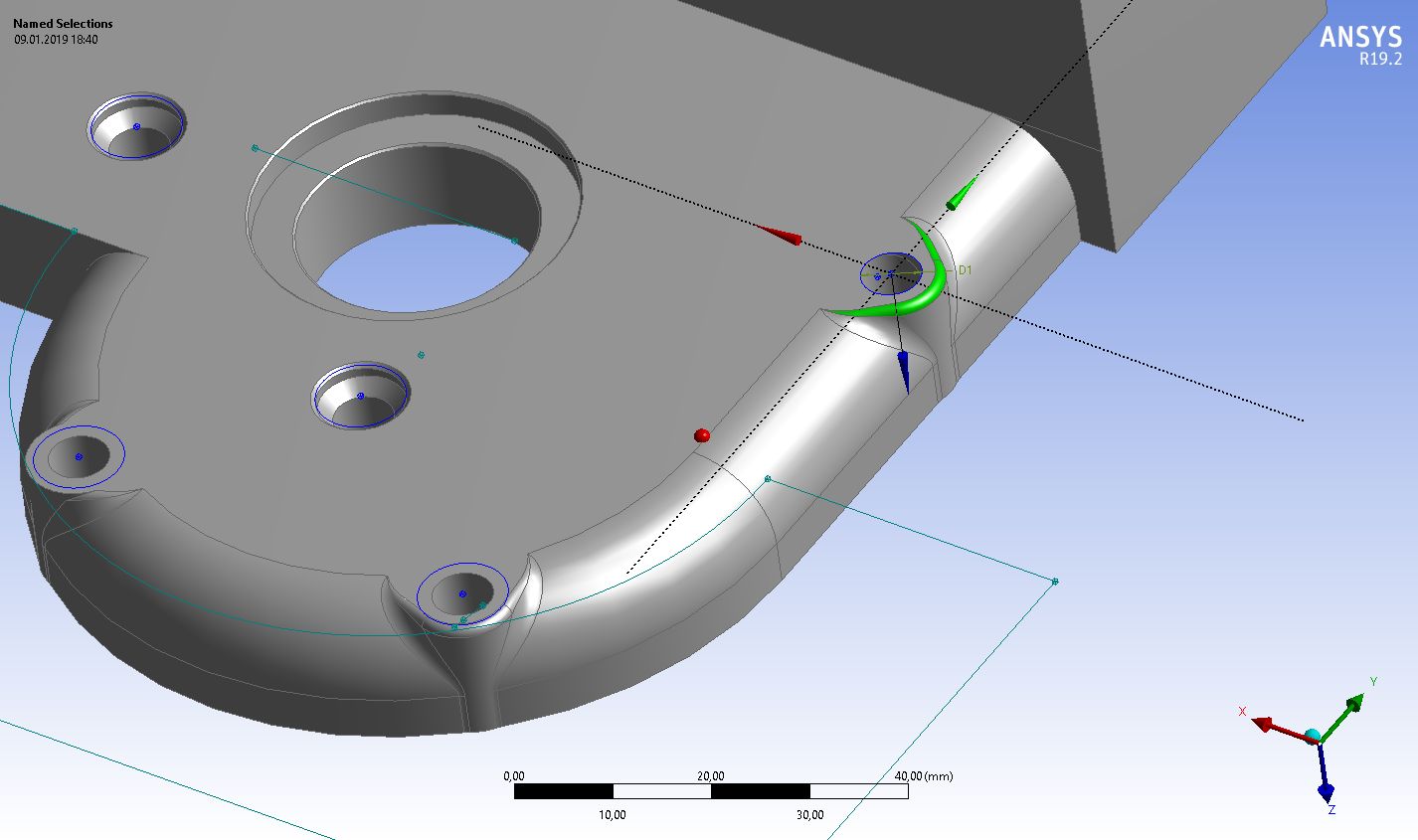
SubscriberI would need to do some design in the continuation of the design. The part that you can see is below in the part of the view. So the point is that I need to extend the rounded edge of the part + plus a bit of other straigh part going up to the next bolt hole. But I do not know how to get the part of lines which I have created and would like them to use for the same creation of the other part of the part. Would you be able to help me how to get the part and continue with the sape of the rounded part/elbow of the edge! Thanks a lot and see also the real photo of the part.

-
January 9, 2019 at 1:46 pm
Rob
Forum ModeratorUse the Extrude function. Pick the surface to the right of the red line and cut material: you'll probably need to specify one of the other lines as a direction & set the extrude distance to suit the model.
-
January 9, 2019 at 2:15 pm
Georgiro
SubscriberThis is fine, however it seems to me that I am not able to do it as required or to say that I do not understand it at all. I do the extrude, but I am not able to do it as needed. It would be really good way just a simply to tell me what to exactly should do. Thanks
-
January 9, 2019 at 2:38 pm
-
January 9, 2019 at 5:43 pm
-
- The topic ‘Hello, as I said before I am continuing with one design of a part of an moto-engine and now’ is closed to new replies.

-
4904
-
1598
-
1386
-
1242
-
1021
© 2026 Copyright ANSYS, Inc. All rights reserved.