Ansys Assistant will be unavailable on the Learning Forum starting January 30. An upgraded version is coming soon. We apologize for any inconvenience and appreciate your patience. Stay tuned for updates.
General Mechanical

General Mechanical

Topics related to Mechanical Enterprise, Motion, Additive Print and more.

Frictionless support does not detect surface

    • mertturgut.senol
      Subscriber

      Dear Experts;

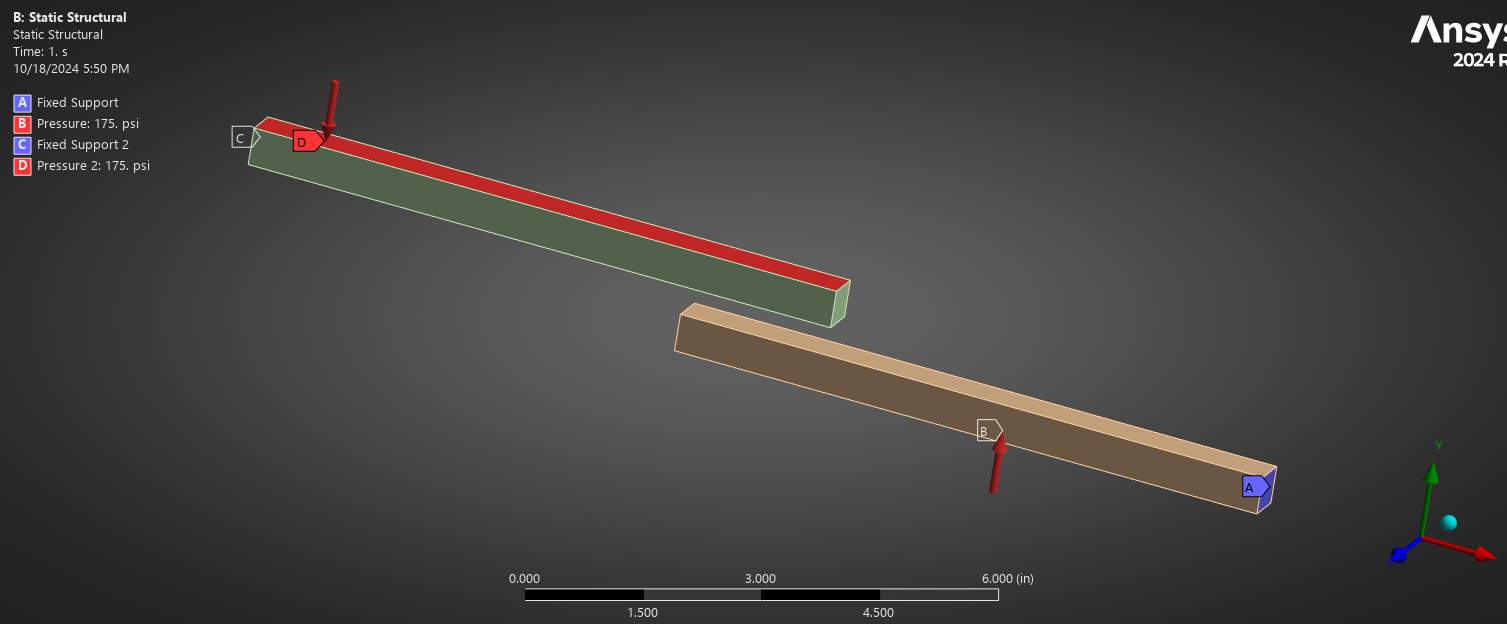
      I am trying to perform an analysis there are two bars and one edge of these two bars are fixed and pressure applied to the bars.

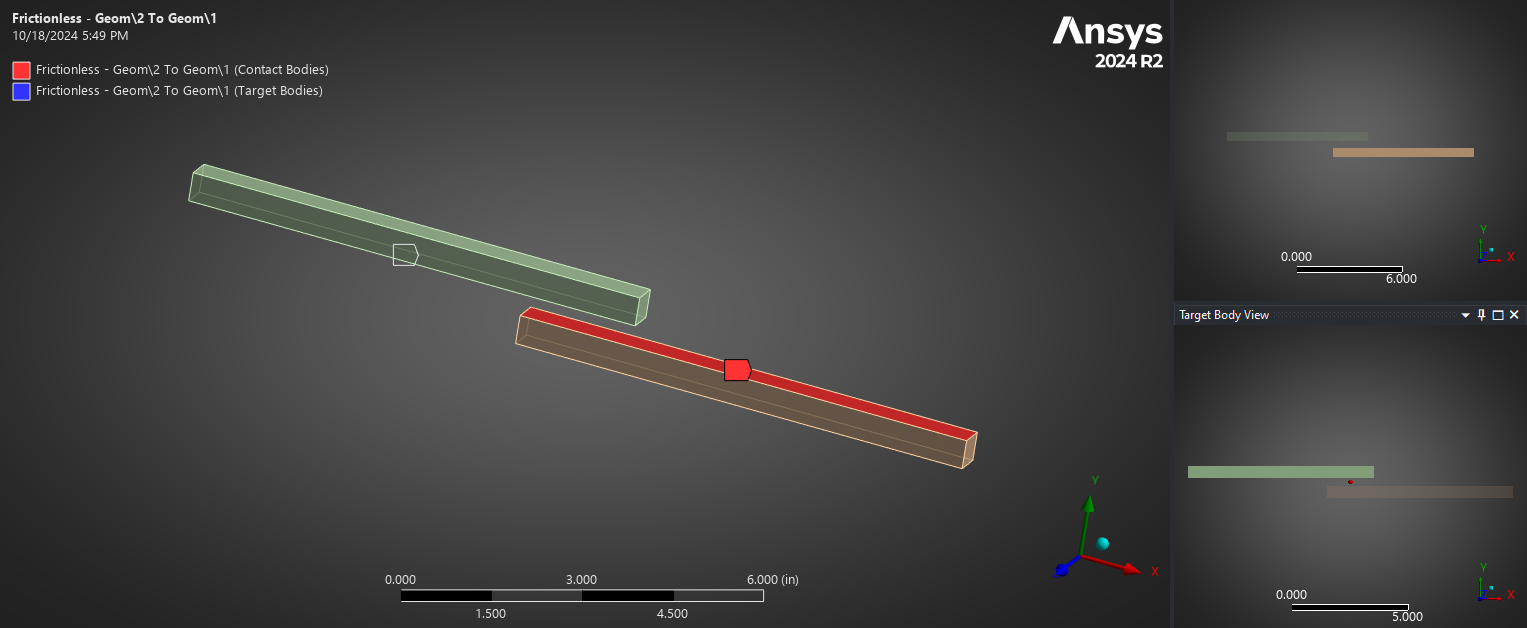
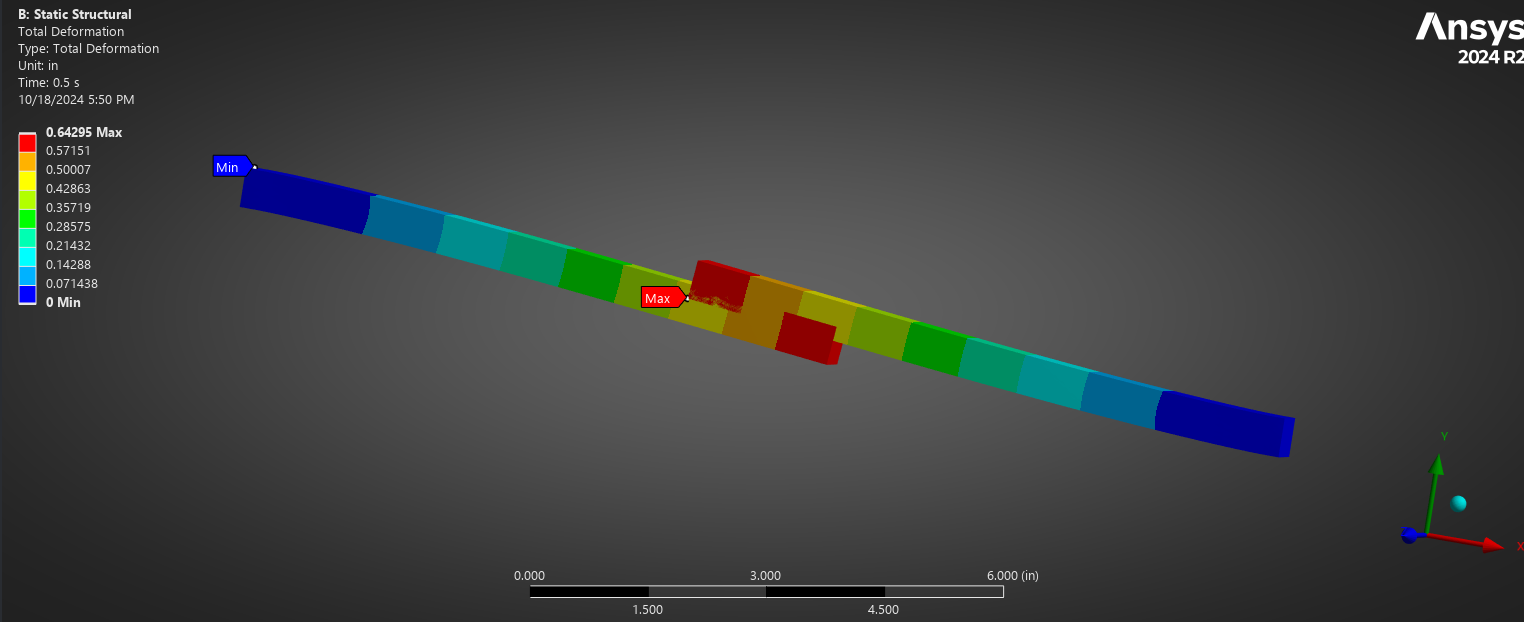
      I created a frictionless support between bar surfaces because they will touch each other. But according to my analysis they pass through each other.

      here is the connection;

      here is the boundary conditions;

      here is the last step which solver could solve.

      where am I making mistake or wrong?

      what can be the reason for this mistake?

      I look forward to your comments and thank you in advance.

      Best regards.

    • ErKo
      Ansys Employee


      Hi

      See our courses in contact for a general overview.

      In your case make sure you have many substeps (https://www.padtinc.com/2011/11/08/you-dont-wanna-step-to-this-breaking-down-loadsteps-and-substeps-in-ansys-mechanical/),

      large deflections on,

      and pinbal region is large enough (see here for info: https://www.padtinc.com/2015/11/09/be-a-pinball-wizard-with-contact-regions-in-ansys-mechanical/).

      Also set displacement scale factor=1.


      All the best

      Erik


    • mertturgut.senol
      Subscriber

      Dear Mr Kostson;

      when I applied pinball radius the problem was solved and converged.

      I made not any changes Pinball radius I left it as program controlled.

      thank you for your suggestion.

Viewing 2 reply threads
  • The topic ‘Frictionless support does not detect surface’ is closed to new replies.

[bingo_chatbox]