TAGGED: #fluent-#ansys, Ansys-fluent-setup-error
-
-
October 12, 2022 at 7:05 pm
nc952
SubscriberHi, I am having issue with running fluent on our high-performance computing server. I am able to run it without errors on my desktop but when I try to run the same case on the server- fluent gives me an error saying: Rules not found. I have attached the error below. Whether I use a batch file or open the fluent interface: it gives the same error regardless and points to a file on my local computer. -
October 17, 2022 at 3:58 pm
Rob
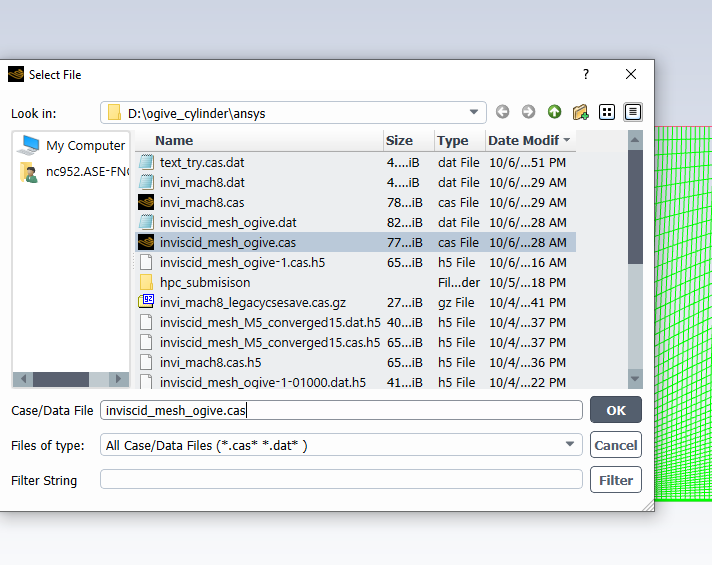
Forum ModeratorIf you open the File>Write Data panel where does the solver point the files at? I suspect you've managed to save the full path into the case file so it's trying to write to a non-existant drive on the cluster.Â
-
October 18, 2022 at 8:03 pm
nc952
SubscriberHi Rob,
I have attached the screenshot of the window while saving, it does save it there, but I am trying to run it on a different server of our university, so I am trasnsferring that file to the server, but I do not know how is it still pointing to the local directory. How can I stop that from happening? -
October 19, 2022 at 8:24 am
Rob
Forum ModeratorOpen the file on the server using the GUI and check autosave path and similarly for any monitors. The issue can be linked to not using the working folder you select on the Fluent launcher, but it's a difficult one to diagnose.Â
-
October 19, 2022 at 2:28 pm
nc952
Subscriberok. I will try that, But, what I am actually doing is, using a bash script (journal file) on the server to run fluent in a queue. I was initializing and applying the boundary conditions on my local computer and then sending a batch job to the high performance computing center in queue for calculation. (Because sometimes the queue is really long and takes days to start) So, I was never opening fluent on the server. Just uploding it on ther server folder and submitting the files for queueing.
-
October 19, 2022 at 2:33 pm
Rob
Forum ModeratorBut in the OP you said it also failed via the GUI on the server. Which was it?
-
October 19, 2022 at 2:35 pm
nc952
SubscriberYes, Originaly, I was attempting the batch file, that didn't work (got the same error), so I tried using the GUI on the server and that failed too(with the same error).
Thank you so much, I really appreciate all the help.!! -
October 19, 2022 at 3:15 pm
nc952
SubscriberAny idea on how can I fix these issues?
-
October 19, 2022 at 3:33 pm
Rob
Forum ModeratorWhen you issue the write command use the full path for the cluster drive.Â
-
October 19, 2022 at 4:37 pm
nc952
Subscriberok, Thank you, I will try that. ?
-
- The topic ‘Fluent error on server’ is closed to new replies.
-
4633
-
1540
-
1386
-
1225
-
1021
© 2025 Copyright ANSYS, Inc. All rights reserved.