-
-
January 12, 2026 at 11:44 am
magnergusse
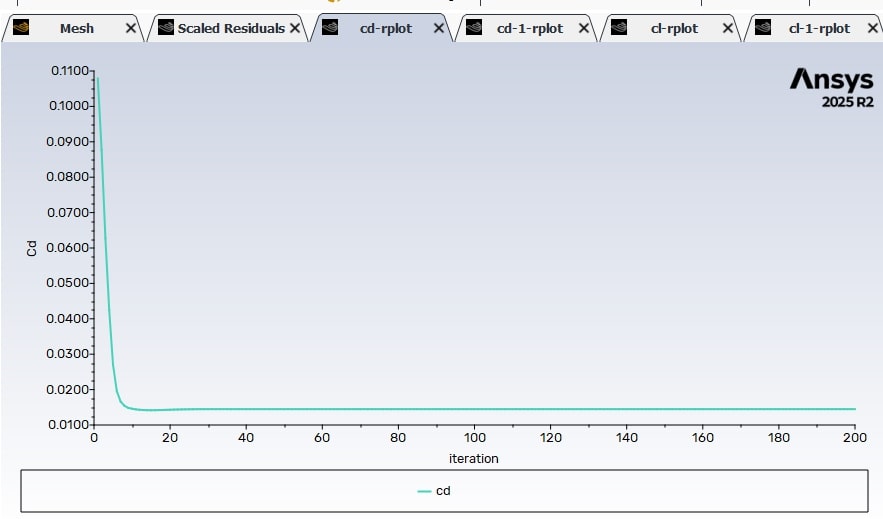
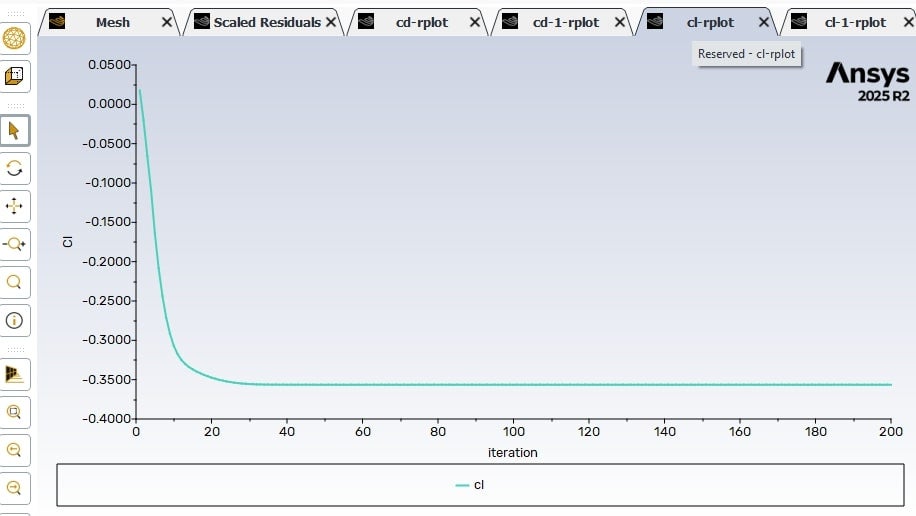
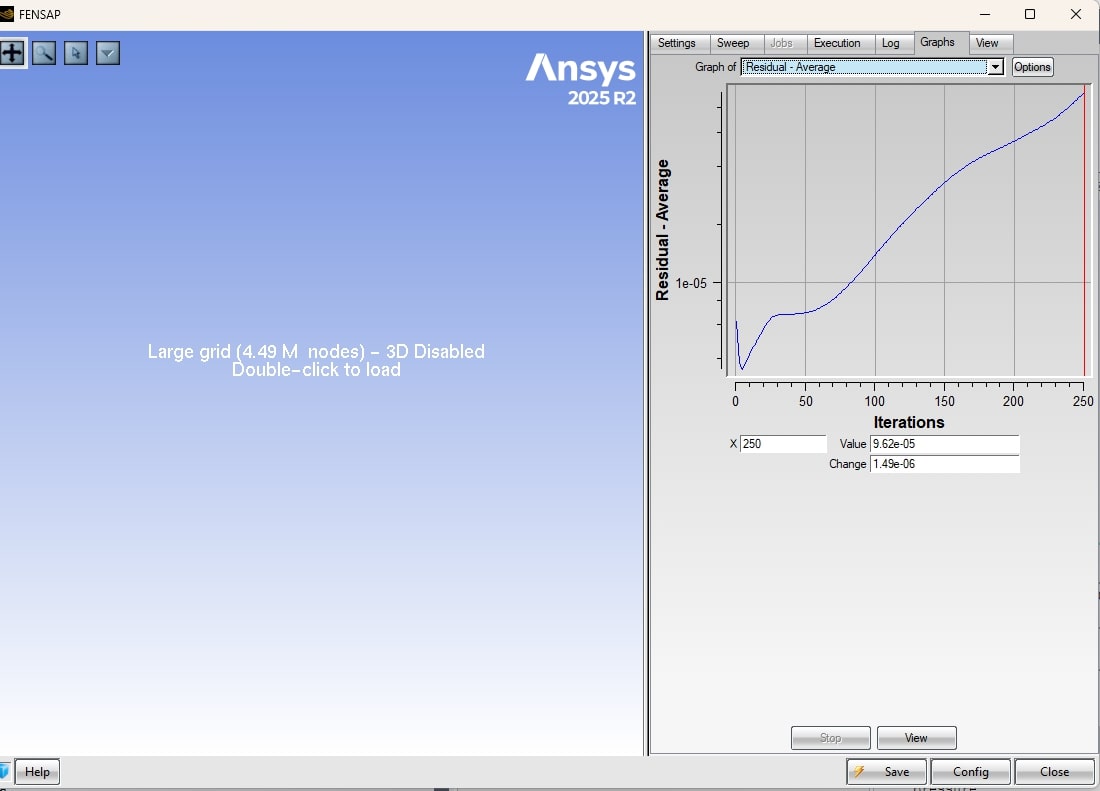
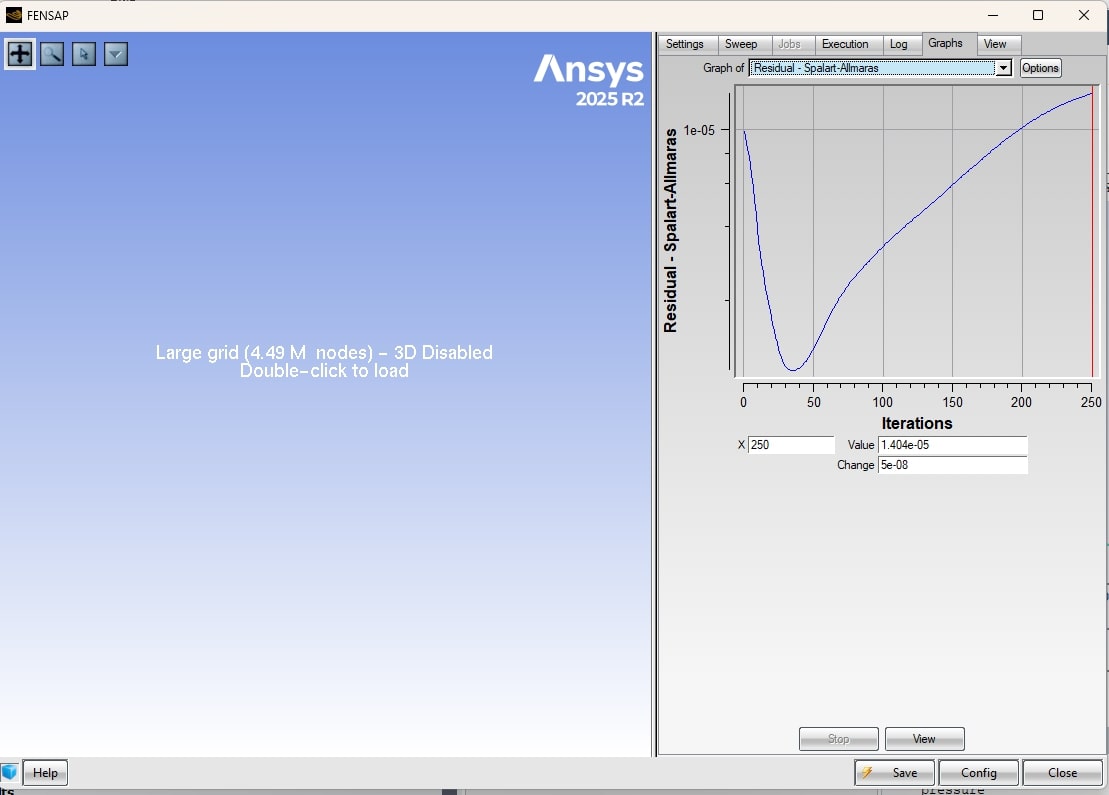
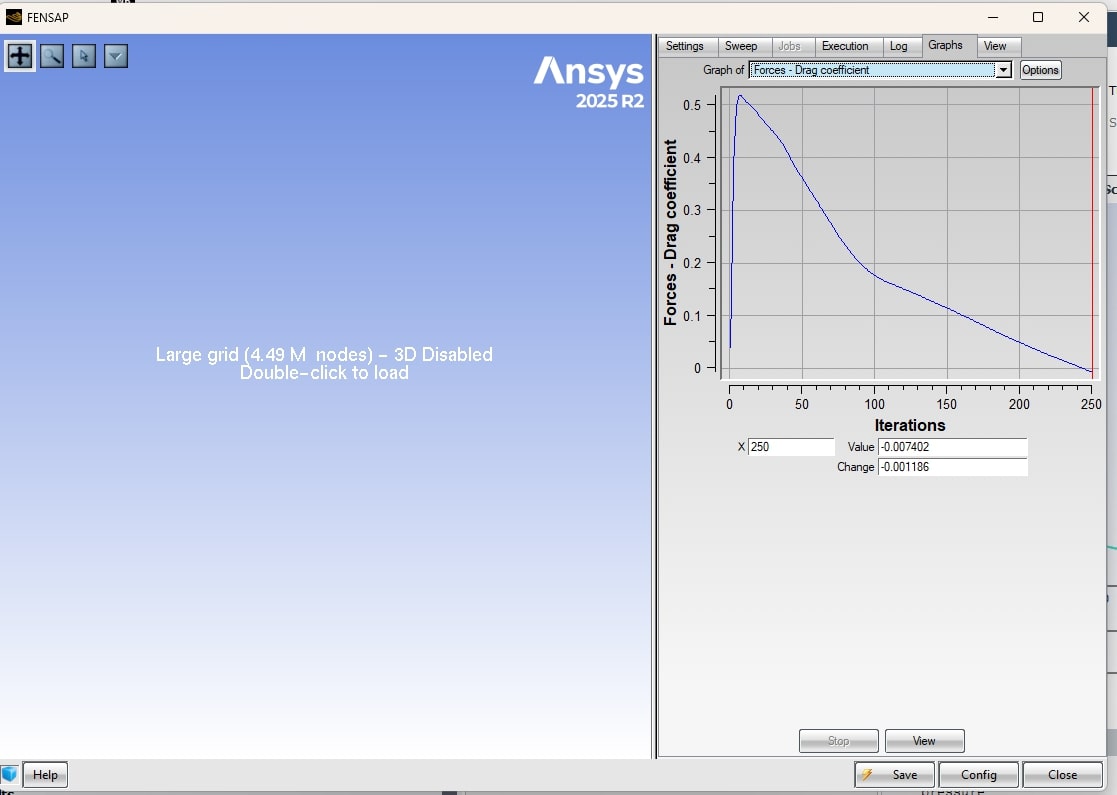
Subscriberi am doing an icing envelope for a custom wing and i am creating a mesh in fluent and then exporting to fensap; however the mesh is converging fine in fluent but diverging in fensap, even with cfl=1;(images)I am trying to do this on fensap to have better control of multishot sequence and parameters like AOA and different speeds, LWC and temperature;I have double checked the BC and don't know what the problem may be; My current mesh has min orthogonal of 0.1 and max skewness of 0.89; I have changed from velocity inlet/pressureoutlet to pressure far field and on both I even have close enough Cl and Cd but both diverge once I go to fensap; also tried changing from SA(which I intended to use) to kw-sst to no result.Is it something with the mesh? or am I messing up the setup somehow? what should I do? -
January 12, 2026 at 11:56 am
Rob
Forum ModeratorStaff are not permitted to follow links or download files so please post the images into the thread.
Is the Fensap model failing for flow only, or with the icing model(s) on?
-
January 14, 2026 at 4:24 pm
magnergusse
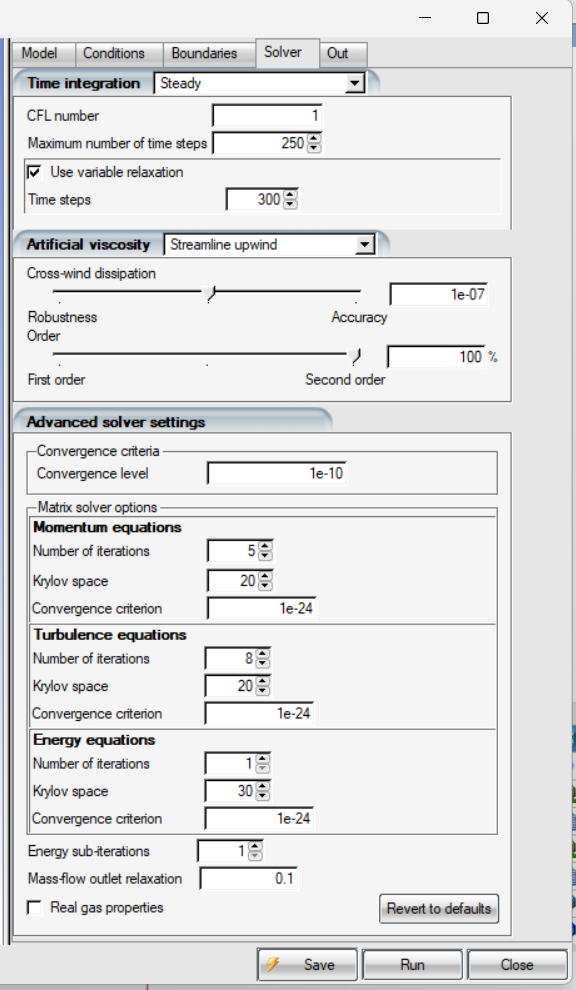
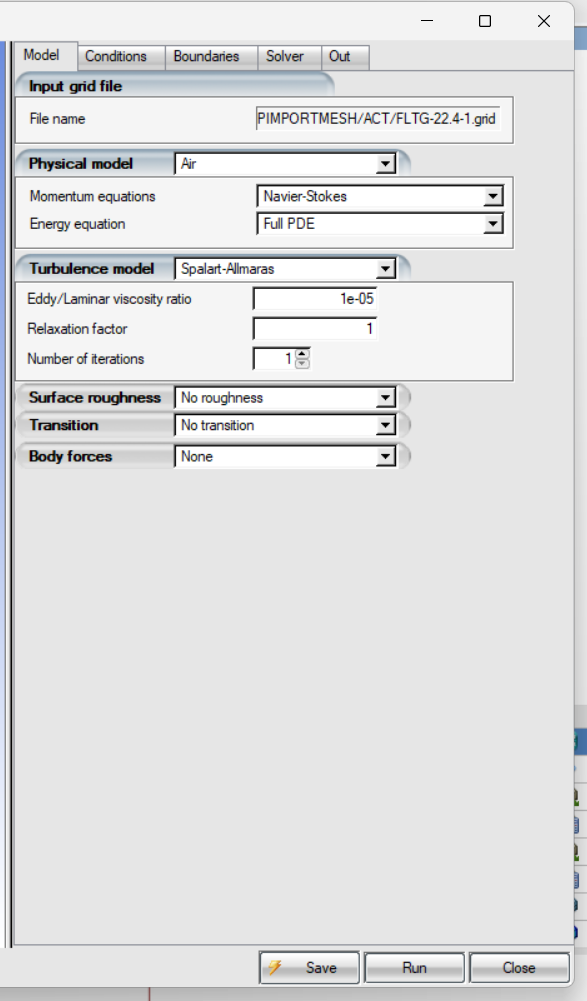
SubscriberThis is the setup i’m using; i also i have variable relaxation on the fensap airflow setup and adaptive time step but no progress; i managed to improve mesh quality to min orthogonal 0.15 and 0.86 max skewness but no convergence still; I’m using this because i want to use different design points and dont want to manually import restart files on the ice setup if i use fluent to solve airflow and fensap for the rest. @Rob
-
-
January 12, 2026 at 12:10 pm
-
January 14, 2026 at 5:47 pm
Shoaib Shah
Ansys EmployeeHi, I’m still trying to fully understand the objective here. Workbench does have some limitations, and I wasn’t able to see the geometry or the FENSAP settings, which makes it a bit harder for me to help troubleshoot the convergence issue.
If the case is already working in Fluent, could you help clarify the need for running an additional airflow case in FENSAP? Both Stand-alone (outside of Workbench) FENSAP-ICE and Fluent-Icing support multishot cases with ALE and automatic remeshing. Also, Fluent Icing has some advanced capabilities that allow parametric studies to be run within a single environment. Do you have an academic license? A great set of tutorials are available on the help page. I would strongly encourage to look at these for both FENSAP-ICE and Fluent Icing.
Thank you
-
January 30, 2026 at 2:21 pm
magnergusse
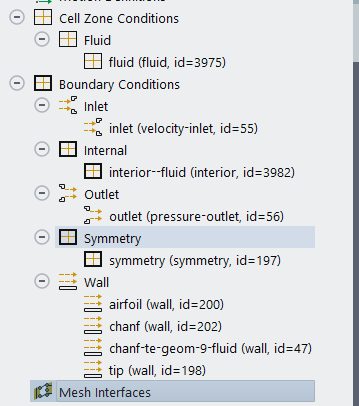
SubscriberSince your last message i tried using more of fluent-icing but I'm having problems with the remeshing, after running the case for the first shot the remeshing log shows a "periodic" BC that doesnt exist and the remeshing fails to recognize BCs as they were before. I cannot show the wing due to NDA, but I have access to a teaching/research license. These are my BC and cell zones and the fensap settings i had before. Another question is regardin the csv for serial runs, i tried a couple of times using the same format of the worksapaces tutorial but it gave me errors like "Multishot does not exist in settings solver". I tried ALE displacement and had errors on the second or third shots of my multishot "Mesh morph - ALE : Iterate| Error: problem in call level sync| MSG-ERROR: Error in meshMorph - mesh conformity failed| reading grid ...| Error in solver cleanup: 2| Error: Error in Mesh Update calculation| Error: Error in Mesh Update calculation
-
February 4, 2026 at 4:09 pm
magnergusse
Subscriber@Shoaib Shah @Rob
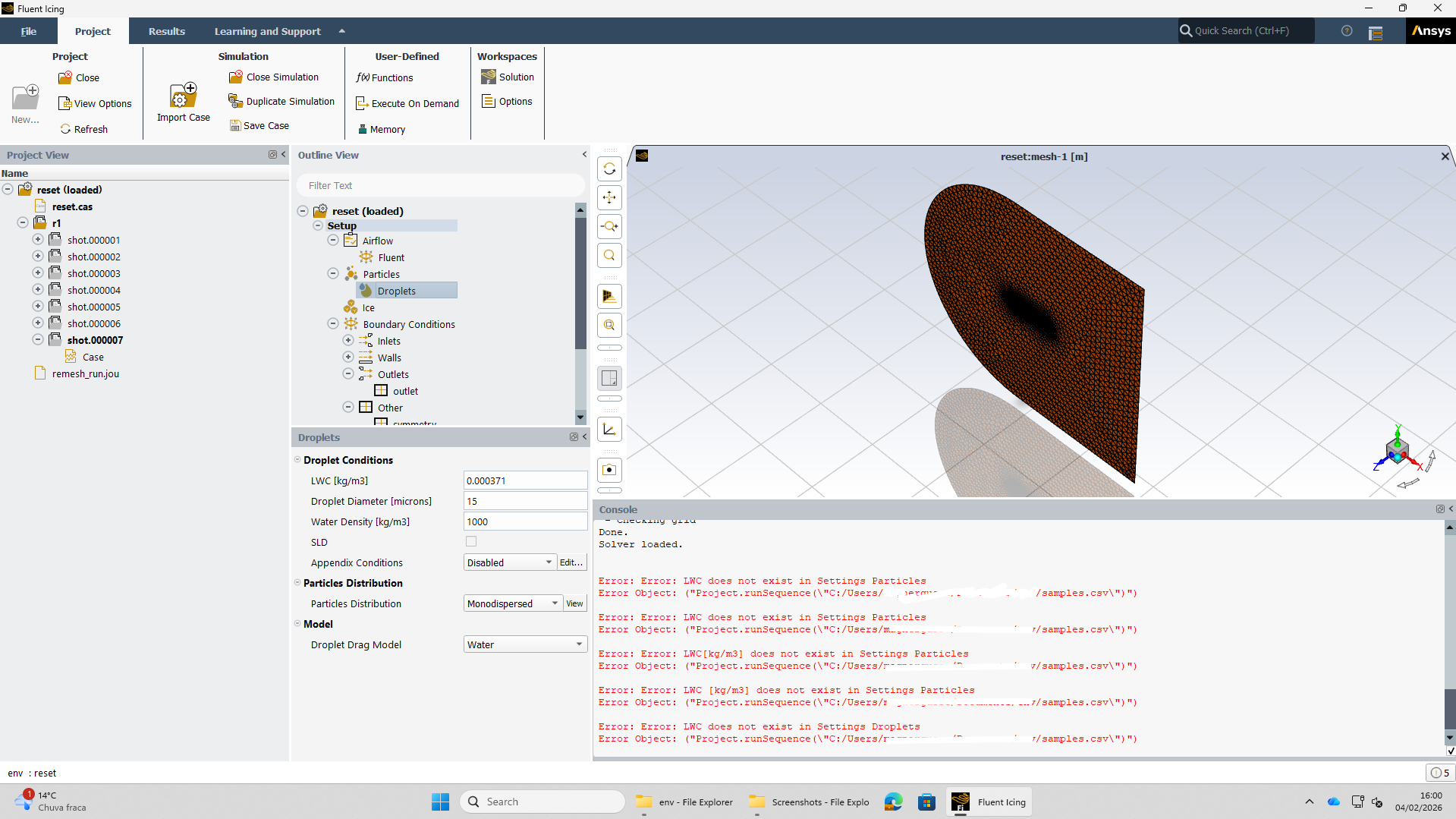
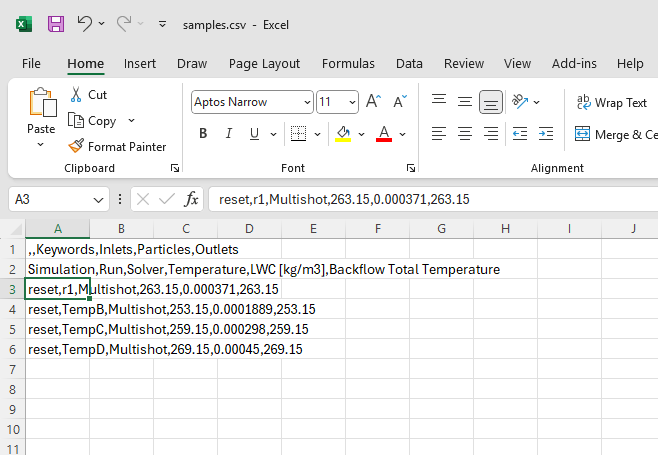
Still trying to automate this process and the csv doesnt seem to work no matter what i try i get htese errors and always, neveven if the variable isnt the LWC its always this error for one of the variables
I managed to get the multishot working even though it still shows the non-existant BC while remeshing; is there a tutorial available for this or for how to create code for this? I am trying with the csv just like the Fluent_Workspaces_Users_Guide 2025R2 section 1.14.7

-
-
February 5, 2026 at 7:46 am
Shoaib Shah
Ansys EmployeeHi Again
I am on business travels this week, but it appears there are issues with the setup. What release version are you on ? For remeshing to work, there are certain recommendations we have outlined in the Fluent Workspace Manula that you must follow, regarding naming and no. of symmetry planes, material point location, z=0 plane requirement etc. Otherwise you get the error as you have mentioned. Also note that those requirements are different in FENSAP-ICE (Multishot with Fluent workflow) to those in Fluent Icing, and so for the former the fensap-ice manual is the reference. Before running, any parametric studies with the csv file, I would ensure that the set up for simulating multishot & single shot icing runs are well understood inlcuding air properties definitions, understanding ice density options (constant vs impact density model), roughness (0.5mm for clean starts vs beading model for remaining shots), no of shots, recording and reuse of python journals (see section on batch runs as well which will help with csv options) etc. I hope this helps, and let us know if anything thank you.
-
February 12, 2026 at 2:49 pm
magnergusse
SubscriberI managed to get most of the setup done by now and tested a preliminary csv and it worked; now I only have two questions:
How to setup the last airflow so that i can take the aerodynamic coefficients after icing is complete, should i add one more shot just so that i can have that last airflow calculated or just by using the resulting case from multishot and calculating afterwards? I am asking this because i want to run as many cases in a row and this last option is very unproductive.
How to take out the ice mass and the aerodynamic coefficients without having to clich on the report plot to see?
Thankyou for your help so far. @Shoaib Shah
-
-
February 13, 2026 at 8:57 am
Shoaib Shah
Ansys EmployeeFor the aerodynamic performance degradation studies, the best approach really depends on your preferences and specific requirements.
If you’re analyzing a single condition, you have two main options:
As you mentioned, you can define the multishot run with one additional shot. In this final shot, set Fluent to XX iterations, with 0 droplet iterations and 0 seconds of icing, so you can evaluate the aerodynamic performance losses directly.
Alternatively, after completing the multishot icing run (based on the desired accretion time), you can create a new "simulation" (using the iced grid generated from the multishot run). From there, run airflow-only simulations - either a single case or multiple cases to explore the operating envelope.
Both approaches can be carried out within the Fluent Icing Workspace.
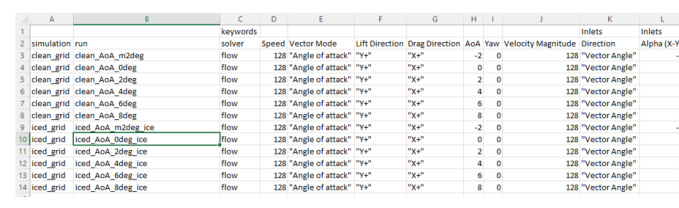
If you're interested in performing a full angle-of-attack sweep and running the study in batch mode with parametric variations (csv file import), there is a tutorial available in the Fluent Icing Workspace tutorials that demonstrates how to set this up.
Another option is to export the fully iced grid into Fluent Aero (launched in the same way). This environment offers more automated setup, plotting, improved visualization tools, and access to additional aerodynamic coefficients for more detailed analysis.
Thank you

-
February 20, 2026 at 3:07 pm
magnergusse
SubscriberI don't want an AOA sweep, I want to test different atmospheric conditions for a specific speed and AOA, that's why I want to use the csv.
I don't know if it's something with the license or not, but whenever I try to use the custom shots function, Fluent closes instantly, I cannot use this approach, only with an extra shot of droplets and ice or manual export.
-
February 20, 2026 at 3:48 pm
Shoaib Shah
Ansys EmployeeHi
There is an issue with the custom shot option (beta feature) in Fluent Icing and are we are looking to resolve it. In this case please define the shots for the ice shape only. Once completed you can use the final iced geometry (mesh), to run your aero degradation studies. Please have a look at the Fluent Icing Tutorial and in particular for csv and running sequence, please follow section 1.1.9. Scheduling a Sequence of Runs With Fluent Icing. This also explains how to run iced grids (AoA sweep but not limited to this).
Thank you
-
March 5, 2026 at 12:06 am
magnergusse
SubscriberHi, all your help has been extremely useful. I have managed to put everything working, I remain with only three questions, one is how in the csv can I put for the walls to be with adiabatic stagnation +10, should I calculate outside and insert it as a normal parameter, or is there a way to do it automatically?
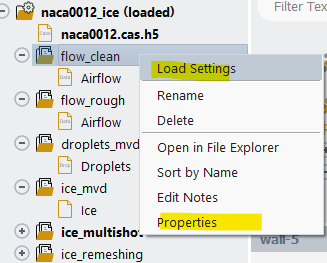
Is there a way to confirm that my boundary conditions were applied?
When is the custom shots option going to be available?
-
-
March 5, 2026 at 12:48 pm
Shoaib Shah
Ansys EmployeeHi again.
Thats great news. Thanks for the feedback.
- For now, you would need to calculate this manually (e.g., in Excel), or directly, i believe, within the CSV file used for the parametric study by specifying the calculated value (or by solving it directly) in the “Wall temperature” column.
- You can load each run and review the settings as shown.
Additionally, there is a run.settingstext file within each run directory that can be checked for the setup. - The release is not yet confirmed, but we will try to prioritize adding this to the feature list for the upcoming 27R1 release.
Thank you

-
- You must be logged in to reply to this topic.
-
5629
-
1885
-
1403
-
1298
-
1021
© 2026 Copyright ANSYS, Inc. All rights reserved.