-
-
April 7, 2020 at 12:57 am
rickywugunawan
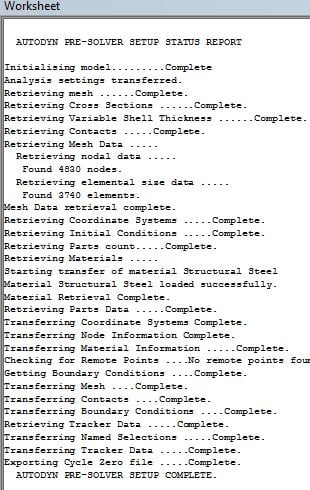
SubscriberHi everyone, I am trying to run a model using Explicit Dynamics AUTODYN. It was okay before but suddenly I can't run my ANSYS using Explicit Dynamics AUTODYN anymore. I have already reinstalled the program a couple times but it still does not work. This is the preview of the "solution information" and "RSM"
This is the second time I faced this problem. I manage to solve it on other computer by reinstalling and delete all of the ANSYS model inside my computer. I tried to do the same on the other computer but it did not work.
I saw similar problem on this forum but no one answered yet. can anyone help me?
Thank you so much
-
April 7, 2020 at 2:31 pm
Wenlong
Ansys EmployeeHi,
I am looking into this issue and will let you know once I find a solution.Â
Regards,
Wenlong
Â
-
April 9, 2020 at 5:47 pm
-
April 9, 2020 at 5:50 pm
Wenlong
Ansys EmployeeIf you want to turn off distributed run and run SMP, Aniket pointed out how to turn if off in the old Mechanical interface:Â /forum/forums/topic/mpi-error-while-doing-hyperelastic-simulation/?order=all#comment-21f2cf48-8222-4eed-b1cd-ab9601140727
Regards,
Wenlong
Â
-
April 10, 2020 at 5:54 am
rickywugunawan
SubscriberHi Wenlong,Â
Thank you so much for your time and responses.
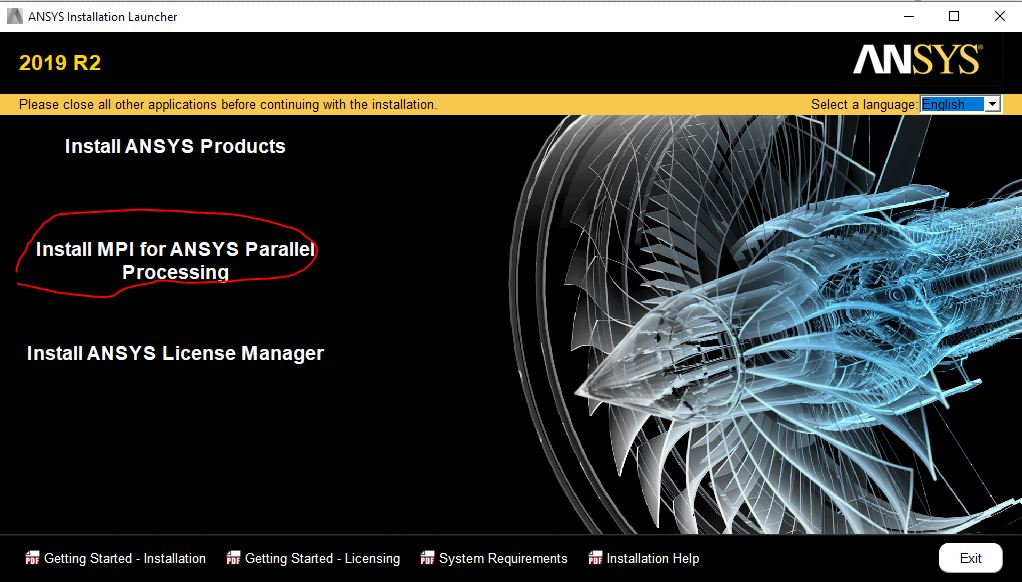
I did not install the MPI though, is it necessary? Because previously I can run my ANSYS just fine before.
I also follow the Aniket advice to turn off the distributed run. But it still did not solve the problem and I still face the same problem.
Is it possible that the problem is on the Explicit Dynamic AUTODYN License?
Because in my different computer, after the "AUTODYN PRE-SOLVER SETUP COMPLETE." appears, usually it says license acquired or something like that. But this time it can not get the license, thus it won't continue the process.
Regards,Â
Ricky
-
April 10, 2020 at 9:14 pm
Wenlong
Ansys EmployeeHi Ricky,
Due to my limited knowledge, I don't have a direct answer.
I found a post on the same issue as yours and it may be helpful to you. /forum/forums/topic/explicit-dynamics-on-hpc/.
Let me ask experts in RSM for help and get back to you.Â
Regards,
Wenlong
Â
Â
-
April 11, 2020 at 12:29 am
tsiriaks
Ansys EmployeeDon't install the extra MPI.
If this worked before and now showing this issue in RSM report, try this in CMD Prompt
move "%appdata%ansys" "%appdata%ansys.old"
Â
If this doesn't help,
Are you using VPN ?
Make sure you connect to either LAN or Wi-FI but not both at the same time
Can you try temporarily disabling all security (Anti-virus, Firewall) on the machine ?
Thanks,
Win
-
April 12, 2020 at 9:35 am
rickywugunawan
Subscriber -
April 15, 2020 at 10:40 pm
tsiriaks
Ansys EmployeeHi Ricky,
The fact that the first command doesn't work is a red flag. Somehow, you don't have access (mostly 'write' permission) to C:UsersUSERAppDataRoamingAnsys , please check permissions settings and everything there.
Thanks,
Win
-
May 5, 2020 at 5:39 am
rickywugunawan
Subscriberdear Win,
Thank you for the advice. Finally, I decided to format my computer and reinstall my Windows and it works. I can use the explicit dynamics normally again now.
Regards,Â
Ricky
 -
May 6, 2020 at 10:08 pm
tsiriaks
Ansys EmployeeHi Ricky,
Great to hear that it's working for you now ! There was some write permission issue, so ANSYS can't write files there.
Thanks,
Win
-
- The topic ‘Failed to run Explicit Dynamic on ANSYS 18.1’ is closed to new replies.

-
5094
-
1829
-
1387
-
1248
-
1021
© 2026 Copyright ANSYS, Inc. All rights reserved.