TAGGED: AEDT-ICEPAK, ansys-icepak, ansys-maxwell, ansysmesher
-
-
January 20, 2025 at 9:43 am
eeeoezkan
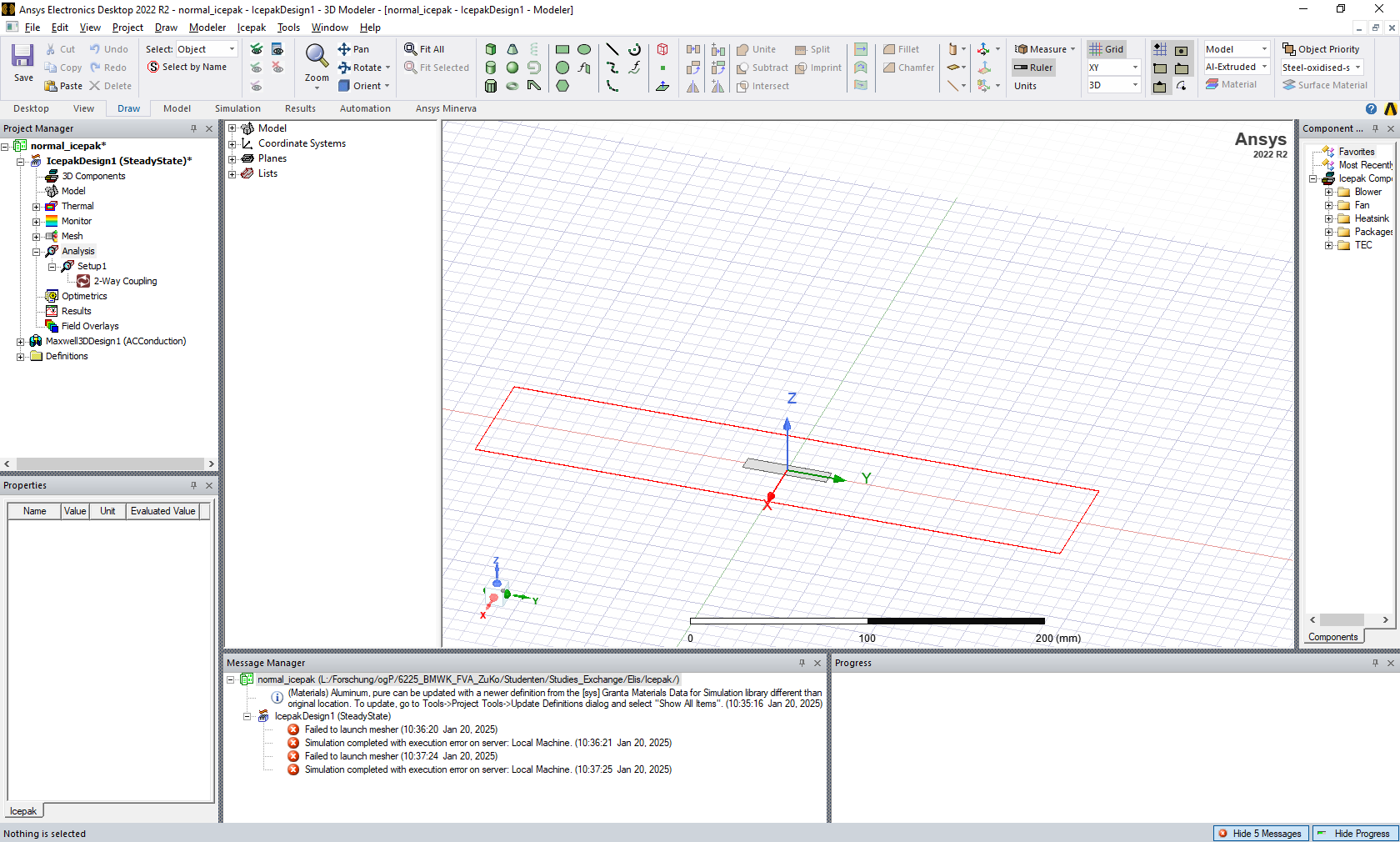
SubscriberI have a plate capacitor model and want to perform a two-way coupling in ANSYS Maxwell Icepak. In Maxwell I have used the AC conduction solution type. I am following all the steps in this tutorial: https://innovationspace.ansys.com/courses/courses/etm-using-ansys-maxwell-and-icepak/lessons/ansys-maxwell-and-icepak-two-way-coupling-part-1-lesson-3-3/, but when I try to simulate, I get the error 'Failed to launch mesher.' How can I solve this?

-
January 21, 2025 at 9:16 pm
Iceman
Ansys EmployeeIt seems that you have a duplicated question that I replied. Did You try adding a Setup by right-click Analysis? Thanks. -
January 21, 2025 at 9:23 pm
Iceman
Ansys EmployeeThe domain looks like 2D. Are there only 2D objects (sheets) in the model? 2D simulation is not supported in Icepak. You will need to have some 3D objects in the model. Thanks.
-
January 22, 2025 at 9:06 am
eeeoezkan
SubscriberI added a setup as you can see in the picture, and unfortunately i got the exact same error. Domain is all 3D, but the layers of the capacitor are really thin (such as 200 nm, 5 microns).
-
January 22, 2025 at 10:22 pm
Iceman
Ansys EmployeeÂ
200 nm is way too thin. The aspect ratio of the element will be very large. Can you repalce them with sheet objects and assign Plate BC to them? The Domain still needs to be 3D though, you will need some base block attached to these sheet objects.
Are you doing conduction only simulation or convection? For convection problem, you can’t have such thin air region. For conduction only problem, please make Air Region non-model. Please walk through the training material on Ansys Learning Hub if you haven’t done so. Thanks.
Â
-
-
- You must be logged in to reply to this topic.
-
4708
-
1565
-
1386
-
1242
-
1021
© 2026 Copyright ANSYS, Inc. All rights reserved.