TAGGED: ansys-mechanical, export-data
-
-
January 10, 2024 at 12:40 am
jwyatteckstrom
SubscriberHello,Â
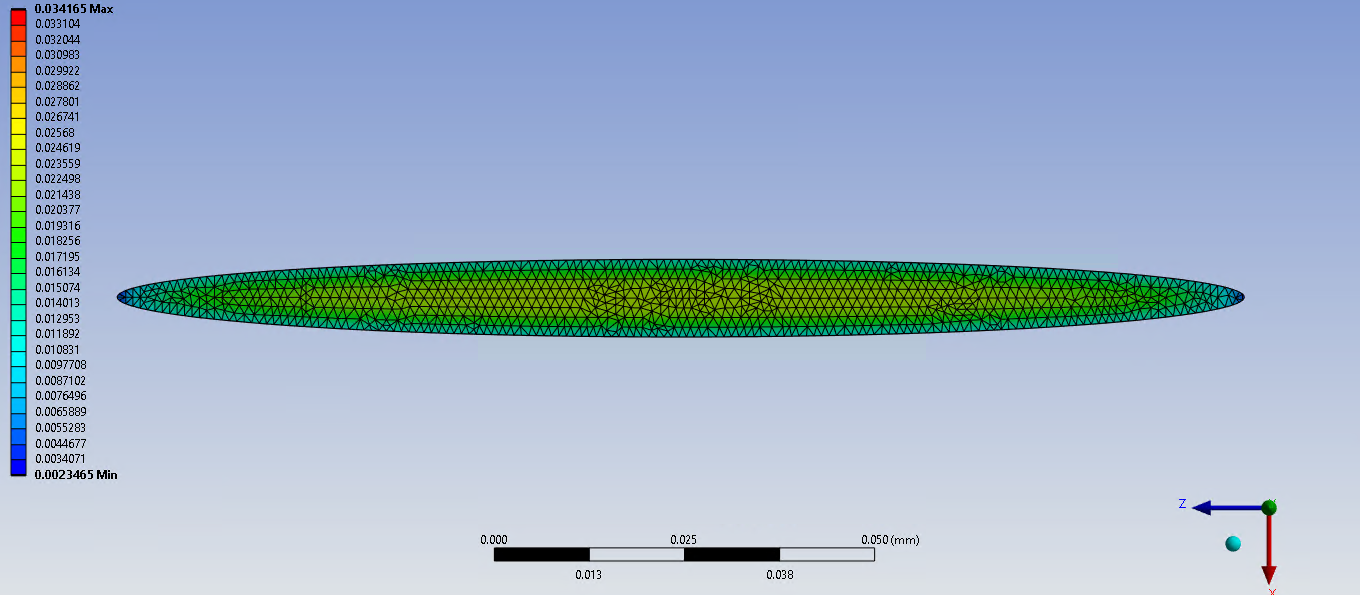
I've made a tensile test simulation with an embedded artifact in the specimen and want to extract the data. I'd like to graph the strain as a function of area, but I don't know how to extract the data without the time consuming process of manually each spot. Does anyone know how to help?Â
Also, when "Maximum Principle Strain" is extracted from a simulation, how do you determine which strain axis it's referring to?
-
January 11, 2024 at 4:20 am
mjmiddle
Ansys EmployeeInsert "Strain > Vector Principal" to see the principal directions:
Any deformed area you want to compute will need to be done in an APDL command snippet. You can communicate Mechanical with APDL by putting geometry in a named selection. Then in the APDL code, use CMSEL,S,named_selection to select those nodes.
What are you trying to plot? A strain result is a contour plot whose values change over point locations on the geometry. Area is not a point entity. Are you trying to get the area of each element and plot against the strain at the centroid of each element? Or the effective area around a node against strain reported at that node? APDL has the function ARNODE() to compute effective area around a node. Or the area of an entire face plotted against the average strain over that entire face?
-
- The topic ‘extract and graph the strain values along an area’ is closed to new replies.

- LPBF Simulation of dissimilar materials in ANSYS mechanical (Thermal Transient)
- Simulate a fan on the end of shaft
- Nonlinear load cases combinations
- Real Life Example of a non-symmetric eigenvalue problem
- How can the results of Pressures and Motions for all elements be obtained?
- Contact stiffness too big
- Test post on Forum – LLM response – SC
- 13-Node Pyramid Element Shape Function
- Element Birth and Death
- Python-Script to Export all Children of a Solution Tree
-
4512
-
1494
-
1386
-
1209
-
1021
© 2025 Copyright ANSYS, Inc. All rights reserved.