Thank you for your information.
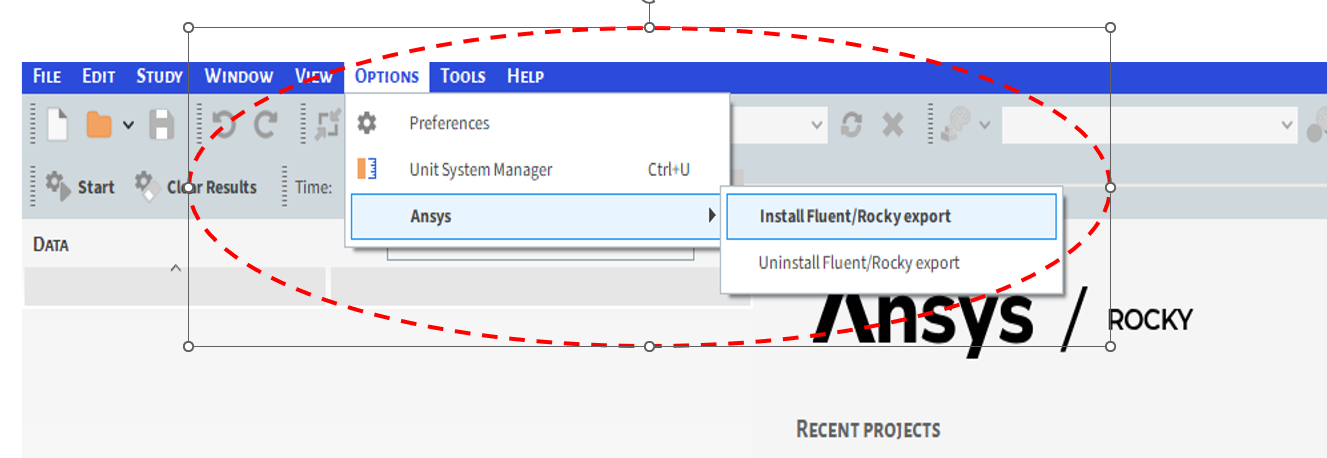
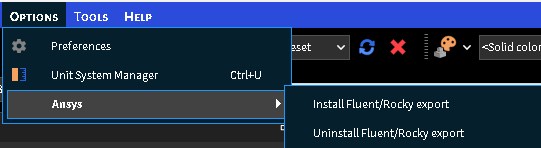
Step1 : First, I went to the Rocky software options menu. After installing fluent/rocky-export,refer to the image below
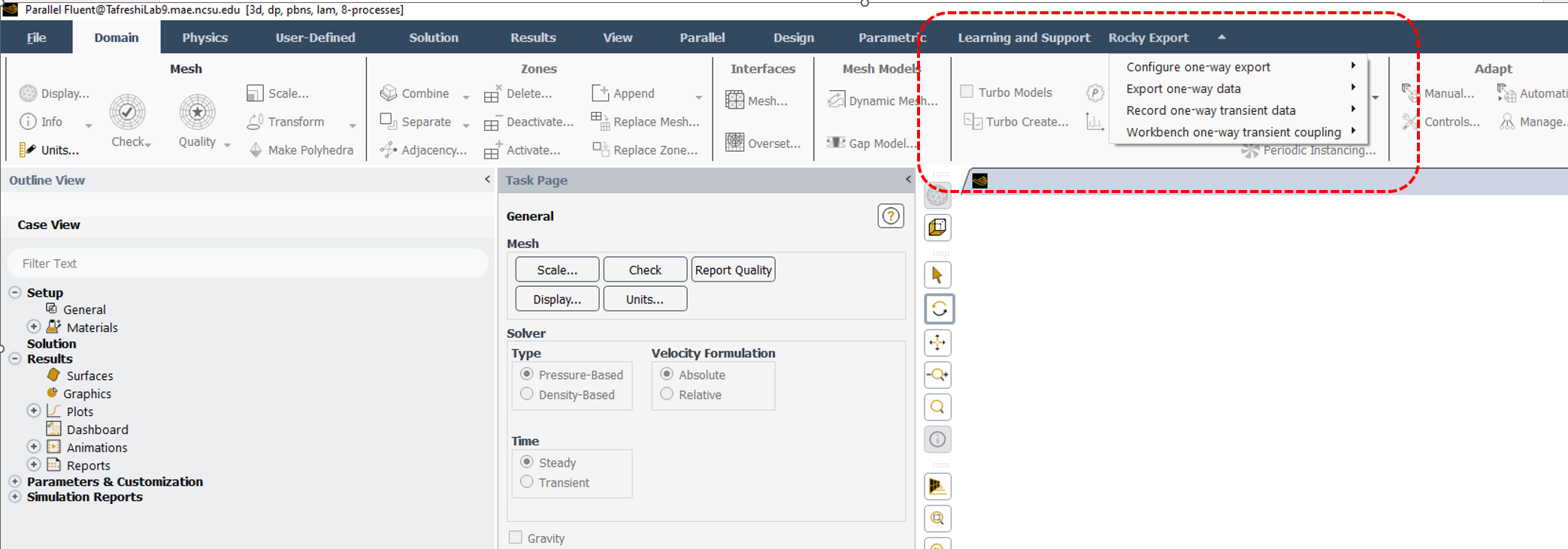
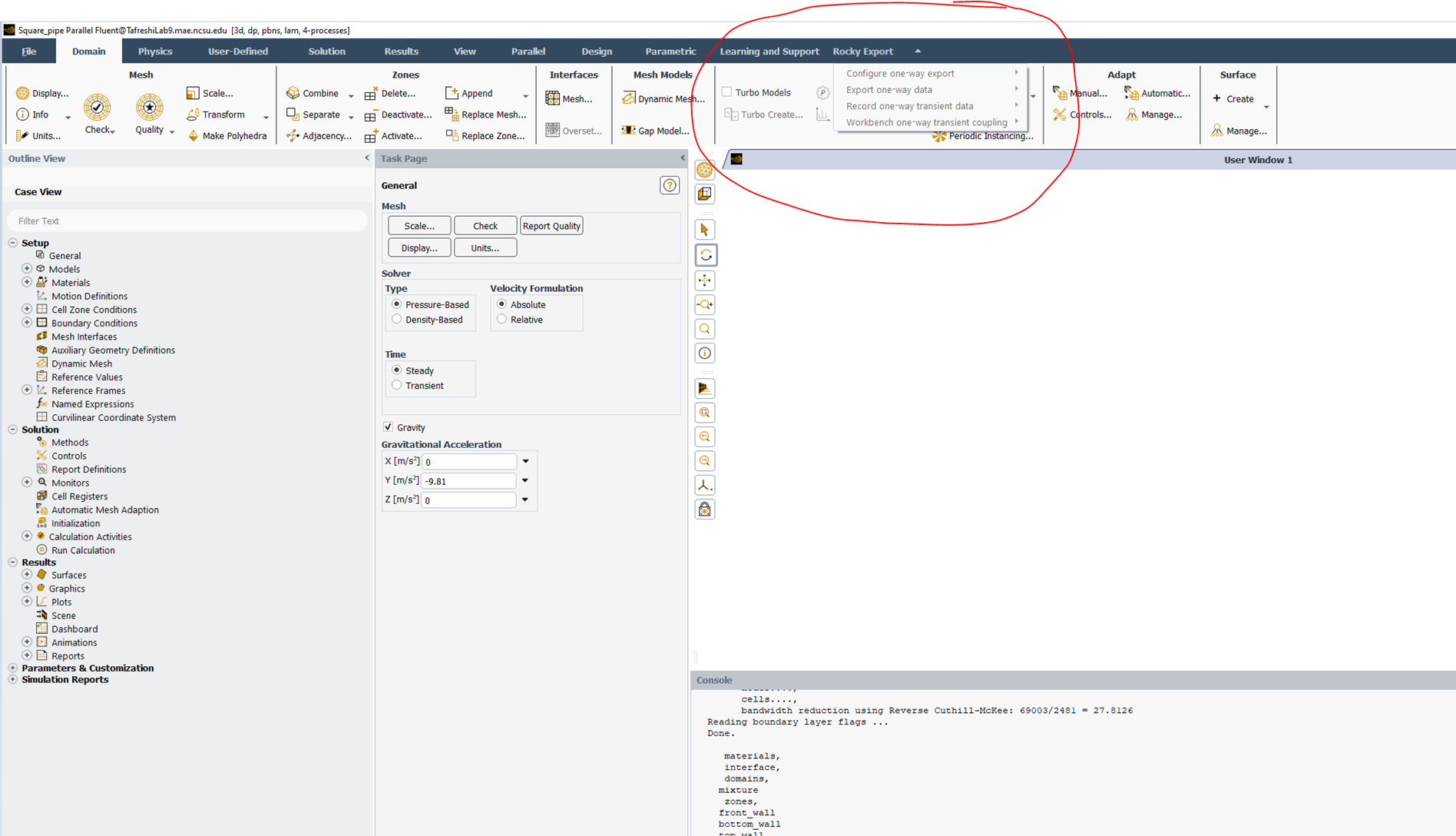
Step 2: I found the 'Rocky Export' menu in Fluent software—see the image below. Here, I got the Rocky Export menu active in Fluent software when I did not include case and data file in fluent software
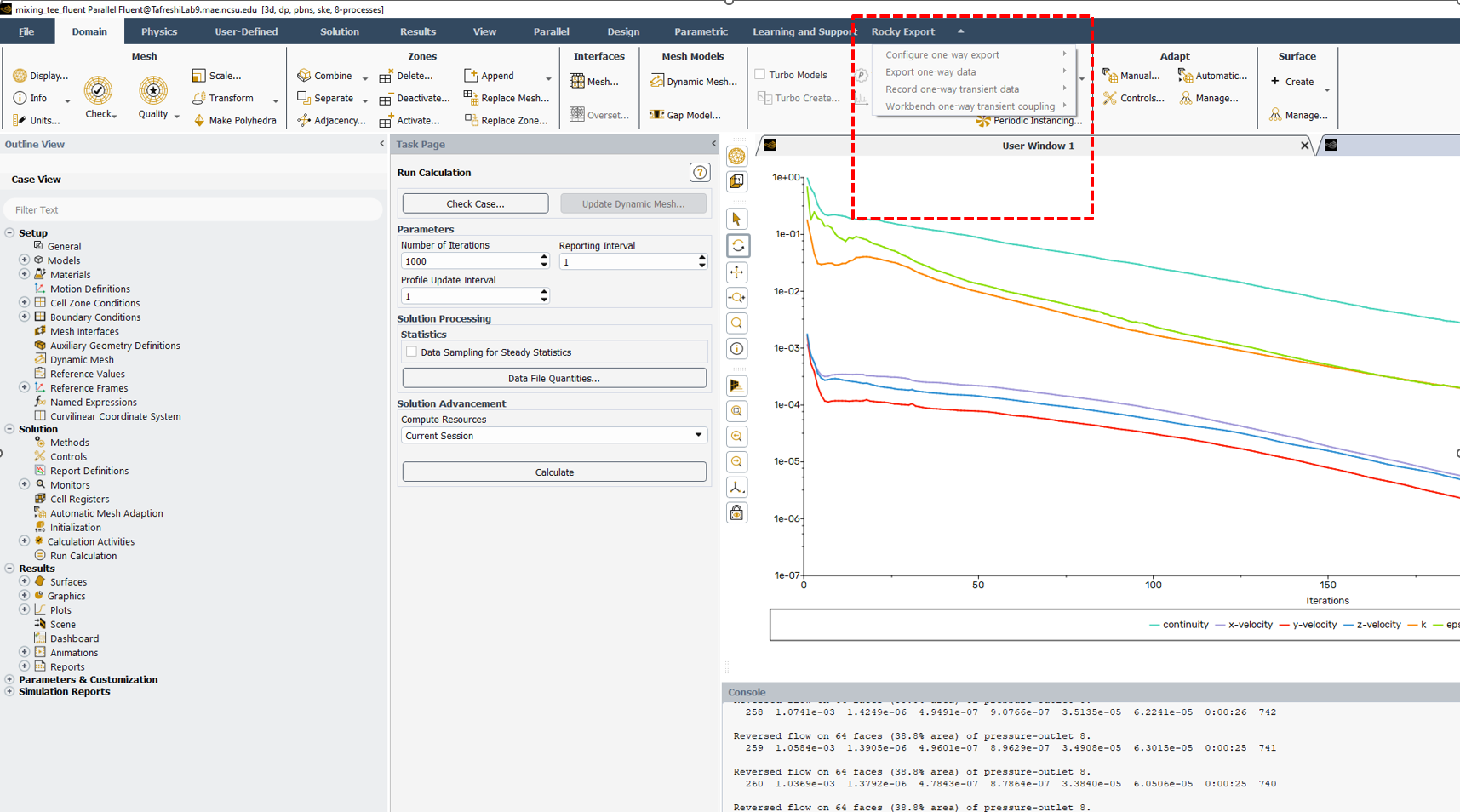
Step3 : However, after importing the case.h5 file into Fluent and running it for 1000 iterations, I navigated to the Rocky Export menu in Fluent, but found that it was not activated. Please see the image below
Can you please tell me how to export one-way data from Fluent to Rocky software? This was my problem.


















 You are navigating away from the AIS Discovery experience