Ansys Assistant will be unavailable on the Learning Forum starting January 30. An upgraded version is coming soon. We apologize for any inconvenience and appreciate your patience. Stay tuned for updates.
Fluids

Fluids

Topics related to Fluent, CFX, Turbogrid and more.

Error using Events

    • Max4
      Subscriber

      Hi,


      when I try to change a boundary type from "fluid" (inlet with velocity) to "wall" using Events, I have the following error.


      Error: CAR: invalid argument [1]: wrong type [not a pair]


      Error Object: ()


      Regards,


      Maxime

    • Amine Ben Hadj Ali
      Ansys Employee

      Please check your setup: changing the BC is working for me. You can try executing a command if you struggle with the BC change.

    • seeta gunti
      Ansys Employee

      Fluid is a cell zone condition. You can use either Fluid or Solid where as inlet is a boundary condition. Please check the boundary conditions and edit it.


      Regards,


      Seeta

    • Max4
      Subscriber

      I have an inlet and an outlet with a moving piston.


      Boundary Conditions : Inlet: Velocity


                                          Outlet: Pressure


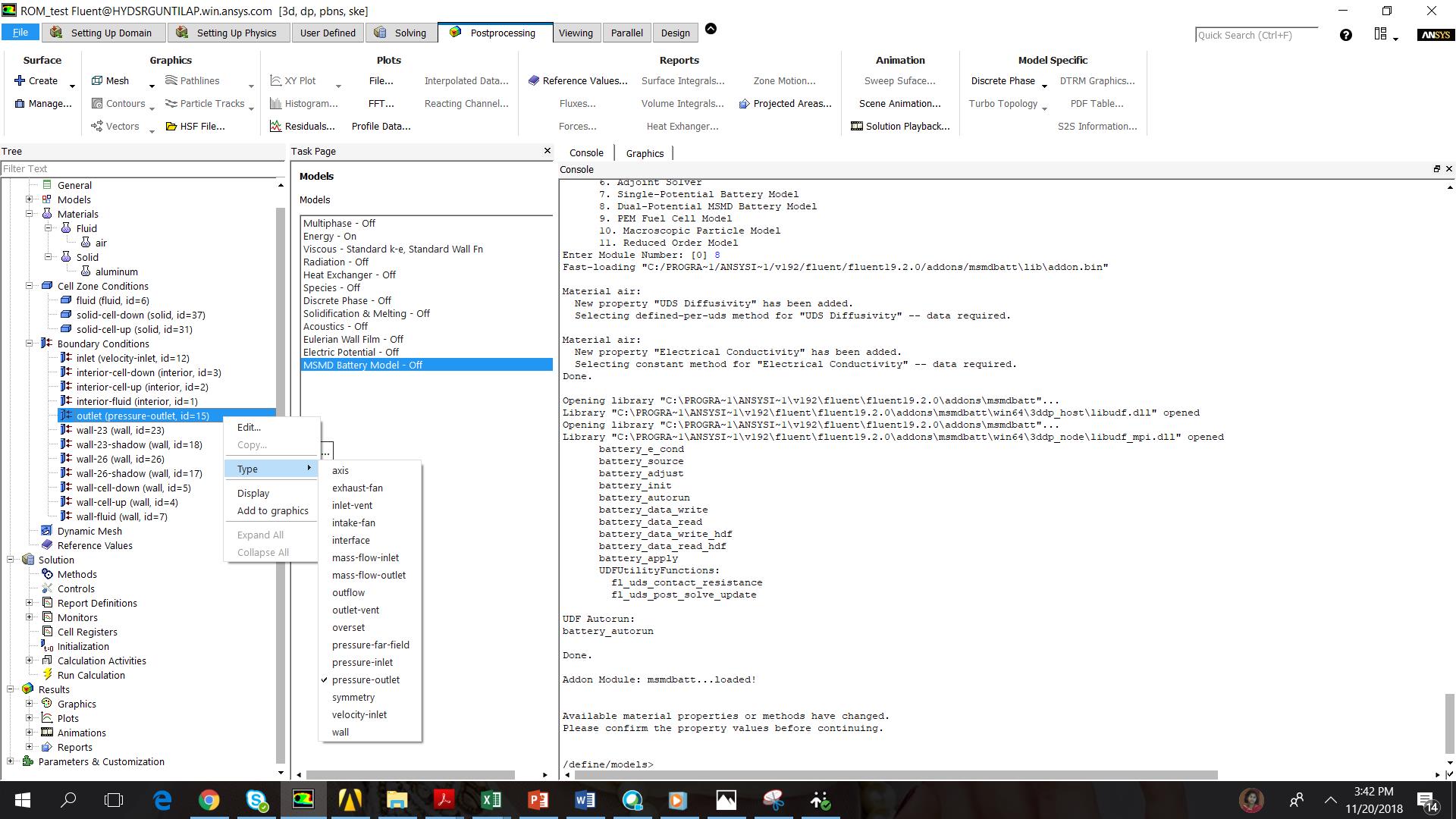
      I want to close the outlet for a time t1 (Outlet to Wall) and then open it at a time t2. What should I use for Type when I want to change the Outlet from Wall to Outlet with pressure?


      What do you mean by " Setup " ?


      Regards,


      Maxime

    • Rob
      Forum Moderator

      You're looking for a pressure-outlet for the type in your post above. 


      The original error means you've missed a setting somewhere: ie the wall doesn't have a temperature on it or similar. You should still be able to work with the case so look through all of the panels for a missing input.  If you have an injection what was that attached to? 

    • seeta gunti
      Ansys Employee


      You can right click on the boundary condition "outlet" and change to wall. It should work with no issues.

    • Max4
      Subscriber

      Thank you for your answers. The simulation is still running, but a problem persists in the changing of the boundary type. What may I use (Type) to change the outlet from Wall to an outlet with a pressure?


      " alt="" width="271" height="319">


      Indeed, I have define at the beginning the outlet (pressure 0 Pa). At t=0s, it changes to Wall, and at t=0.033s, it should change from Wall to the oulet with pressure, which was define at the beginning.


      Regards,


      Maxime

    • Rob
      Forum Moderator

      Having looked & checked with a colleague the Define Event method you're using won't work. If you want to switch to an inlet you'll need to use a TUI (text window) command in the event. That command will start with


      /define/boundary .......................     


      Type that into the TUI and use Enter to show the available commands & q to move back up a level. 

    • Max4
      Subscriber

      I noticed this, and as a result I'm writing a Scheme file and then loading it to finally use with TUI Commands.

      Thank you for taking the time to check this.


      Regards,


      Maxime

    • saeideh hadavand
      Subscriber

      i have the same problem.. i uploaded the case and data to the remote computer and try to run it in fluent, but yet i have this problem and have no idea what your proposed solution means... this error even happens when im defining materials again... on boundary conditions as well... initialization on the inlet shows no information that is defined as boundary condition..

    • Rob
      Forum Moderator

      Please create a new Post/Thread and add in more details, including the exact error message. 

Viewing 10 reply threads
  • The topic ‘Error using Events’ is closed to new replies.
[bingo_chatbox]