TAGGED: optislang, python, python-scripting
-
-
December 6, 2023 at 5:31 pm
cibi
SubscriberHello everyone,
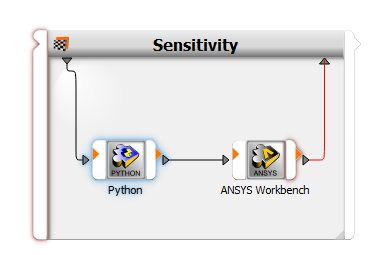
I am using optislang and ANSYS workbench to perform an optimisation study. My system looks like this:
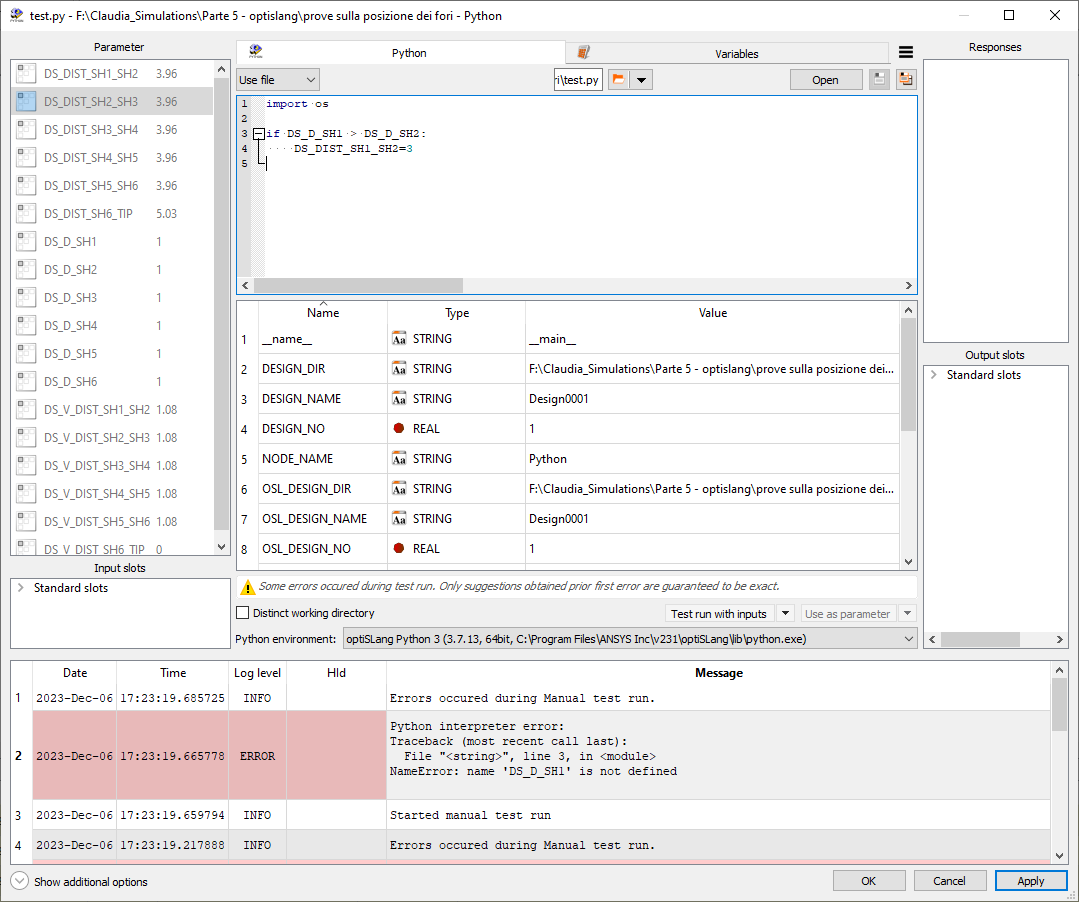
I want to impose some constraints to my input parameters by means of a python script, it's my first time using it and I am not sure on how to pass the variables to my code, in fact when I try to run the code I get this error:
I don't understand why DS_D_SH1 is not definied since I send it from my sensitivity block and it also appears in the parameters list on the left hand side.
Does anybody know what I am missing in my code?
Thank you very much
Â
-
December 12, 2023 at 12:33 pm
Georg Kandler
Ansys EmployeeHi,Â
you need to drag and drop the variables from the parameter pane (top left) into the code so that python will be able to "see" them. You will also see that the parameters you have registered this way are highlighted in the code.
Hope this helps!
Best regards,Georg
-
December 12, 2023 at 12:47 pm
Georg Kandler
Ansys EmployeeTo further add to my response:
The same principle applies to registering any outputs the python code might create: Once you performed a test run of your code (Button "Test run with inputs"), you can select each variable and drag and drop it from the code into the "Responses" pane as well as into the "Output slots" pane.
(In order to be able to use your python outputs within the WB node, you will need to register them as output slots.)
Best regards,
Georg
Â
Â
-
December 12, 2023 at 1:05 pm
cibi
SubscriberIt worked! Thank yuo very much for the detailed response, it's really useful :)
-
December 12, 2023 at 1:07 pm
Georg Kandler
Ansys EmployeeThanks for the update, that's great to hear!
-
February 9, 2024 at 5:37 pm
cibi
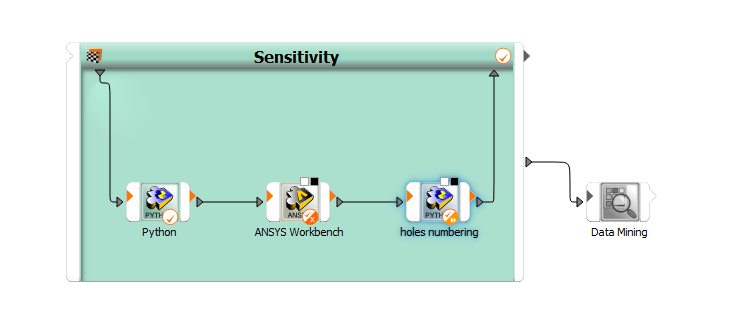
SubscriberHi Georg, I wanted to ask you if in this case is possible to obtain my WB reponses in my second python block?
I would like to use the responses in my code before doing the sensitivity analysis but i can't find a way to send the responses from wb to python.
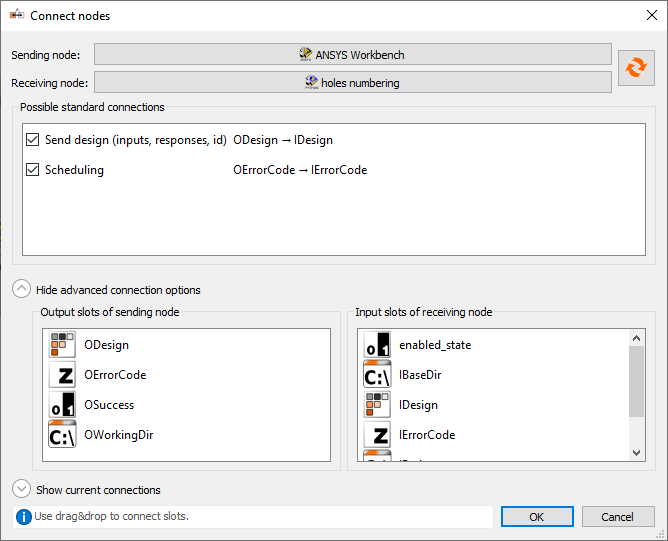
This is the type of connection I have made:
Thank you!
-
February 12, 2024 at 1:34 pm
Georg Kandler
Ansys EmployeeHello Bruno,
if you want to pass on outputs from one node to another, you need to register the outputs as output slots. Then you will be able to connect the output slots of one node to the input slots of another node.
So in your case, the following steps are necessary:
1) in the Workbench node: Register the responses in question also as output slots.
2) Open the node connection dialog for Workbench->Python
3) you will be able to pass the output slots of the Workbench to the python node as new input slots
Â
Hope this helps!
Best regards,Georg
Â
-
February 14, 2024 at 3:34 pm
cibi
SubscriberThank you very much Georg!
-
-
-
- The topic ‘Error in Python node in optislang’ is closed to new replies.
- Basic questions about HPC license
- optiSLang: general question about output variables & expressions
- Keeping concentration same for different sized particles in discrete phase model
- 3-Way System Coupling (Thermal-Structural-Fluid)
- optiSLang & AEDT Optimetrics: response variable has value of 0
- Thermal Desktop: Running RadCAD and SINDA outside of AutoCAD
-
4618
-
1530
-
1386
-
1210
-
1021
© 2025 Copyright ANSYS, Inc. All rights reserved.