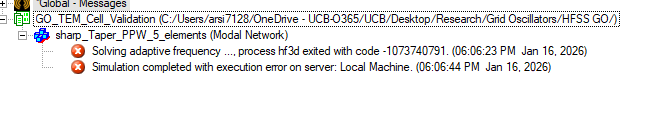
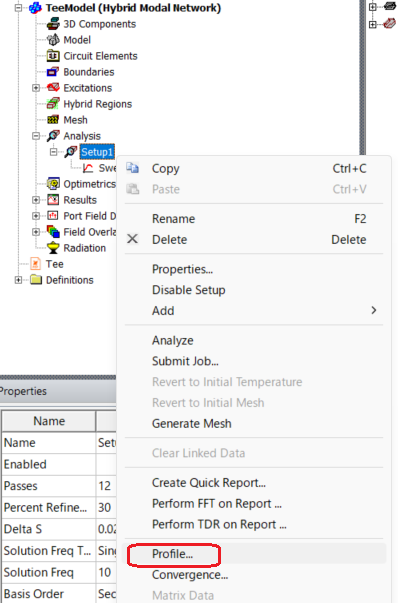
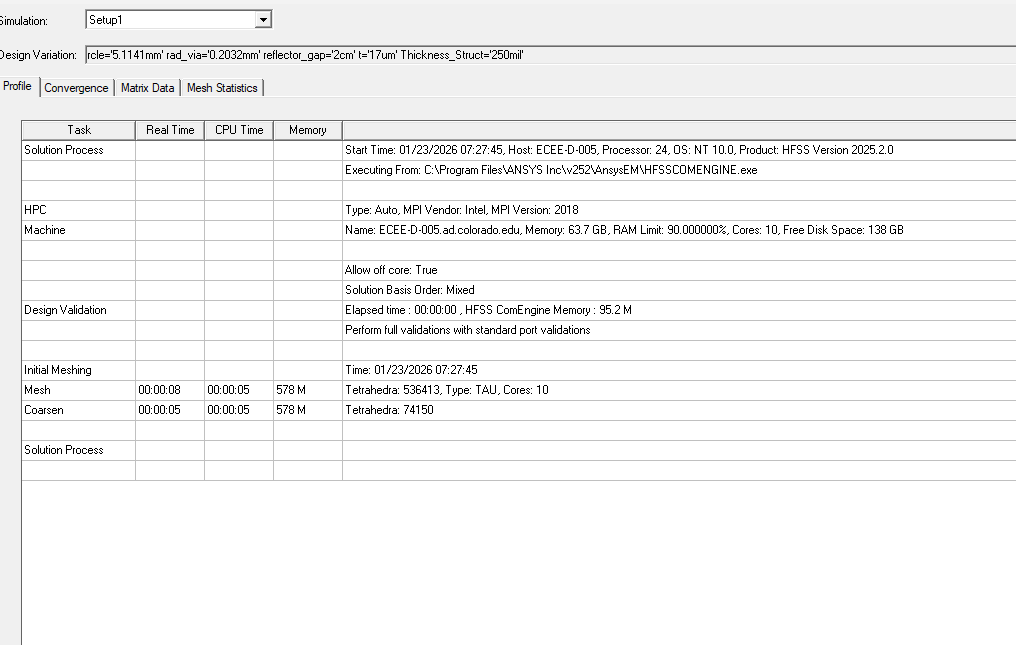
The profile image you attached is from the initial mesh analysis stage, not the adaptive analysis stage.
However, if you receive an I/O failure message, this indicates either insufficient memory for the analysis or an incorrect Temp folder location. Please refer to the profile shown when the adaptive analysis progressed and stopped with an error.
Also, please check that the data size in the Temp folder, where data is temporarily saved, is not overwhelming your disk space.
You can find the location of your Temp folder by selecting
Tools > Options > General Options
and then selecting General > Directories > Temp from the Options window.
Try deleting any files or folders in the Temp folder while HFSS is not running.
Also, make sure you have access rights to the specified Temp folder.
Also, consider changing the drive where the Temp folder is set
to another drive with available space.
To change the Temp Directory, check Override in the settings above and enter the folder path.
When doing so, be sure to create a folder and specify that folder rather than specifying a directory directly under the drive.
(For example, D:\temp)
In addition, when setting the Temp folder, avoid a drive on a network; use a local drive on the analysis machine.





















 You are navigating away from the AIS Discovery experience