Fluids

Fluids

Topics related to Fluent, CFX, Turbogrid and more.

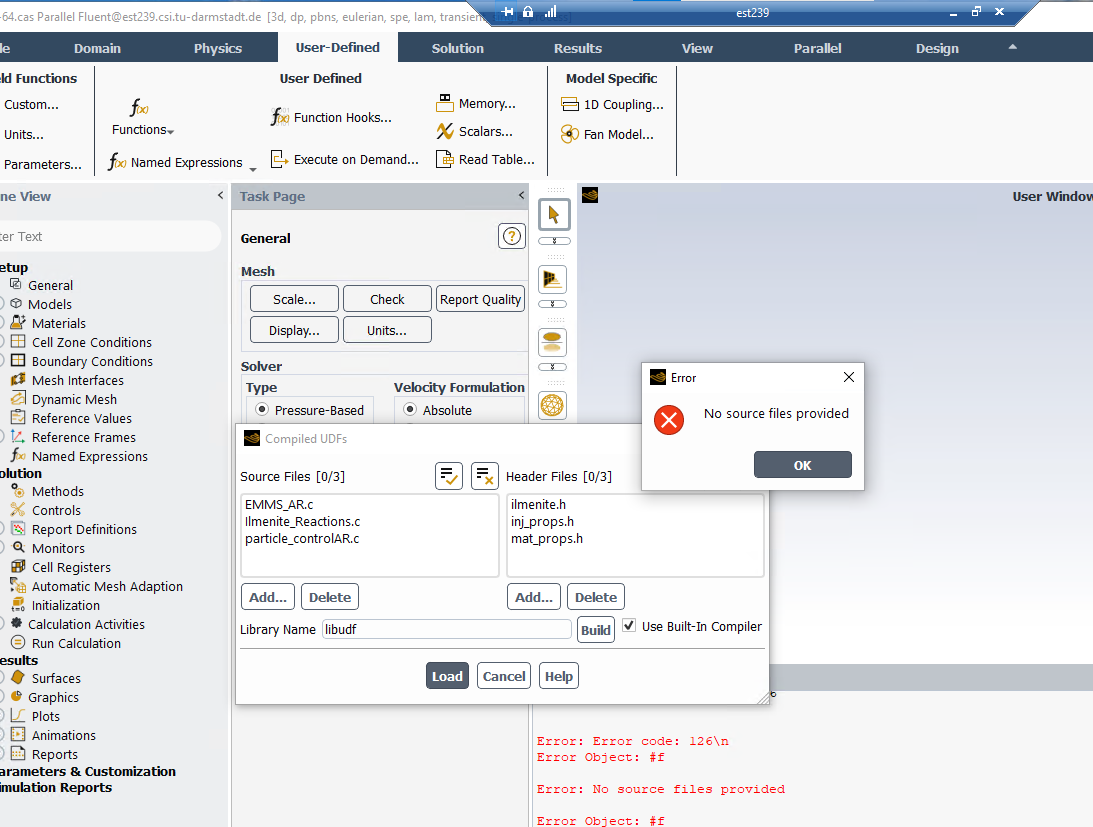
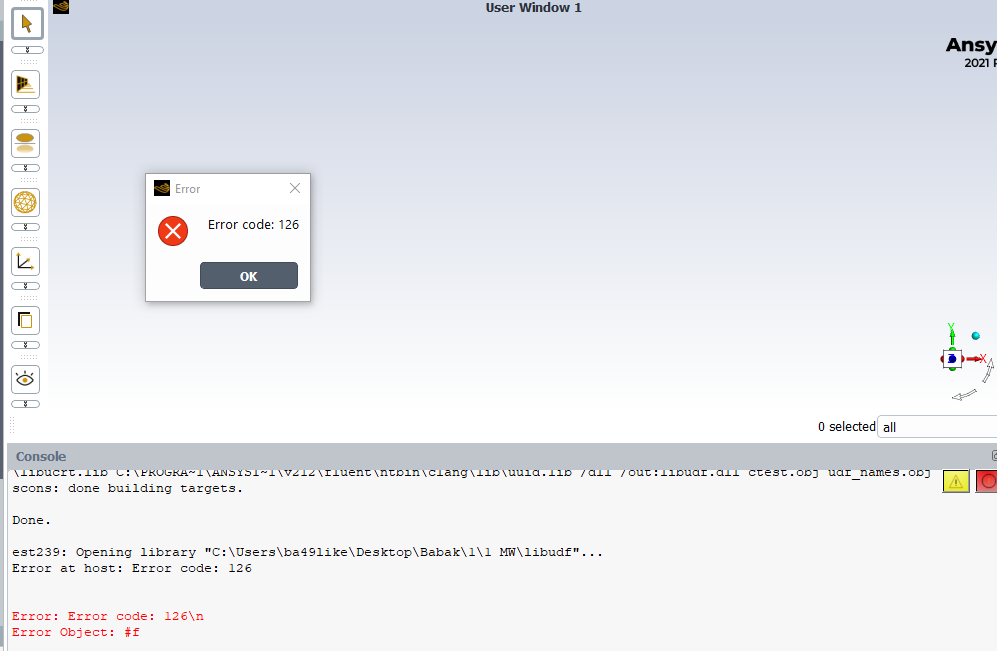
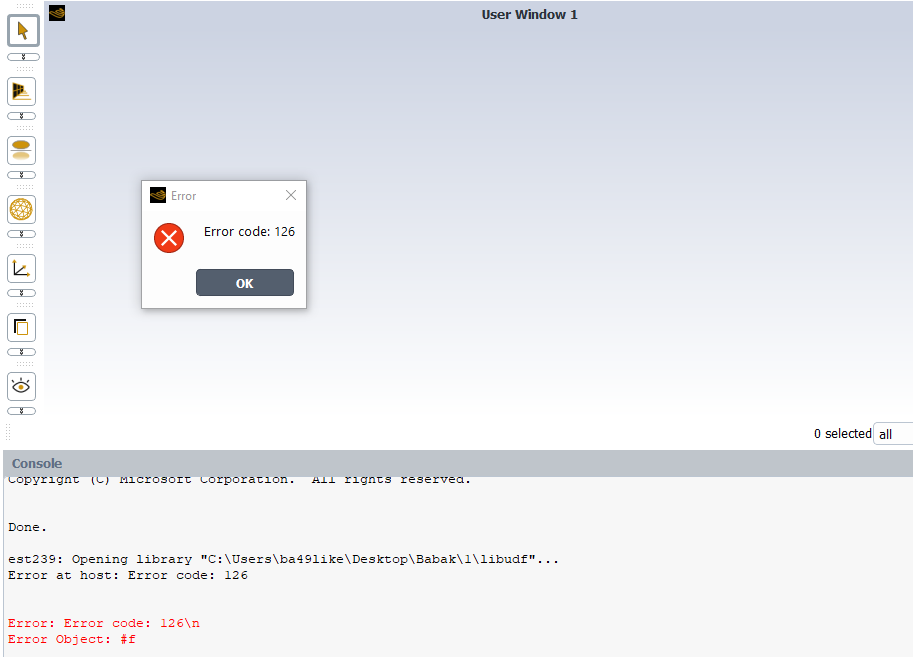
error code: 126

    • babak.aghel
      Subscriber

      I am using Fluent 2020 R1 on a Windows 10 Education to run a 3D transient circulating fluidized bed simulation. I created a UDF to predict the flow behavior for each cell in the simulation.

      Until last week, the UDF source code worked without any problems, but today it has failed. The issue I am having is when I try loading the UDF after building it, it gives me Error code: 126. Could you please help me resolve this issue?

      Thank you in advance.

    • Amine Ben Hadj Ali
      Ansys Employee

      Is it same machine? Copy the case file into a new folder. Same with the *.c file. Start Ansys Fluent, compile but do not load, then read the case file. I am assuming you are using the built-in compiler.

      • babak.aghel
        Subscriber

        Yes, I am using the built-in compiler on the same machine. I followed your suggestion but It did not work.

        • Amine Ben Hadj Ali
          Ansys Employee

          Please update first to a recent Fluent version and try again (choosing explicelty the built-in compiler). Otherwise try using a compatible Visual Studio Compiler.

    • babak.aghel
      Subscriber

      I followed your guidance, however, face again the same error :(

    • Amine Ben Hadj Ali
      Ansys Employee

      Please just first test if you can compile a simple UDF which does on demand print "Hello World!\n".

    • babak.aghel
      Subscriber

      I tried to test a simple UDF but once again, I ran into a crash.


      #include "udf.h"

      DEFINE_EXECUTE_AT_END(execute_at_end)
      {
        printf("Hello World");


      }


    • Amine Ben Hadj Ali
      Ansys Employee

      Please try putting that UDF file in a path without any blank spaces.

    • babak.aghel
      Subscriber

      Thank you. However, the solution did not work for me.


    • Amine Ben Hadj Ali
      Ansys Employee

      Is there a log file?

    • Amine Ben Hadj Ali
      Ansys Employee

      Are you getting the error while compiling or while loading?

    • Amine Ben Hadj Ali
      Ansys Employee

      please remove any libudf in the directory before trying to compile and then to load the libudf.

    • babak.aghel
      Subscriber

      The error appeared when I loaded although I can see some warnings during compiling. Before comparing the new UDF I usually remove it. 

    • Amine Ben Hadj Ali
      Ansys Employee

      You wrote that before you were able to compile and to load the compiled libudf. Then something happened on your computer and you cannot compile anymore. Is this correct? Can you check what happened to your computer? In an empty directly where you do just have the simple UDF file and if you compile with Ansys Fluent Built-In Compiler -> Any log files written?

    • babak.aghel
      Subscriber

      Yes at the first I could compile but not now. Nothing new has happened on my computer, such as installing new software. I tried your suggestion but there is no log file written.

    • Amine Ben Hadj Ali
      Ansys Employee

      It is bit hard at this stage to figure out what is going wrong on your machine without having to look into your machine and check what is going on. There should be something which changed from one day to another. Perhaps you paste the Fluent Launcher and where the UDF bat is located and perhaps a process explorer is required to check which processes are invoked and which are blocked.

Viewing 13 reply threads
  • The topic ‘error code: 126’ is closed to new replies.