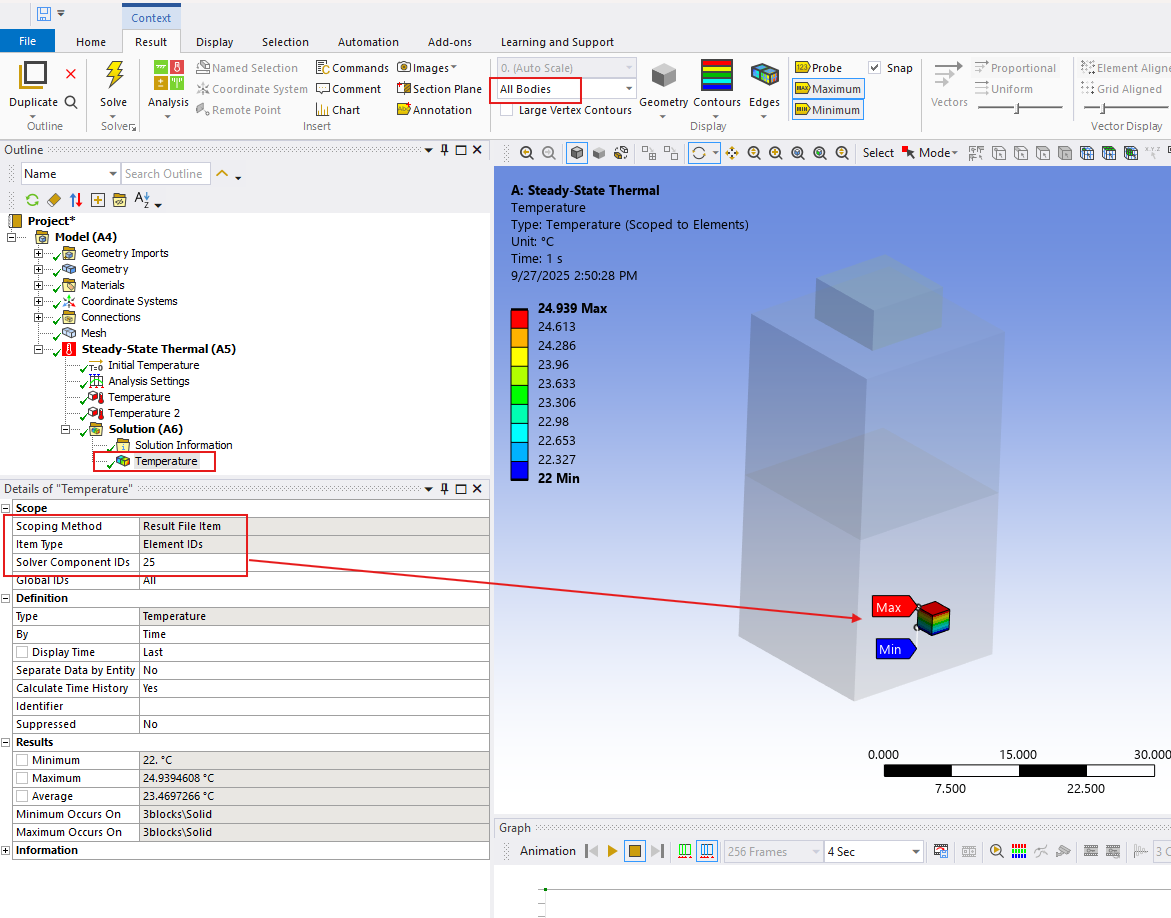
I would suggest to add a new temperature result object change the scoping method to Result File Item, Item Type to Element Id and provide the number 133367 in it and evaluate the unconverged result, this should plot the element. Also set "All Bodies" to show transpernt full body to identify where exactly this element is located.
Another suggestion would be to simply search the input file (ds.dat file in Solver Files Directory. RMB on Solution --> Open Solver Files Directory) for this element number. This should be found under specific definition of Convection object, where you can also find the Mechanical name of this convection object and then using this name, identify which convection object it might refer to.



















 You are navigating away from the AIS Discovery experience