3D Design

3D Design

Topics related to Ansys Discovery and Ansys SpaceClaim.

Each mesh element is recognised as a separate surface body in Mechanical APDL

    • mashi65
      Subscriber

      Hi all, 


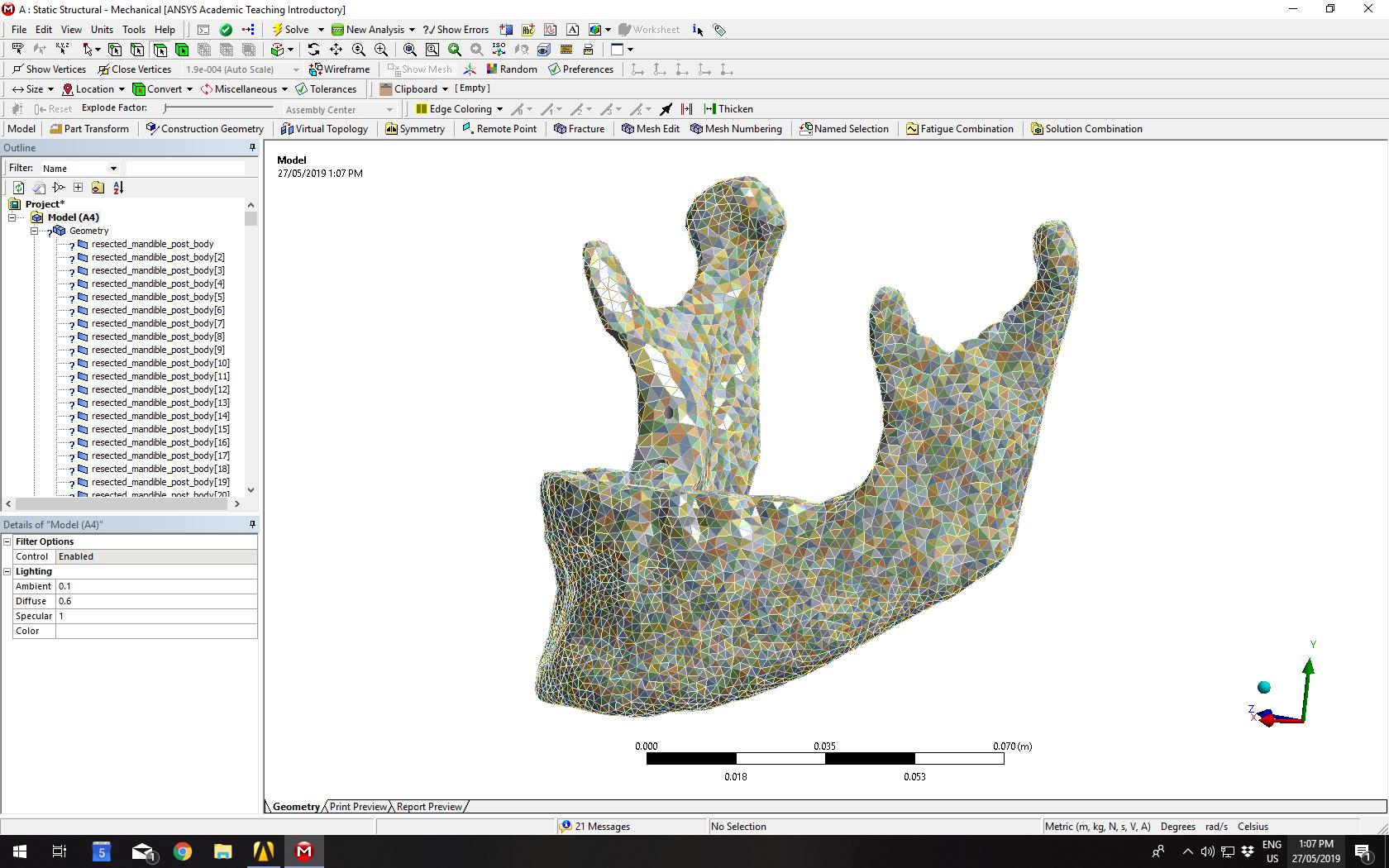
      I have an assembly model that I have already meshed in a different software. When I open it in Mechanical APDL, each mesh element is recognised as a surface body, so I have 15000 surface bodies for what should be 1 body. 


      In Solidworks, I have tried converting each part as a solid using "Convert to Solid". 


      In ANSYS Design Modeller, the bodies come up correctly as one solid. Some parts were split up into solids and surfaces, but I used "Tools > Form New Part" to combine them. Nevertheless, in Mechanical APDL they are still recognised as surface bodies from the mesh elements. 


      How can I get ANSYS Mechanical APDL to recognise each part as one solid? 


      Thanks in advance. 


    • Rohith Patchigolla
      Ansys Employee

      Hello Mashi65,


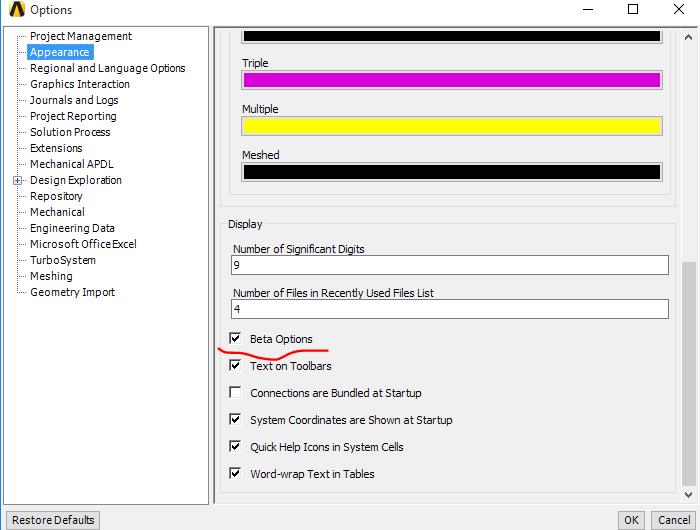
      I am assuming you are using External Model to import the FEA model into Mechanical. If yes, there is an option to stop Mechanical from grouping into multiple bodies (because of different materials). For this you would need to switch on Beta options. Steps are provided below. 


      1. Turn on Beta options.  


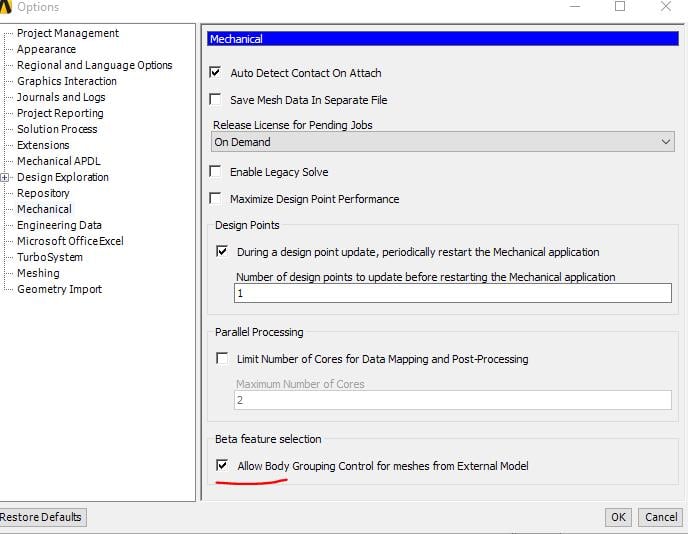
      2. Check the box --> "Allow Body grouping control for meshes From External Model"


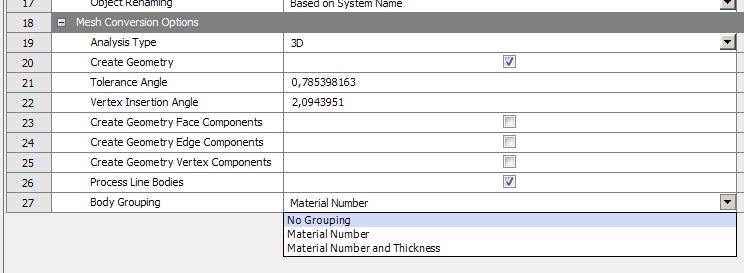
      3. RMB on Model cell on Static Structural --> Properties. Then on the right side, a properties window will be shown. Here, you can control "Body Grouping" controls. Please select --> "No Grouping" and update Mechanical. 


      Please try this and let me know if this helps.


      Best regards,


      Rohith

    • kmh7
      Subscriber
      Thank you so much for these comments! They were very helpfuln
Viewing 2 reply threads
  • The topic ‘Each mesh element is recognised as a separate surface body in Mechanical APDL’ is closed to new replies.