-
-
March 21, 2020 at 12:43 pm
ShubhamS
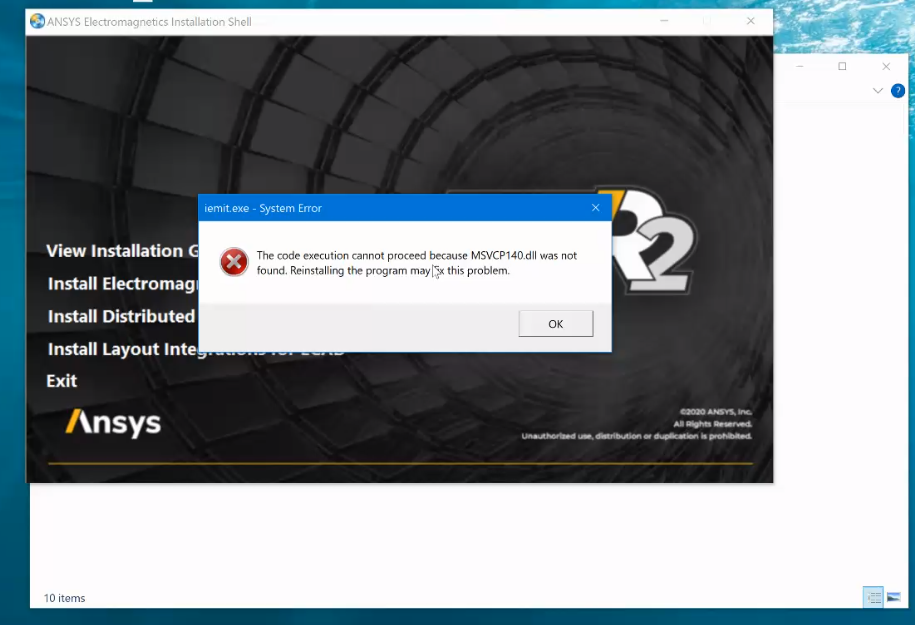
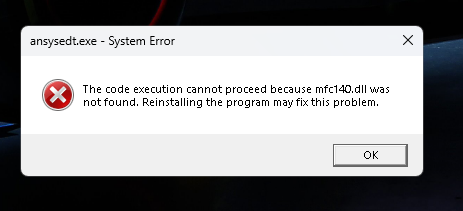
Subscriberi have downloaded ansys 2019 R3, it shows MSVCP140.dll , VCRUNTIME140.dll files missing i tried to reinstall but it still shows same errorÂ
-
March 23, 2020 at 10:17 pm
tsiriaks
Ansys EmployeeGo to (Default) C:Program FilesANSYS Incv195prereq , then manually install all of these one-by-one, except the ones with MPI or opencl in the name. Make sure they are successful.
Thanks,
Win
-
April 21, 2020 at 8:26 am
ShubhamS
Subscriberi reinstalled updated version of Microsoft Visual C++. It worked
-
April 23, 2020 at 7:37 pm
tsiriaks
Ansys Employeegreat ! Thank you for the update !
-
October 15, 2020 at 7:44 pm
gesmaili
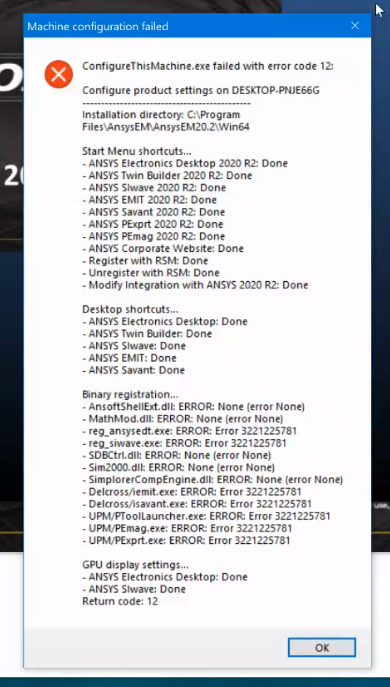
SubscriberI am experiencing error 3221225781, when trying to run 2020R2 electronics.ncan you please help me to fix the problem. see the attached error emaiges.n -
October 15, 2020 at 7:45 pm
-
October 16, 2020 at 1:36 pm
ANSYS_MMadore
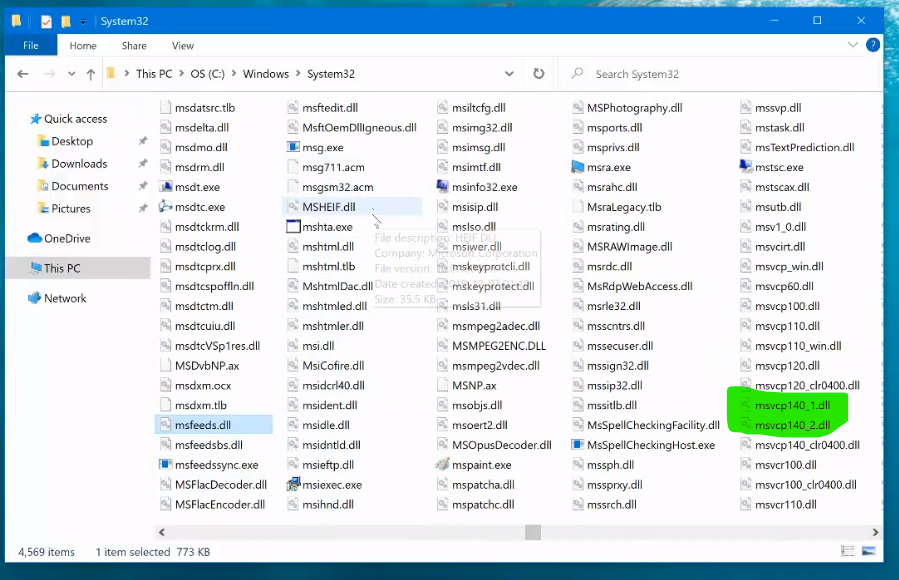
Forum ModeratorFor the configuration failure, please try setting the environment variable ANSYS_EM_DONOT_PRELOAD_3DDRIVER_DLL=1 to get around the problem.nnFor guidance on creating an Environment Variable please refer to this link. You need to create a NEW Variable.nhttps://docs.oracle.com/en/database/oracle/r-enterprise/1.5.1/oread/creating-and-modifying-environment-variables-on-windows.html#GUID-DD6F9982-60D5-48F6-8270-A27EC53807D0nnNew Variable Name:ANSYS_EM_DONOT_PRELOAD_3DDRIVER_DLLnNew Variable Value:1nnCan you search your C:drive for MSVCP140.dll to see if the file exists? Please also open a Windows command prompt and run the command set PATH and send the full output.nnThanksnMattn -
October 20, 2020 at 4:43 pm
Waled Raban
Ansys EmployeeMicrosoft Windows [Version 10.0.19041.508]n (c) 2020 Microsoft Corporation. All rights reserved.nnC:\Windows\system32>set pathn Path=C:\Windows\system32;C:\Windows;C:\Windows\System32\Wbem;C:\Windows\System32\WindowsPowerShell\v1.0\;C:\Windows\System32\OpenSSH\;C:\Program Files (x86)\NVIDIA Corporation\PhysX\Common;C:\Users\gesma\AppData\Local\Microsoft\WindowsApps;C:\Users\gesma\AppData\Local\Programs\Microsoft VS Code\binn PATHEXT=.COM;.EXE;.BAT;.CMD;.VBS;.VBE;.JS;.JSE;.WSF;.WSH;.MSCn -
October 20, 2020 at 4:53 pm
-
October 20, 2020 at 4:57 pm
-
October 20, 2020 at 5:19 pm
Waled Raban
Ansys EmployeeI sent him a copy of my MSVCP140.dll and VCRUNTIME140.dll files. He copied them to C:/Windows/System32 and now Electronics Desktop works.n -
October 20, 2020 at 5:21 pm
ANSYS_MMadore
Forum ModeratorHave you tried reinstalling the prerequisites manually from the installation files? Try installing the .NET Framework and the Visual C++ Redistributables.n -
August 16, 2023 at 7:30 am
Aditya Namdeo
Subscriber -
August 16, 2023 at 7:33 am
-
Viewing 13 reply threads
- The topic ‘dll files missing error after installation’ is closed to new replies.
Innovation Space
Trending discussions
Top Contributors
-
4888
-
1587
-
1386
-
1242
-
1021
Top Rated Tags
© 2026 Copyright ANSYS, Inc. All rights reserved.
Ansys does not support the usage of unauthorized Ansys software. Please visit www.ansys.com to obtain an official distribution.