-
-
March 27, 2020 at 6:34 pm
davidk8
SubscriberHi,
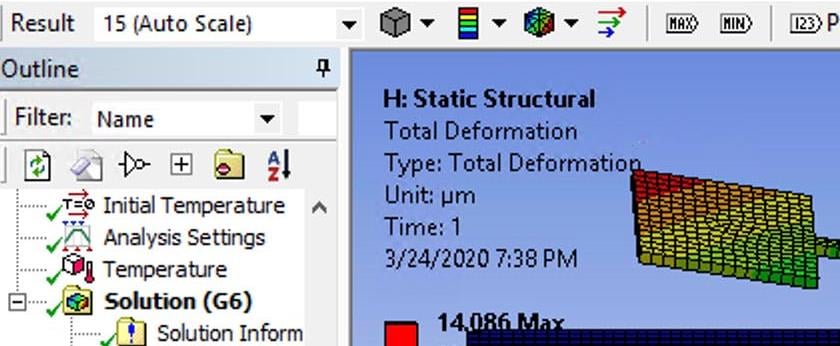
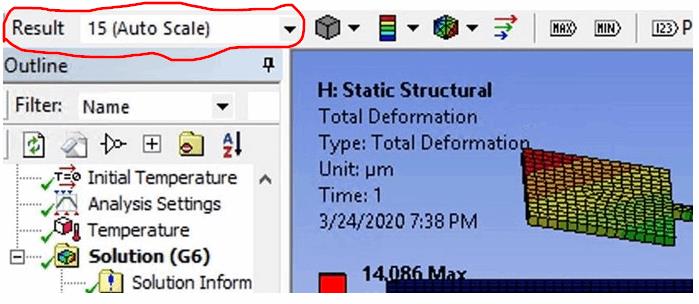
I have seen many post about unrealistic deformation in the result, however, versions have changed and I couldn't find the button for adjusting the scale in display in the latest student version I believe (Workbench 2019 R3). Could someone tell me where can I find the button, or adjust the scale in viewing?
Â
-
March 27, 2020 at 9:20 pm
-
March 28, 2020 at 12:39 pm
davidk8
Subscriber Hi Peter,
Â
Is there a more simple way just to change the scale viewing instead of transforming into Parasolid files? Let's say I have a 200x10x10 mm beam with a maximum deformation of 0.1 mm, but the total deformation in the solution is showing like a 20 mm deformation instead of 0.1 mm, how can I change this display scale?
-
March 28, 2020 at 1:49 pm
-
April 26, 2020 at 12:58 pm
Tef
SubscriberHello Dear Peter,
Many thanks for your kind help. Now it is fine. I made it True scale and there is no intersection of jaws now.
-
October 15, 2020 at 6:36 am
muzammilmustafa
Subscriberit was so helpful for me . . . I was so confused about irregular deformations , although the values were correct . . . thanku so much . . .
-
- The topic ‘Deformation scale’ is closed to new replies.
-
4607
-
1515
-
1386
-
1209
-
1021
© 2025 Copyright ANSYS, Inc. All rights reserved.