-
-
February 27, 2019 at 3:08 pm
Zari
SubscriberHi,
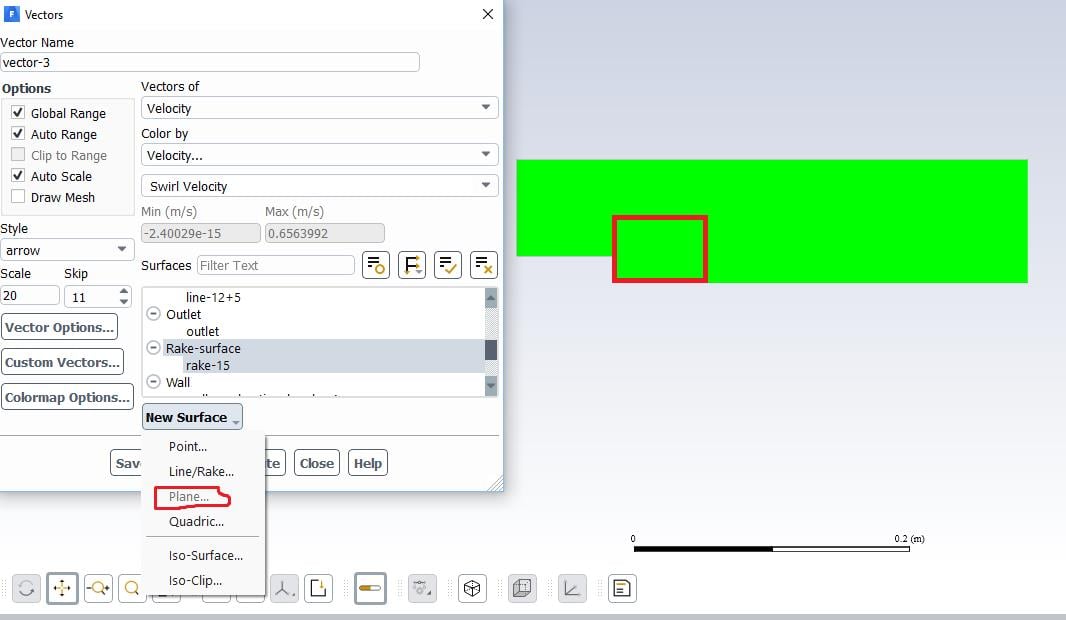
I have a 2D model in Fluent, and I have calculated the model. In processing the data, I am interested in plotting the calculated results on a smaller window/plane rather than on the whole geometry. But I can not define a "plane" using defining "new surface". Please see the figure below: The green area is the 2D (axi-symmetric) geometry. The "plane" option is inactive. and I want to plot the results for a rectangle area similar to the red rectangle I draw on the geometry.
-
February 27, 2019 at 8:48 pm
Amine Ben Hadj Ali
Ansys EmployeePerhaps you can do that by clipping the surface two or three times
-
February 28, 2019 at 1:42 pm
Zari
SubscriberThank you so much dear Amine,
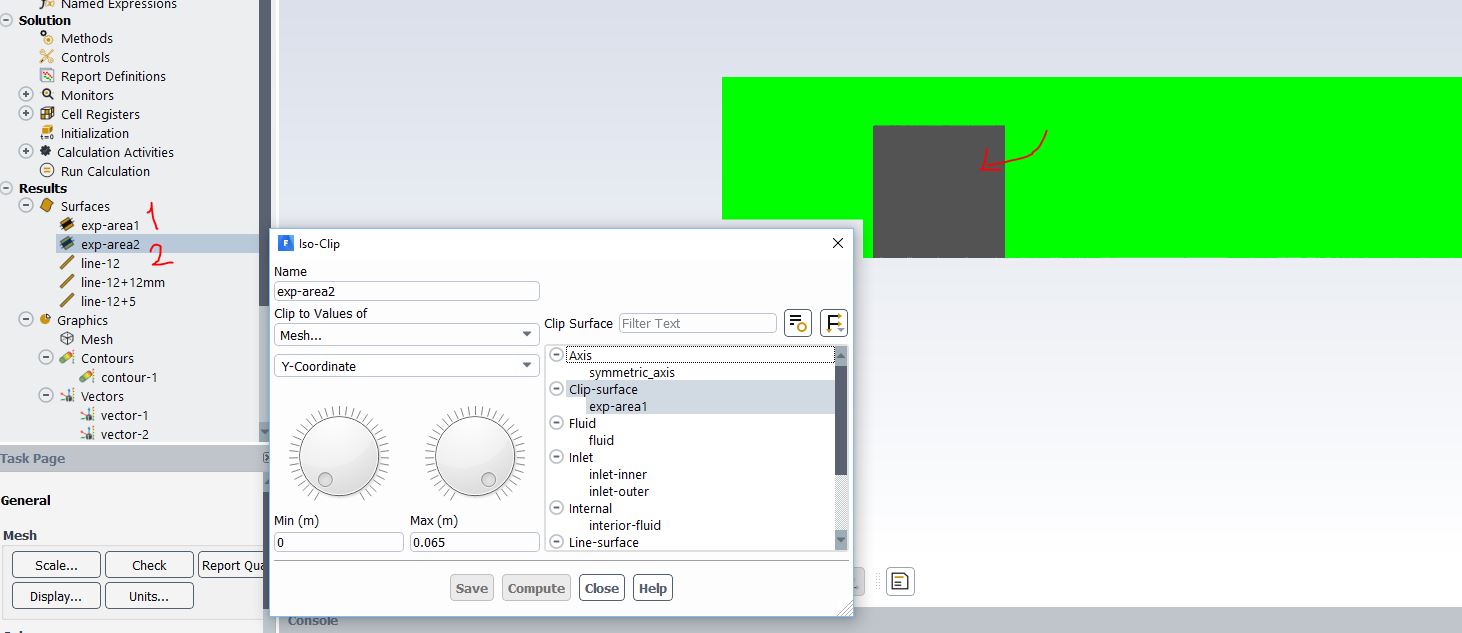
Now I learned it. I did it in two steps, once clipped in X-coordination and then on y-coordination. Since other users may have the same question, I attached the steps in the figure below.
Â
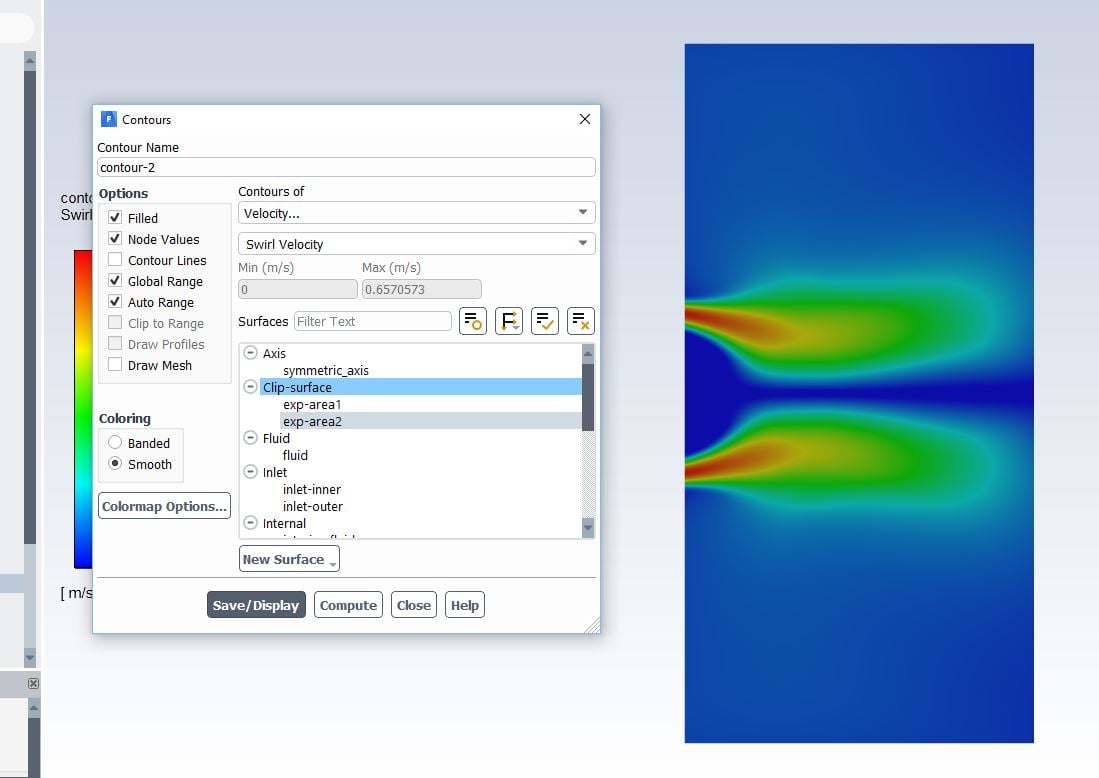
Now I can plot the results only on that area. But I cannot write it to a file. Do you know how can I do it? For instance, as the figure below shows, I have the plotted swirl velocity distribution on that area. I also have the data from experiments for same area. I need to export the model results (x, y, velocity) from the model (as from the figure below) to a file and compare it with experiments.
Â
Thanks for your help,
Zari
-
March 1, 2019 at 3:36 am
Keyur Kanade
Ansys Employeethanks zari for updating solution.Â
can you please mark this as 'is solution' to help others on forum.Â
-
March 1, 2019 at 7:20 am
Zari
SubscriberSure.
Then I asked another question in continue, about exporting field data from the clipped surface. Should I start a new discussion? Or it could be seen as it is now?
-
March 1, 2019 at 9:43 am
Amine Ben Hadj Ali
Ansys EmployeeYou can try export it as ASCII file.
-
- The topic ‘defining a plane as New Surface for a 2D geometry’ is closed to new replies.

-
4989
-
1670
-
1386
-
1243
-
1021
© 2026 Copyright ANSYS, Inc. All rights reserved.