Hello,
I am trying to create a beam using the Spaceclaim Script Python tool :
# Python Script, API Version = V241
ClearAll()
R1 = 0.05 #radius of the beam
x1, y1, z1 = 0, 0, 0 #start
x2, y2, z2 = 2, 0.5, 0 #end
p1 = Point.Create(x1, y1, z1)
p2 = Point.Create(x2, y2, z2)
#line between the two points
segment = CurveSegment.Create(p1, p2)
part = GetActivePart()
line = DesignCurve.Create(part, segment)
line.SetName("Beam")
sel = Selection.Create(line)
# creation of the profile
profile=BeamProfile.CreateDisk(R1, "disk")
#creation of the beam
Beam.Create(sel, profile)
Here is the error :
Beam.Create(sel, profile)
expected ISelection, got CreateBeamProfileResult
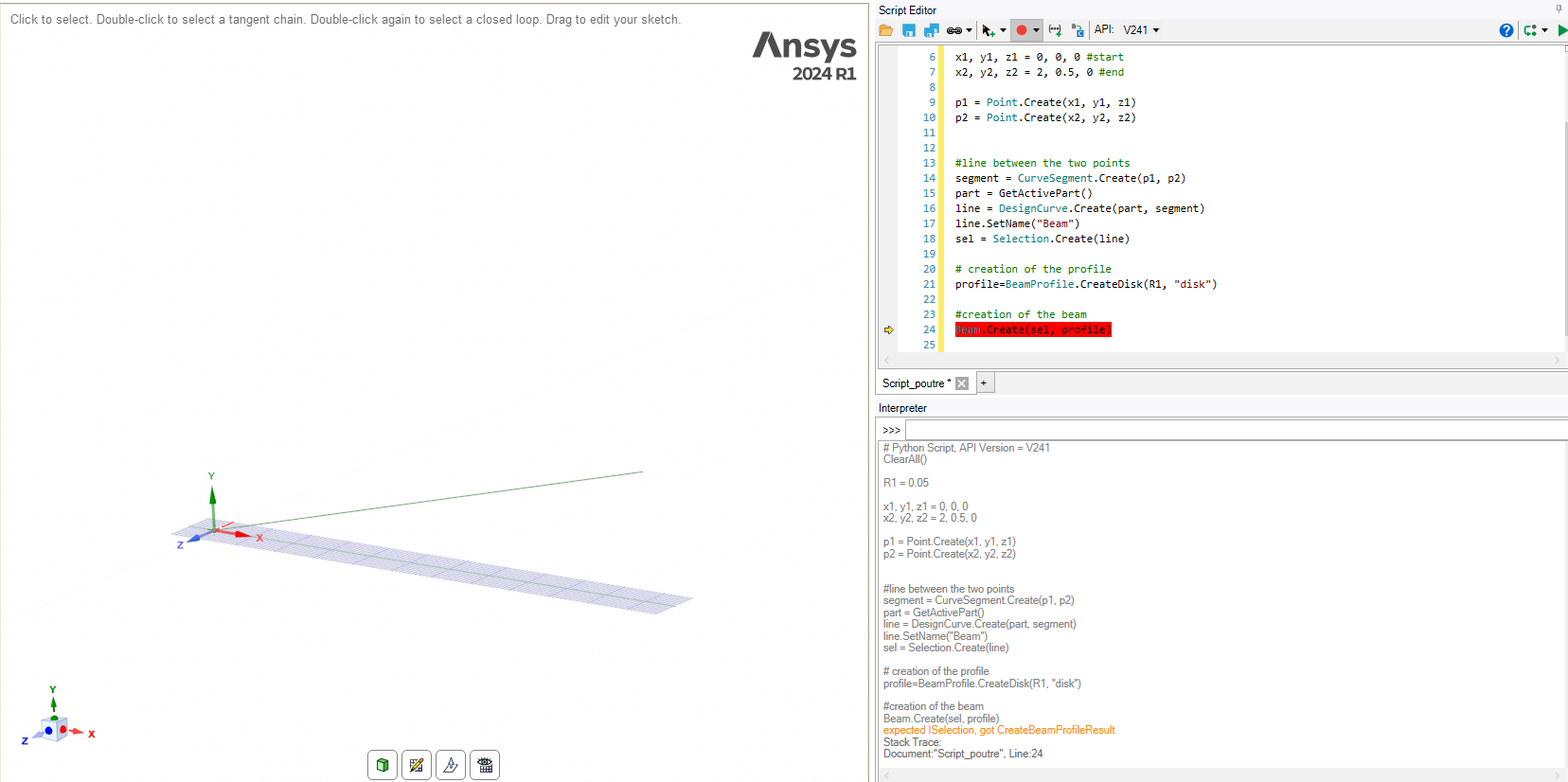
Unfortunately, I cannot figure out how to create a beam using the script. Is there any documentation explaining how to do that?
Thank you for your help.
Kind regards,
Mathis


















 You are navigating away from the AIS Discovery experience