General Mechanical

General Mechanical

Topics related to Mechanical Enterprise, Motion, Additive Print and more.

Control variable in Parameterset

    • BassaSelim3
      Subscriber

      Hi everyone,

      is there is a control variable when the parameter set in ansys Workbench is executed (Update All Design Points)? And if so, how can I get the value of this variable?

      In my Model (In Mechanical) I have an APDL Block which exports Data. As I do a parameter study I want the filename to be renamed based on the control variable. Is this possible?

      Thanks in advance

    • Sheldon Imaoka
      Ansys Employee

      How are you exporting data with APDL? Are you using *CFOPEN to open a file for writing? If so, APDL has a feature called 'forced substitution', where you can force a parameter to be evaluated for a name of a file, such as
      *CFOPEN,myfile%ARG1%,txt
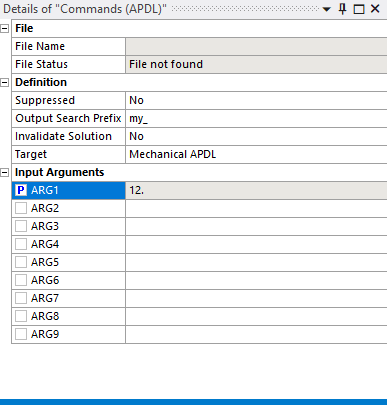
      where "ARG1" may be a parameter you define (from Details view of "Commands (APDL)" object). Its value is substituted when you enclose it in % signs. What's nice is that there is a predefined String array called "_wb_userfiles_dir(1)" that you can use to put the file in the "user_files" subdirectory of your Workbench project directory such as with the following:
      *CFOPEN,%_wb_userfiles_dir(1)%myfile%ARG1%,txt
      *VWRITE
      hello
      *CFCLOS
      If you have a "Commands (APDL)" object with the above and assign a value in the Details view for 'ARG1' to be '12', for example, you'll find after solving that in your project folder, under "user_files" subfolder, a file called "myfileX.txt" (where X is the value you give to ARG1) with just the word "hello" in it.
      This approach allows you to create multiple files from different design points, all stored in the project subdirectory.
      Regards Sheldon



    • BassaSelim3
      Subscriber
      Hi Sheldon thank you very much for your answer. I am using *CFOPEN to export Data. I tried your code in a command block in the solution branch with different DPs but I don't get different filenames in the directory.
      In the image above I have assigned the Parameter ARG1 to values from 12 to 14. In mechanical I set ARG1 as a parameter:
      However I only get one file in the subfolder called myfile12:
      I think I am on the right track and I am missing one simple Detail. Could you help me on this one?
      Regards BassaSelim


    • Sheldon Imaoka
      Ansys Employee
      Hi BassaSelim Go to the Workbench Parameters Page (in Workbench UI, not Mechanical UI). There, you can specify different values for "ARG1", which will be used in the filename. I'm guessing that all of your design points have ARG1=12, so that is why you don't see multiple files.
      Regards Sheldon

    • BassaSelim3
      Subscriber
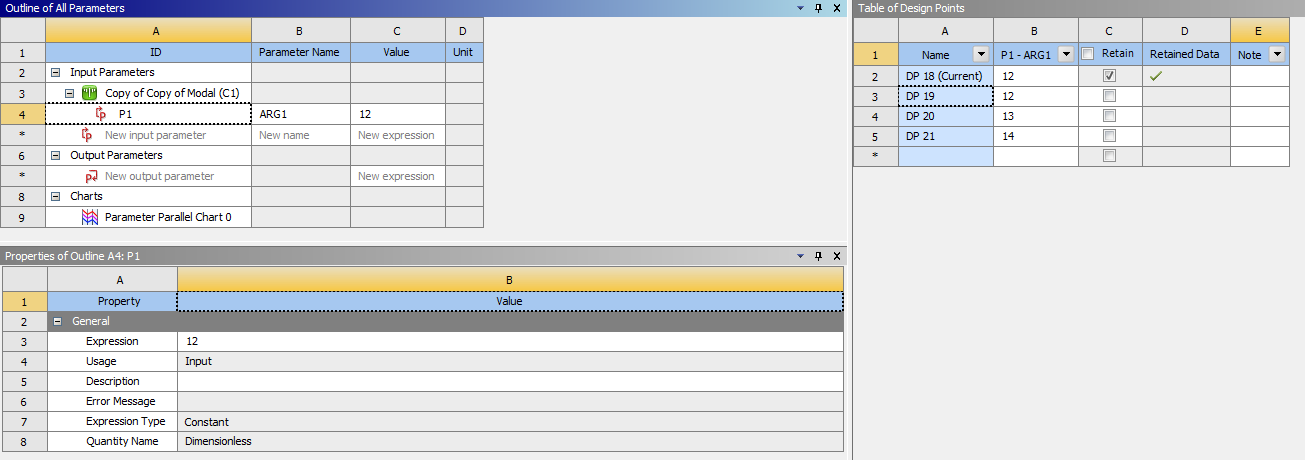
      Hi Sheldon In the workbench environment I set different values for different design points (0,10,20):
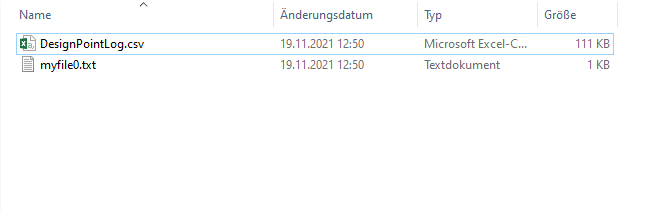
      However I only get one file:
      So only the current set is generated (in this case 0). Is there something I am missing out?
      Regards Bassa Selim


    • Sheldon Imaoka
      Ansys Employee
      Hi Bassa Selim You may need to add one output parameter (it could be something trivial, like "Mass" under the Geometry branch). Without it, then Workbench may not solve all 3 design points if there is no output parameter. Once that is added, ensure you use "Update All Design Points" since you have to run 3 cases, not just 1.
      Thanks Sheldon

    • BassaSelim3
      Subscriber
      Hi Sheldon thanks for the support. I tried your solution:
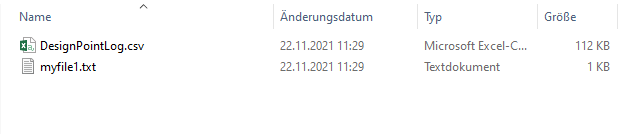
      But I still get only one outputfile after clicking on "Update All Design Points":
      There must be one Detail I am missing
      Regards Bassa Selim
    • BassaSelim3
      Subscriber
      I figured it out: I had to set the checkmark for the retained Data.
Viewing 7 reply threads
  • The topic ‘Control variable in Parameterset’ is closed to new replies.