-
-
January 17, 2019 at 2:44 pm
-
January 18, 2019 at 5:53 am
Keyur Kanade
Ansys Employeei am not sure exact command for that. can you please elaborate why do you need it.Â
i think the udf you have should work as it is.Â
-
January 18, 2019 at 7:14 am
Max4
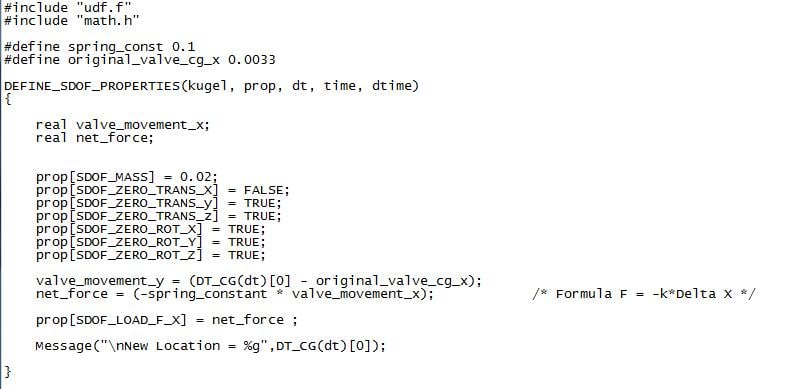
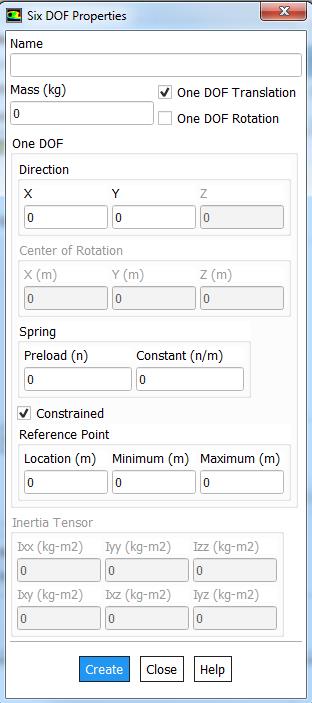
SubscriberI need it, in order to simulate the opening of a valve thanks to pressure forces. I prefer use an UDF as the interface of the 6DOF Properties.
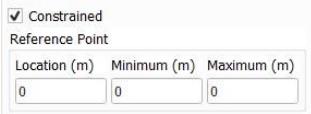
Thank you for your opinion. I just want to add a constrained location, so that the valve doesn´t move to far.
Regards,
Maxime
-
January 18, 2019 at 7:31 am
Keyur Kanade
Ansys Employeesimple workaround may be using if statement like following for position and force output.
Â
if (y <= del)
    vel = 2;
   else
    vel = 0
-
January 18, 2019 at 7:35 am
Max4
SubscriberI don´t want to set a velocity for the valve. I just want that it opens when the pressure forces is higher than the spring force.
-
January 18, 2019 at 7:41 am
Keyur Kanade
Ansys Employeei just gave you an example.Â
you can use e.g. valve_movement_y in your udf.Â
if (valve_movement_y <= 5)
   net_force = xyz
elseÂ
   net_force = abcÂ
-
January 18, 2019 at 7:43 am
Max4
SubscriberOk, I understand it more clearly. Thank you for your help.
Regards,
Maxime
-
January 18, 2019 at 8:30 am
Max4
Subscriber-
March 23, 2023 at 12:31 pm
Yagiz Guzelcan
SubscriberThis is the local location of the the element you are interested in. You do not need to know the distance between the origin and the CG of the part.
-
-
- The topic ‘Constrained Location in a 6DOF -UDF’ is closed to new replies.
-
4763
-
1565
-
1386
-
1242
-
1021
© 2026 Copyright ANSYS, Inc. All rights reserved.