-
-
June 19, 2025 at 6:48 pm
wgrippo
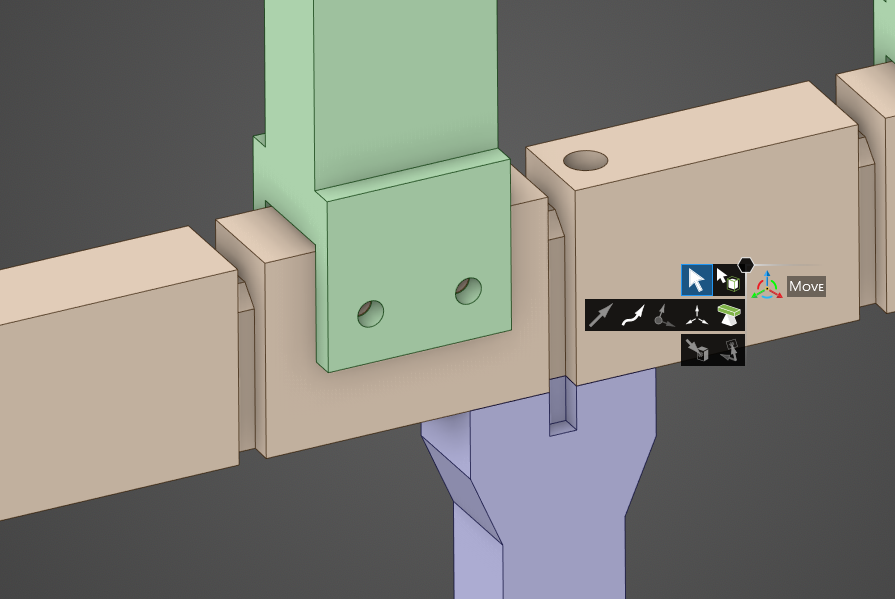
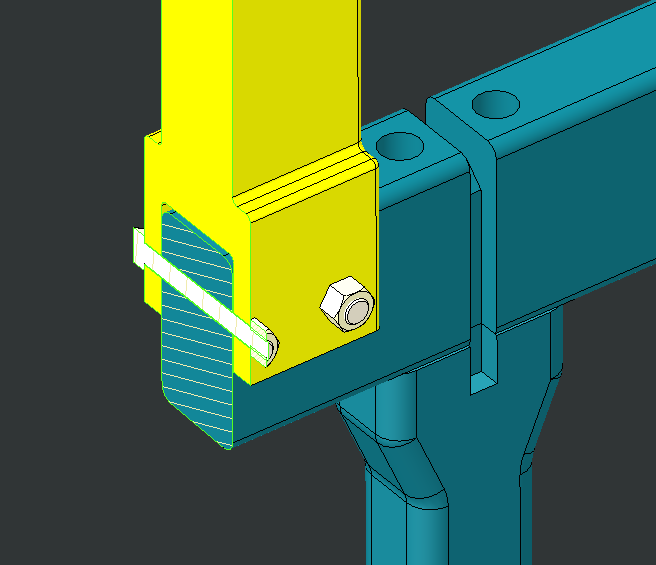
SubscriberI have used beam connections to connect two holes from separate parts to model the bolt. But in this case I have a bolt running through both parts as shown:
So the beam would have to connect to both holes (opposite sides) of the green part and also the hole of the beige part, otherwise the beam won't connect the parts together. I'd prefer to use a single beam, but maybe I need two? One from a green hole to beige hole on one side and then another from the green hole on the other side to the same beige hole?
Also, slightly related, it would probably be best to imprint washer faces on the green part and connect the beam to that washer surface rather than the hole, and I can't find anything on how to do that either.
Thanks!
-Wilder
-
June 19, 2025 at 7:03 pm
-
June 19, 2025 at 8:21 pm
peteroznewman
SubscriberYou could use a Fixed Joint with the long center hole as the Reference side of the joint and the two short holes where the shaft goes through the other part as the Mobile side of the Fixed Joint. Set the behavior to Deformable to avoid adding stiffness. In this case, the nut and bolt are suppressed. This kind of model is quick to build and adequate for global performance of the overall structure.
If you need better representation of the local stress near the holes and the nut and bolt, I recommend you mesh the nut and bolt and use frictional contact between the shaft and the long hole and the shaft and the short holes.Â
Since these parts are nylon, bolt pretension is not going to be that useful since the material will creep and lose the pretension over time.
Â
-
June 19, 2025 at 11:01 pm
-
June 19, 2025 at 11:02 pm
Dennis Chen
SubscriberÂ
situation like this you can just model bolt preload with the actual solid elements and then define contact between the surface of the bolt and the hole. it really isn’t that expensive computationally.Â
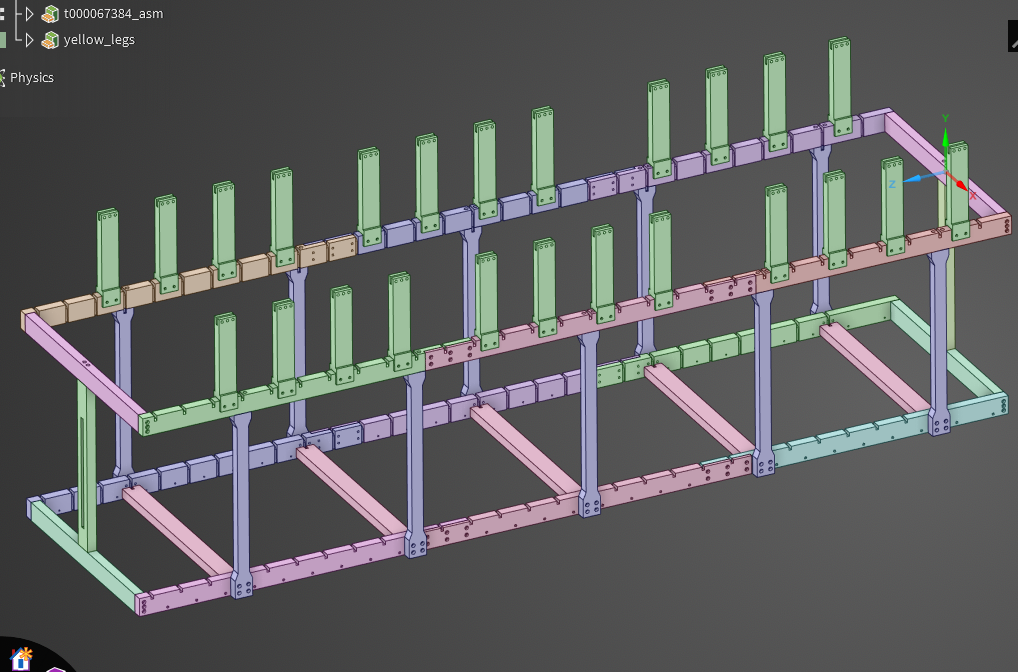
I’ve done this to hold multiple layers of plates together.  in situations where you have a ton of these, use object generator by putting all the bolt's cylinder into one named selection.  This way you can loop through the named selection and assign the bolt preload setting to all of them. Â
it takes seconds to set up as many as you want.Â
Â
-
June 20, 2025 at 5:24 pm
wgrippo
SubscriberOk, I can try that. I really prefer beams for recovering standard beam forces that I can then plug into a spreadsheet and calculate screw allowables.
-
June 26, 2025 at 1:30 pm
mergen.eric
SubscriberSetting up the beam connections:
Using Object Generator to automate beam connections:
-
- You must be logged in to reply to this topic.
- LPBF Simulation of dissimilar materials in ANSYS mechanical (Thermal Transient)
- Real Life Example of a non-symmetric eigenvalue problem
- How can the results of Pressures and Motions for all elements be obtained?
- BackGround Color
- Contact stiffness too big
- Element Birth and Death
- Python-Script to Export all Children of a Solution Tree
- Which equations and in what form are valid for defining excitations?
-
4597
-
1495
-
1386
-
1209
-
1021
© 2025 Copyright ANSYS, Inc. All rights reserved.