Hello,
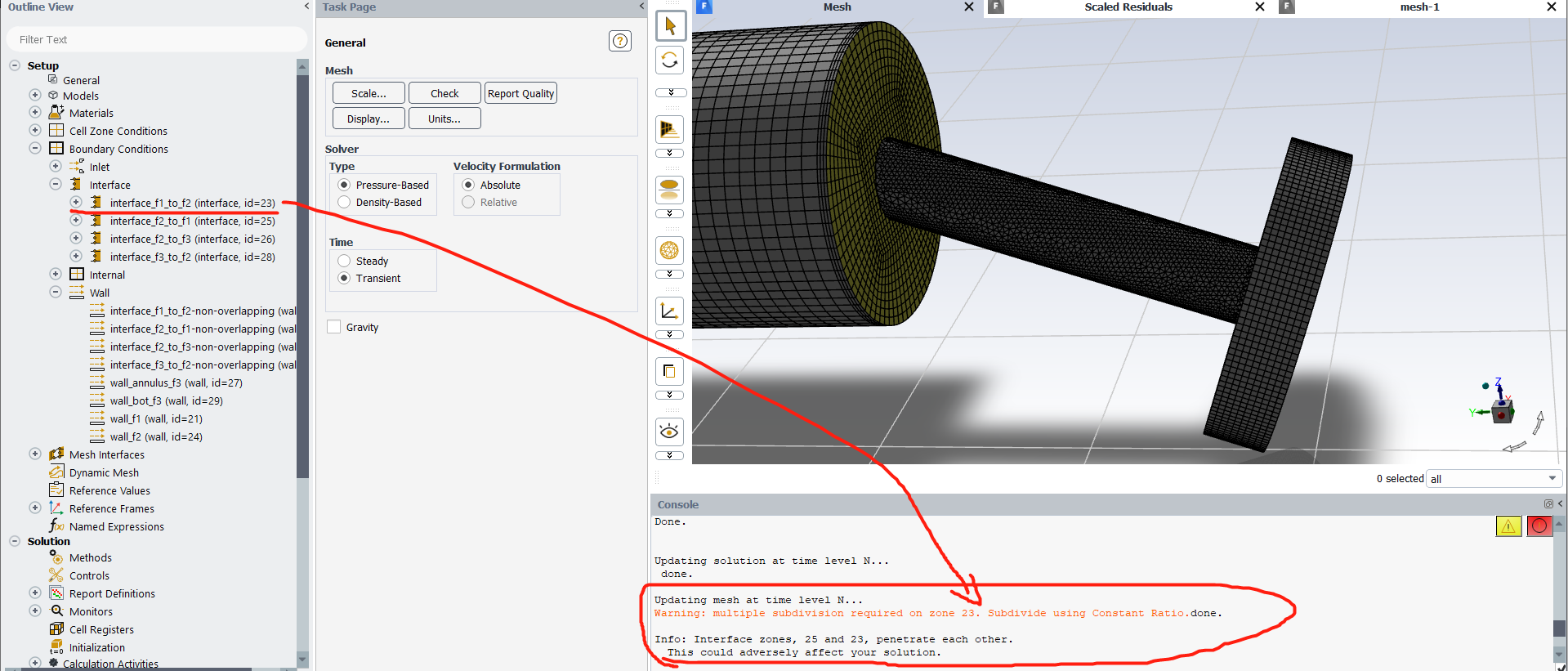
I encountered a problem when I used the UDF “DEFINE_CG_MOTION” and “DEFINE_ZONE_MOTION”, the warning message below popped up during simulation: Warning: incompatible interaction between moving mesh and dynamic mesh model.
Model and settings description:
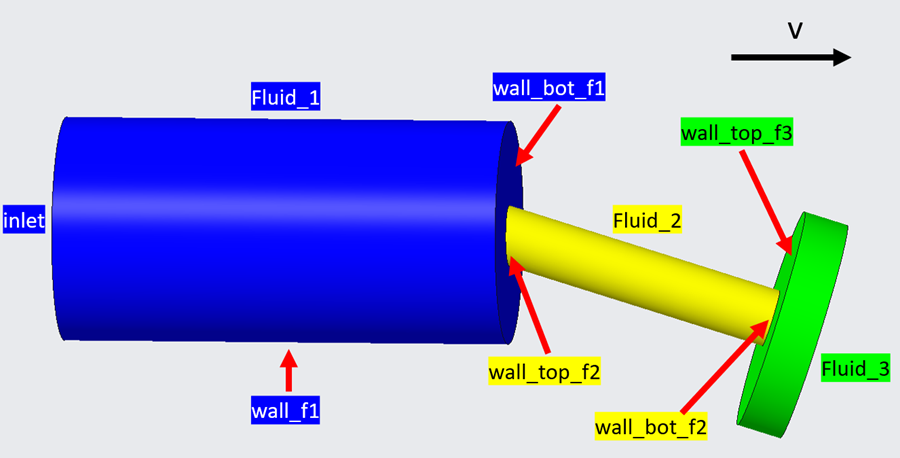
(1) As shown in Figure 1, the whole model consists of 3 fluid zone: fluid_1, fluid_2 and fluid_3, each zone is connected with interface. Fluid_2, fluid_3 and wall_bot_f1 are moving with a velocity v, now, I use “DEFINE_CG_MOTION” to control the motion of moving face, and “DEFINE_ZONE_MOTION” for fluid_2 and fluid_3.
(2) Interface settings: Interface_1: wall_bot_f1 and wall_top_f2;
Interface_2: wall_bot_f2 and wall_top_f3;
(3) Dynamic mesh settings:
Deforming: wall_f1
Rigid body: wall bot_f1;
Rigid body: Interface_1;
Rigid body: Interface_1-non-overlapping;
Although the simulation can run normally, I am curious about this problem, what makes this happen? Does this problem influence the simulation result? How to solve it?
I need your help and advice, thanks.
Regards,


















 You are navigating away from the AIS Discovery experience