Hi all ! Thank you for the support till now !
Initially workbench always used SOLID186 elements for all material if it was a solid. Later I could change the type of element chosen by altering properties in mesh generation. I could generate SOLID185 (generally used for soil). However I can't generate SOLID65 used for concrete by changing mesh properties. I used a command as show in following pictures.
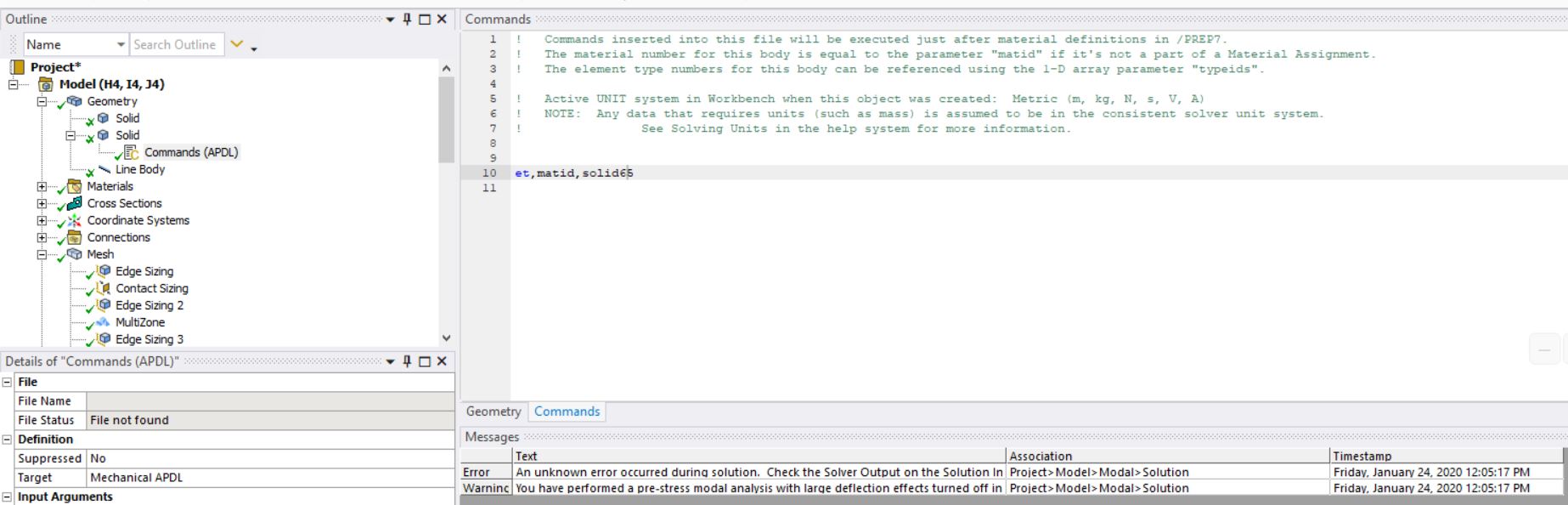
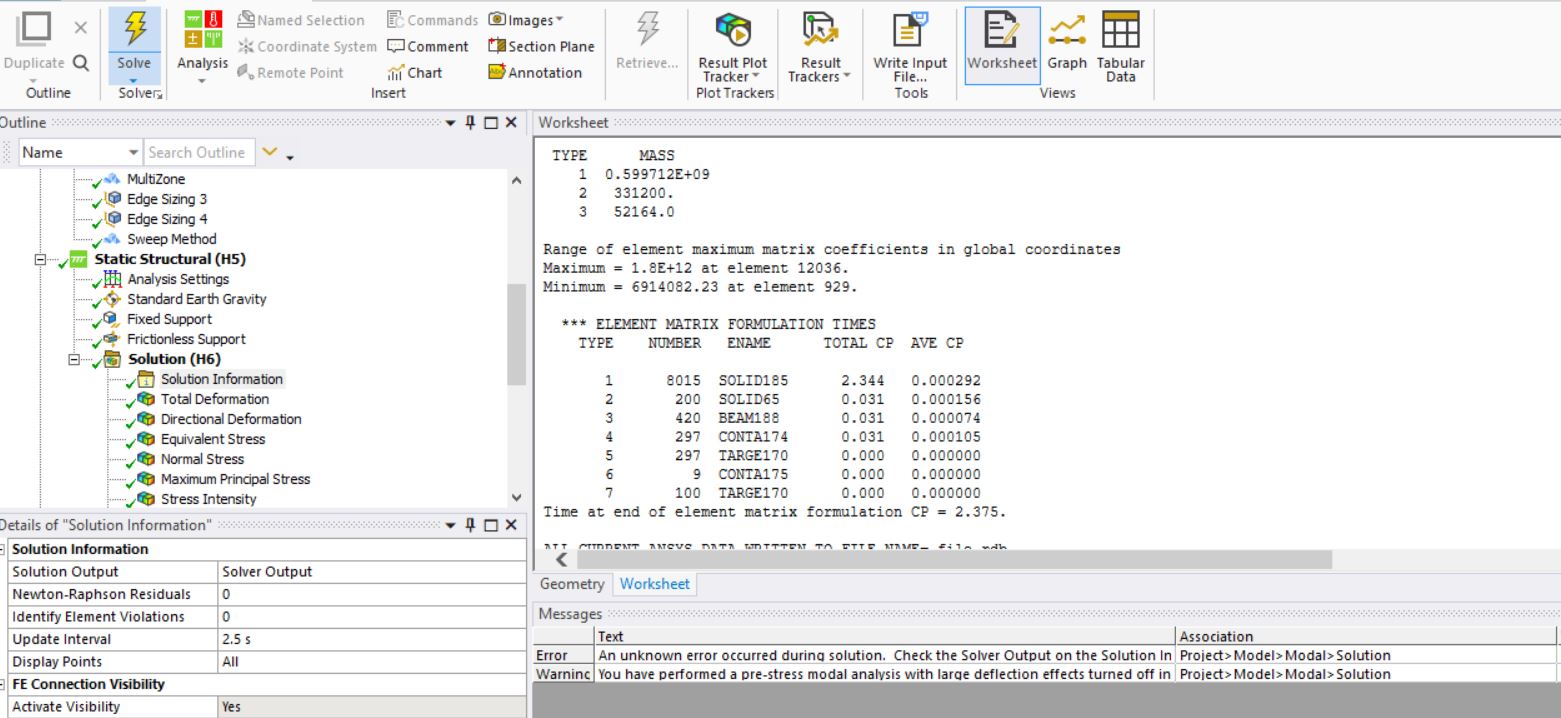
As you can see it created SOLID65 and static analysis was successful but
In modal analysis following error popped
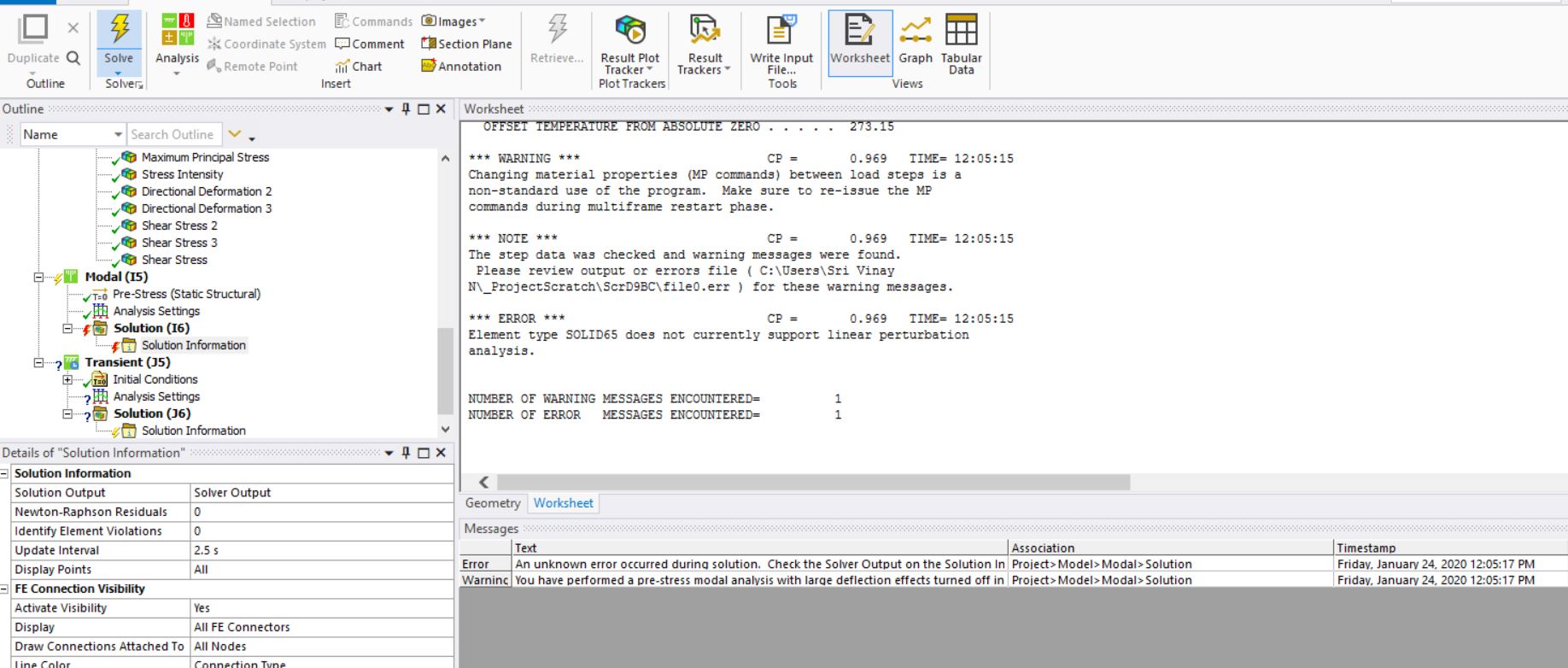
1) How can I rectify the error ?
2) Is SOLID186 or 185 better than SOLID65 for modelling concrete ? ( Right now I need not check cracking of concrete, I understand SOLID65 can crack)
Thank you

















 You are navigating away from the AIS Discovery experience