Ansys Assistant will be unavailable on the Learning Forum starting January 30. An upgraded version is coming soon. We apologize for any inconvenience and appreciate your patience. Stay tuned for updates.
Ansys Free Student Software

Ansys Free Student Software

Topics cover installation and configuration of our free student products.

Can’t open file in fluent

TAGGED: 

    • Faiz Rehman
      Subscriber

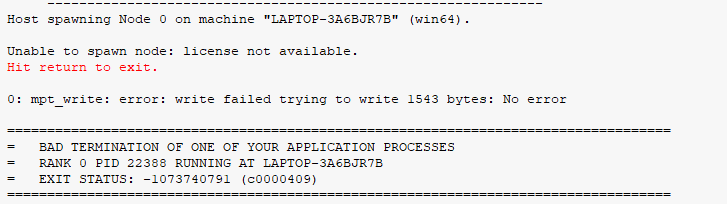
      I am trying to open a file in the 2023 R2 software. It is a converged solution file done on the same software but when I am trying to open the solution tab I am getting an error which says 'Unable to spawn node: license not available'. Upon closing I get the message that 'The FLUENT application failed to validate the connection'.

      I reinstalled Ansys and run the set up as administrator. I downloaded the student version from ansys website. I am attaching the screenshot of the messages window here. Please help.

    • Luca B.
      Forum Moderator

      It seems there is a license issue? are you sure license manager is working well? 

      Are you running on multiple cores. Can you check if connection between machine is ok?


      Luca

      • Faiz Rehman
        Subscriber

        Hi Luca,
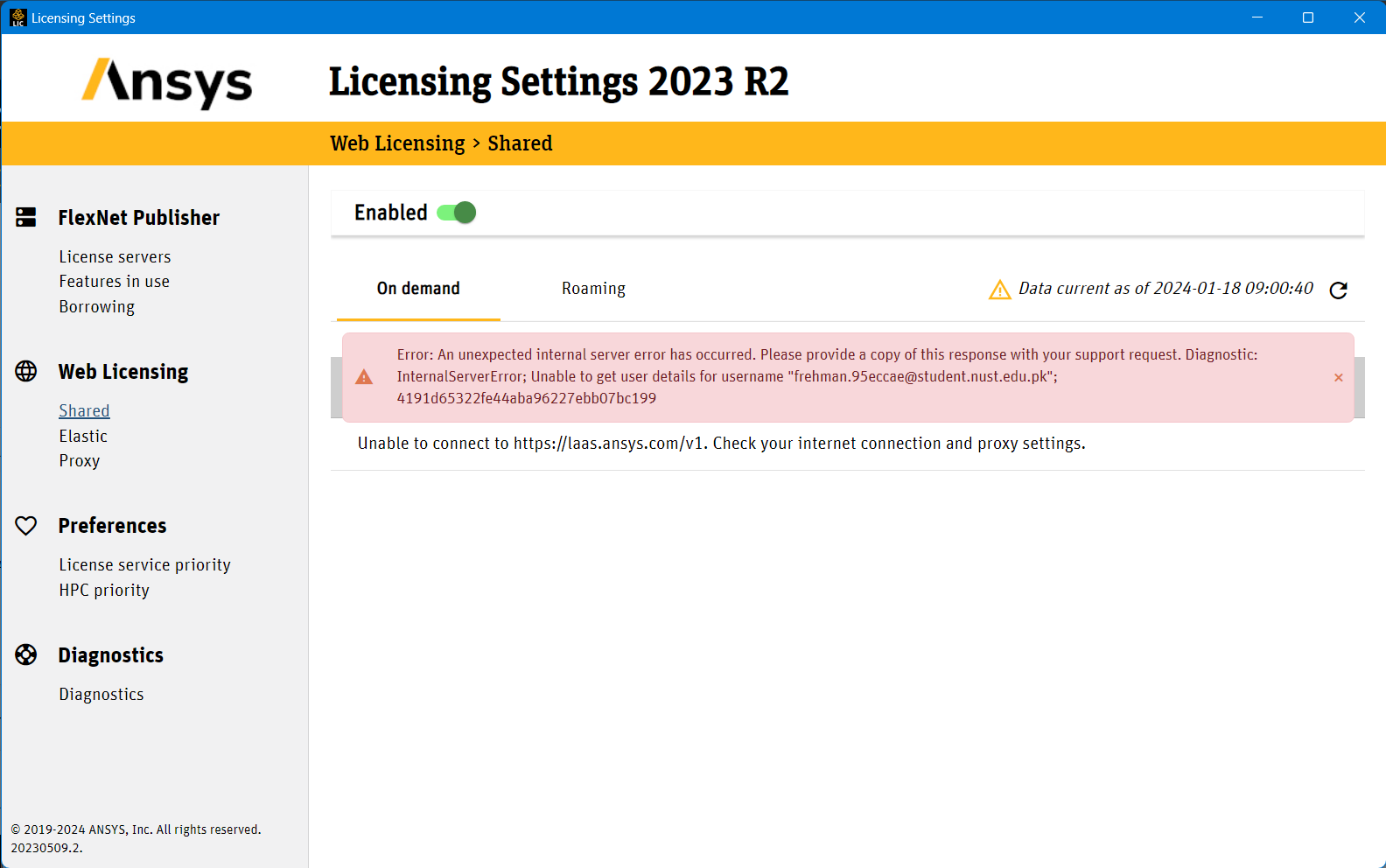
        I am new to this but I after opening the license manager, this is what I'm getting

    • Luca B.
      Forum Moderator

      It seems to be an internal internet error. Can you connect with you license server machine? Can you verify with you  license provider?


      • Faiz Rehman
        Subscriber

        What do you mean by License Server Machine? I have downloaded a student version of Ansys from their website, So the license is supposed to be with the installation right?


Viewing 2 reply threads
  • The topic ‘Can’t open file in fluent’ is closed to new replies.
[bingo_chatbox]