I'm using a linear Eigenvalue Buckling analysis to create imperfect geometry for a Nonlinear Static Structural analysis by using UPGEOM to use a fraction of mode shape 1 and these are working as expected. Here is a video of that model: https://youtu.be/Iqqu92KL5Ko An Explicit Dynamics (H) model using perfect geometry also works as expected.
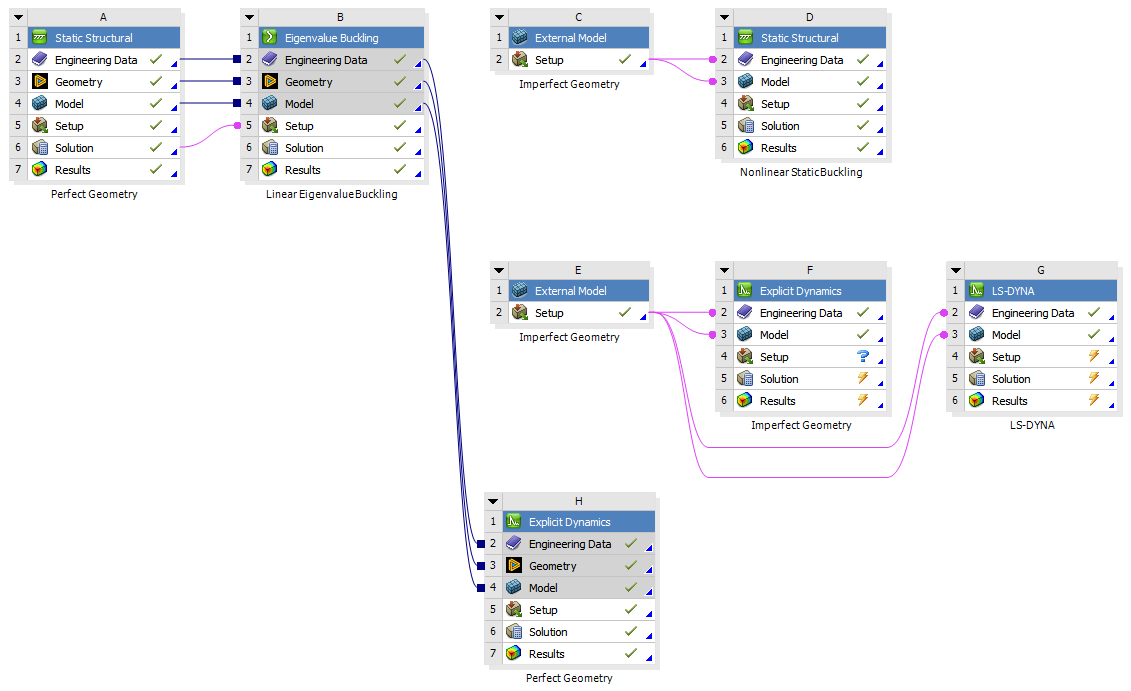
Now I want to use the same imperfect geometry in Explicit Dynamics (F) but the solver issues an error message.
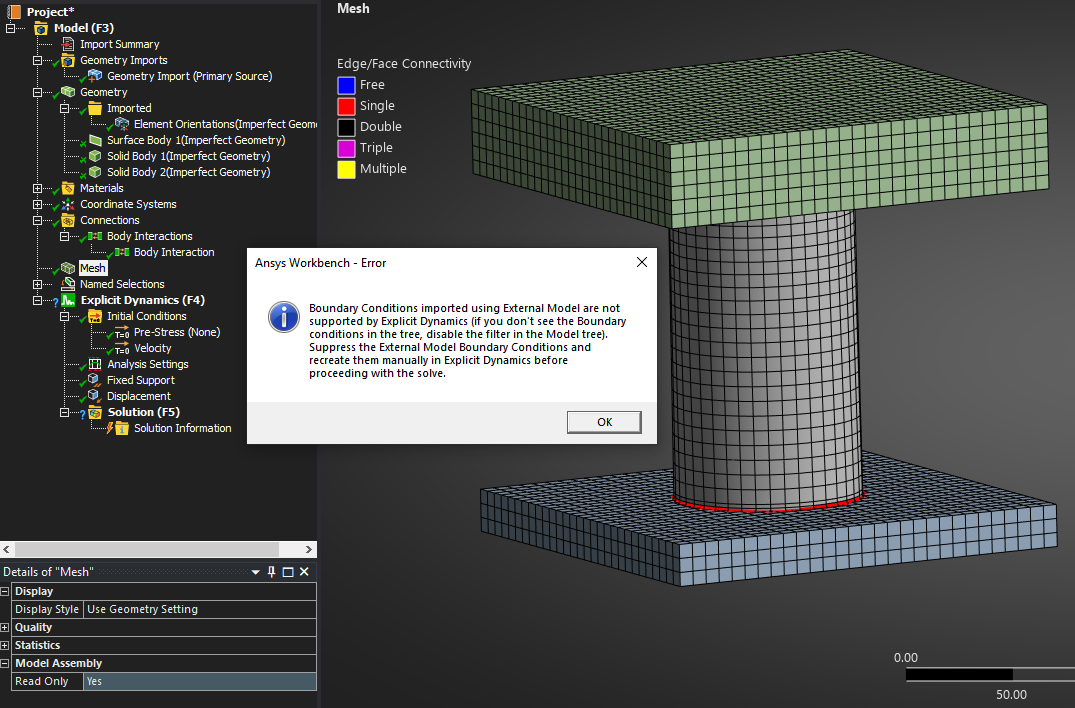
The Tree Filter is disabled. I can't see any imported boundary conditions. 
I created the Fixed Support and Displacement in Explicit Dynamics after the import.
Is there another way to import the imperfect mesh into Explicit Dynamics? I am using Ansys Student 2025 R2.
I also used LS-DYNA (G) where I saw the Imported Boundary Conditions which I suppressed and created the same ones as Explicit Dynamics however I have not yet installed LS-DYNA to run the solver. I noticed that LS-DYNA Student is at 2025 R1. Do I need to use Ansys Student 2025 R1 to create the cbd file from the Eigenvalue Buckling analysis or can I import the R2 cbd file into 2025 R1 to run the LS-DYNA solver?

 This topic has been answered!!

















 You are navigating away from the AIS Discovery experience