Ansys Assistant will be unavailable on the Learning Forum starting January 30. An upgraded version is coming soon. We apologize for any inconvenience and appreciate your patience. Stay tuned for updates.
General Mechanical

General Mechanical

Topics related to Mechanical Enterprise, Motion, Additive Print and more.

Bonded connection not bonded

    • mergen.eric
      Subscriber

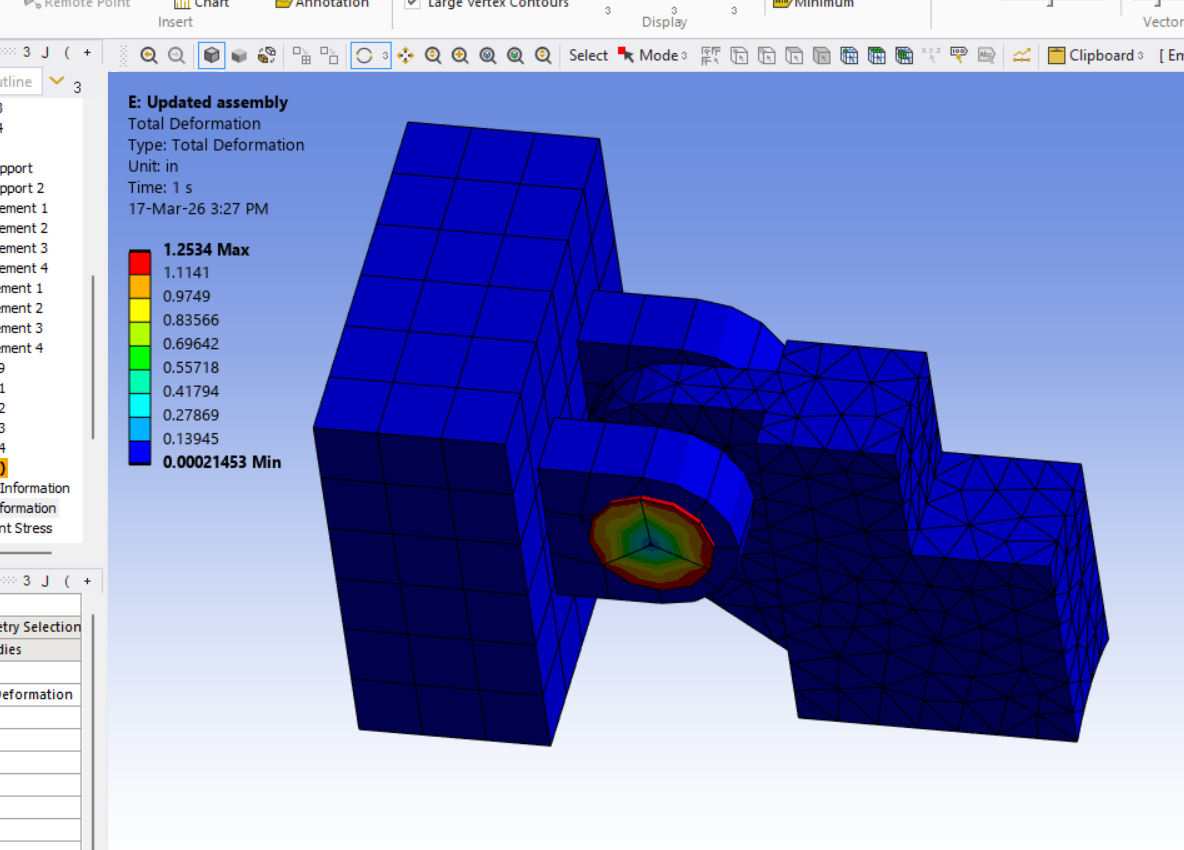
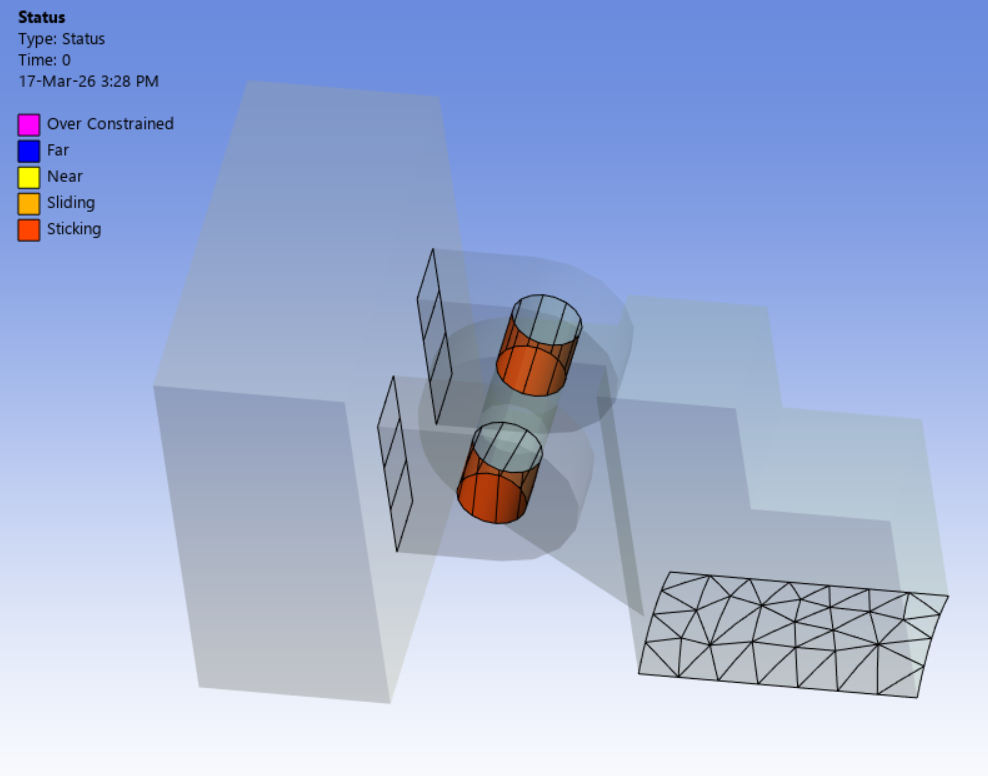
      I'm having problems with a bonded connection in an Static Structural analysis. Looking at the Initial Info and Status in the Contact tool, it looks like the connection is set up and working, but in the Total Deformation result, I am seeing about 1.25" of deformation. It looks like rotation. The problematic connections are a pin bonded to two halves of a clevis. According to the Initial Information, the connections are closed, and according to the Status, they are Sticking (orange). However, the pin is moving 1.25" while the two havles of the clevis are not move. What am I doing wrong with this connection? The part on the right has a revolute joint with the clevis pin so it can rotate round the pin.

    • peteroznewman
      Subscriber

      Please describe the loads and supports used on this assembly and the information you wish to obtain from the analysis.

      I assume you are interested in stress in the parts, and a revolute joint with the part on the right is not the best way to obtain the most accurate stress results. To get the most accurate stress results, delete the revolute joint and replace it with a frictional contact.

      You will also need to remesh the parts with a smaller global element size. Aim for 3 or 4 elements through the thickness of the clevis flanges and the clevis pin and the flange around the pin from the part on the right.

      You should also turn on Large Deflection under Analysis settings.

Viewing 1 reply thread
  • You must be logged in to reply to this topic.
[bingo_chatbox]