-
-
May 18, 2020 at 6:56 pm
emartell
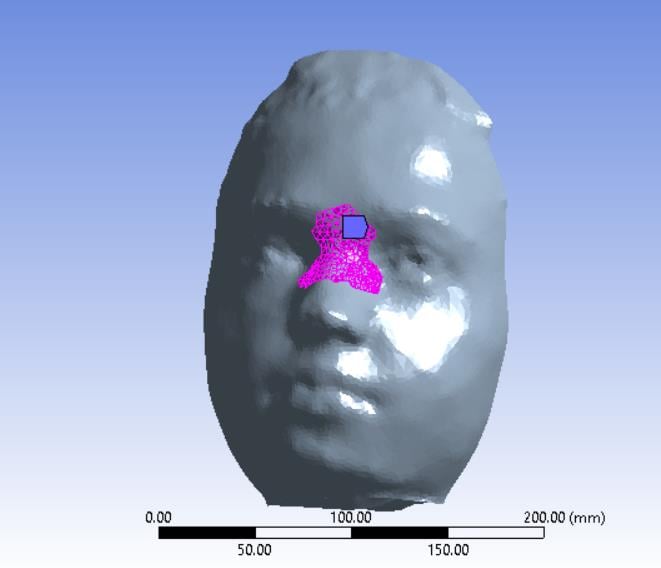
SubscriberI am using ANSYS Mechanical to model a mask pushing into a face to understand how the face deforms with the mask application. I want to assign different material properties to different regions of the face mesh to accurately capture the different skin stiffness at different locations on the face. For example, the material properties around the nose area are much stiffer than those in the cheek area. The picture attached shows an area where I want to have a different material assignment.
I have no idea how to do this in ANSYS, I have only able to assign one material to the entire mesh. Any help would be appreciated, I am not particularly experienced in ANSYS.Â
Thanks in advance!
-
May 20, 2020 at 9:16 am
Aniket Chavan
Forum ModeratorAnsys staff can not download images on the student portal, so if you want to reach a larger audience to get answers from, please insert the images inline.
Also, you need to split the geometries into multiple bodies in order to apply a different material to each. All the different bodies can still be in a single part with shared topology so they share nodes at the interface.
-Aniket
How to access Ansys Online Help Document
How to show full resolution image
Guidelines on the Student Community
How to use Google to search within Ansys Student Community
Â
-
- The topic ‘Assigning different materials to mesh regions on one mesh in ANSYS Mechanical’ is closed to new replies.

-
5849
-
1906
-
1420
-
1305
-
1021
© 2026 Copyright ANSYS, Inc. All rights reserved.