-
-
July 15, 2020 at 2:43 am
xiao
SubscriberHi all,
Recently I faced a problem that makes me confused.
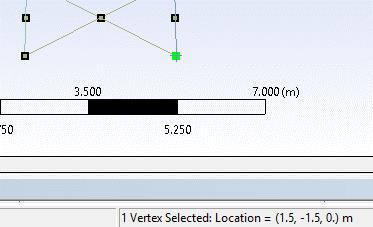
In Ansys workbench, design modeler, I build a model. I use "pattern" to copy this model and move in the x-direction by 200 meters. In DE, I checked the coordinates; it is correct (in figure 1-4).
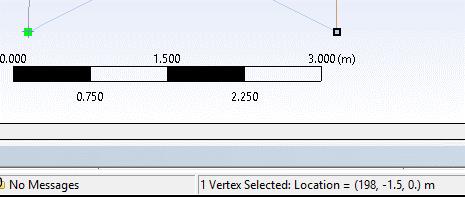
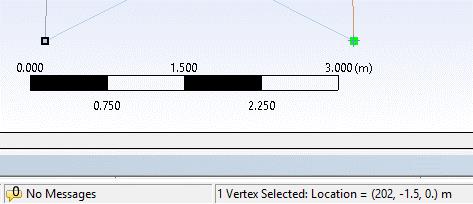
But when I in the modal section, the coordinate is wrong, as shown in figure 5-8. I don't know what happened to the process.Â
Can anyone help me deal with the problem?
figure1-4
Below is figure 5-8 in modal section
-
July 15, 2020 at 2:44 am
xiao
SubscriberAs in the DE, the coordinate is (198.5-1.5,0) and (201.5, -1.5,0). But in the modal, it is (198-1.5,0) and (202, -1.5,0).
-
Viewing 1 reply thread
- The topic ‘Ansys Workbench DE and modal’ is closed to new replies.
Innovation Space
Trending discussions
- Project lines/edges into a face with the direction normal to the face
- No preview in explorer with scdox file
- Add-in Error Excel
- Fileformats
- Discovery 2025r2 failed to initialize
- Spaceclaim problem
- Using SpaceClaim scripts vs recorded blocks for parametric optimization workflow
- Different Body Naming and Extra Surfaces after Importing Solid Edge Part
- racing royals
- New Computer
Top Contributors
-
4592
-
1494
-
1386
-
1209
-
1021
Top Rated Tags
© 2025 Copyright ANSYS, Inc. All rights reserved.
Ansys does not support the usage of unauthorized Ansys software. Please visit www.ansys.com to obtain an official distribution.