-
-
April 25, 2019 at 8:00 am
sumansapkota
SubscriberHello all,
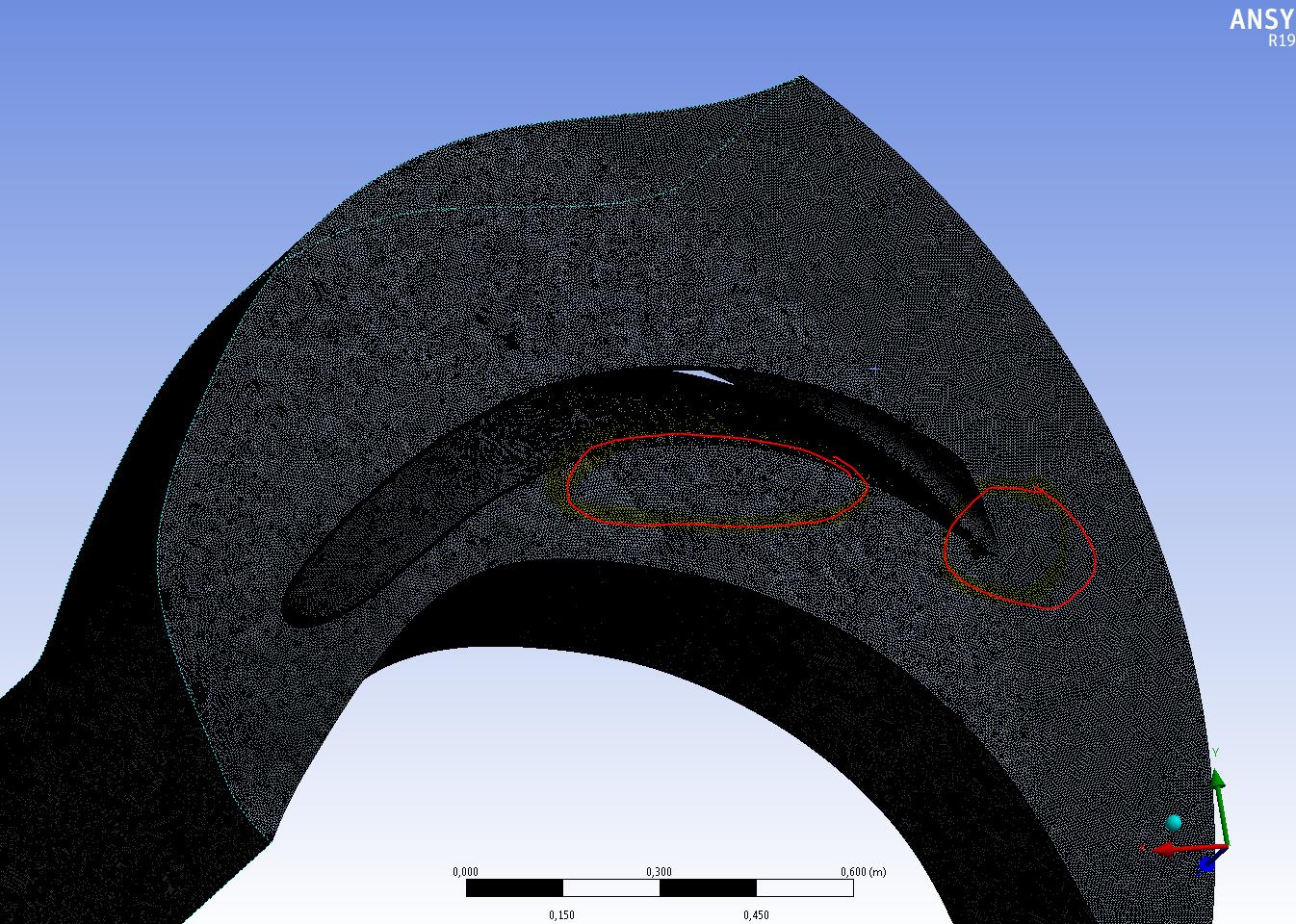
I ,once again, come with a problem in ANSYS. The problem is related with ANSYS MESH. I am trying to mesh the centrifugal impeller in Workbench. I am using the inflation near the blade surface to create a boundary layer. However, the inflation layer does not show up in the geometry around the curved regions. (Please look in the picture)
Any idea on how to resolve this?
Thank you.
Suman
Â
Â
-
April 25, 2019 at 1:23 pm
Rob
Forum ModeratorPlease can you re-post the image in the text? Staff are not permitted to open attachments.Â
-
April 26, 2019 at 8:11 am
sumansapkota
Subscriber
Thank you rwoolhou. Is the picture clear? The bent area of the blade at the center and the trailing edge do not have a inflation layer. The layer simply stops at these regions. On the other hand, the fface opposite to it has a full inflation layer around the blade. So, it is only the hub or this surface that do no have the inflation layers.
Â
-
April 26, 2019 at 9:15 am
Rob
Forum ModeratorIt's not overly clear, zooming in would be good!Â
Check you've picked those faces in the inflation settings (don't use Automatic as it never does what you expect). Also in Inflation settings (possibly under advanced) check the angles: at the trailing edge inflation may not want to link around the sharp angle.Â
-
April 26, 2019 at 9:17 am
Keyur Kanade
Ansys Employeeas rob suggested change angle in advanced options for inflation to 170.Â
please insert some zoomed in image.Â
make sure you have selected those faces under inflation.Â
is there any fillet?Â
-
April 26, 2019 at 11:07 am
sumansapkota
SubscriberChanging to 170 does the trick. Thank you kkanade. And, Thank you rwoolhou.
-
- The topic ‘ANSYS MESH_PUMPS’ is closed to new replies.
-
4773
-
1565
-
1386
-
1242
-
1021
© 2026 Copyright ANSYS, Inc. All rights reserved.