-
-
August 29, 2019 at 6:30 am
chandramouli
SubscriberHi guys,
How do we refine or rectify a element after meshing is done.
If I have a irregular shape and have to go with quad meshing and after meshing when I check the element quality ,I see some bad elements.
I know how to select the bad elements but don't know what to do with it.
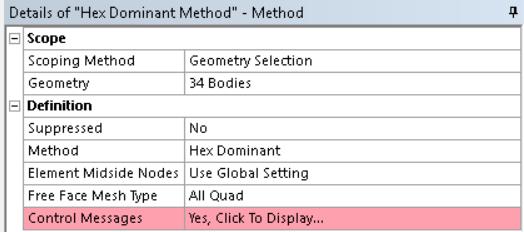
I have tried refinement but it didn't work, and I even get a few TRI elements even though I specified ONLY QUAD .
I have been doing it like a trial and error method ,like I have been altering the element sizes,growth rate and relevance. I have got to a point where I have increased the element quality to the max(or the quality which my PC can withstand). Even though I dont have any Red indicated elements ,I have elements that have lower quality.
So how do I rectify that?
-
August 29, 2019 at 2:23 pm
Sandeep Medikonda
Ansys EmployeePlease explain with images the exact settings you are using for Mesh. Are you using local controls?
You can perform Mesh Editing after creating the mesh, but I do not recommend this. See this section from the help.
https://www.youtube.com/watch?v=nEOC8rDnnRo
-
August 31, 2019 at 6:04 am
-
August 31, 2019 at 2:12 pm
peteroznewman
SubscriberIs your part a uniform wall thickness, thin-walled part? If so, you should convert the solid model to a midsurface model and mesh that with shell elements instead of solid elements. You will get much better element qualities and much better results for any bending stress in the part.
I can help create the midsurface if you want to try that out. Just attached a project archive that includes the geometry in DesignModeler.
-
September 3, 2019 at 4:39 am
chandramouli
SubscriberHi peteroznewman,
Thanks for the advise.
my component has uniform wall thickness and i know how to create a mid surface but how is it going to help create a good mesh on the outer surface.?
-
September 3, 2019 at 8:41 am
chandramouli
SubscriberHello Peteroznewman,
I have tried your method and got a similar result. I dont feel any difference in the quality.
I have made it into a shell element and the meshed it with same settings.
I dont know how to upload my stl file and geometry file ,but I mid surfaced my component and tried to do a mesh on the shell element.
-
September 3, 2019 at 2:24 pm
peteroznewman
SubscriberYou didn't mention that your geometry originated as an STL. If all you did was a straight convert to solid on the STL, you get lots of faces that have poor shapes for elements. If you want good element shapes, you have to skin the STL with surface patches. I have been learning how to do that in SpaceClaim. I can have a go at if you want.
Put your STL file into a ZIP archive. You are allowed to attach .zip files after you post a reply.
-
September 4, 2019 at 8:39 am
chandramouli
SubscriberHello peteroznewman,
I have attached the stl as a zipped file, but is there any tutorial as to skinning the STL with SURFACE PATCHES. I need some assistance in the skinning the STL model.Â
-
- The topic ‘Ansys element meshing’ is closed to new replies.
- LPBF Simulation of dissimilar materials in ANSYS mechanical (Thermal Transient)
- Real Life Example of a non-symmetric eigenvalue problem
- How can the results of Pressures and Motions for all elements be obtained?
- BackGround Color
- Contact stiffness too big
- Element Birth and Death
- Python-Script to Export all Children of a Solution Tree
- Which equations and in what form are valid for defining excitations?
-
4597
-
1495
-
1386
-
1209
-
1021
© 2025 Copyright ANSYS, Inc. All rights reserved.