Ansys Free Student Software

Ansys Free Student Software

Topics cover installation and configuration of our free student products.

Ansys 2021 R2 RSM doesn’t allow student license to load

    • tofuu88
      Subscriber

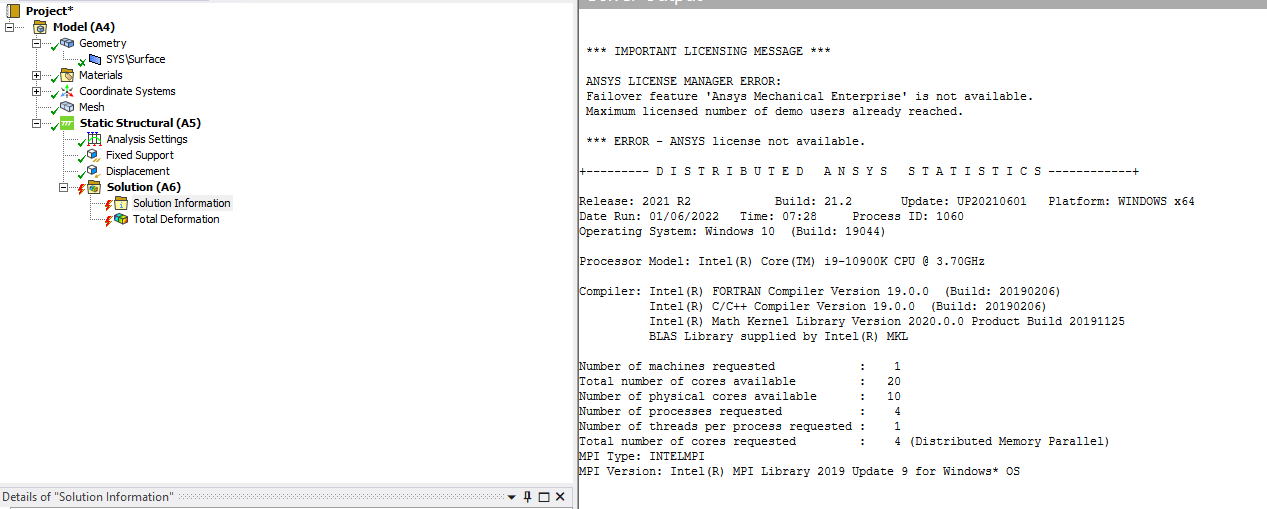
      Hello, when I solve a job in Ansys 2021 R2 via the regular "my computer" default option, the student license loads and the job solves. However, when I send the job via RSM towards the local queue via Arc and a local staging directory, it doesn't recognize the default license and returns the error "Failover feature 'Ansys Mechanical Enterprise' is not available. Maximum licensed number of demo users already reached."

      Please note that this does not happen in Ansys 2021 R1 but started to happen in Ansys 2021 R2.

      Can someone please advise on why this is happening and if we can fix this?

    • ANSYS_MMadore
      Forum Moderator
      Please try setting your Solve Process Settings and then exit Mechanical. Then run the analysis from the Workbench Project page. Trying to solve in RSM with Mechanical already open results in the error as the only Mechanical Enterprise license is consumed by the Mechanical GUI.
    • tofuu88
      Subscriber
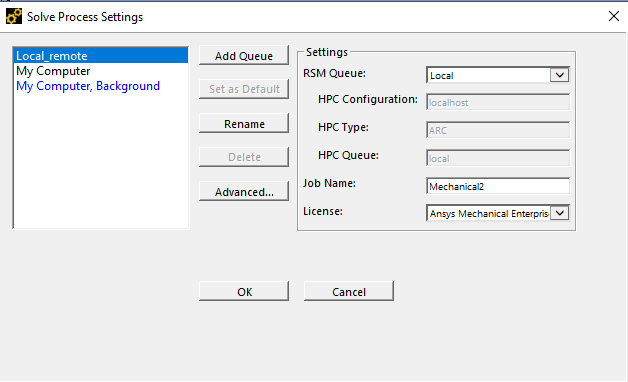
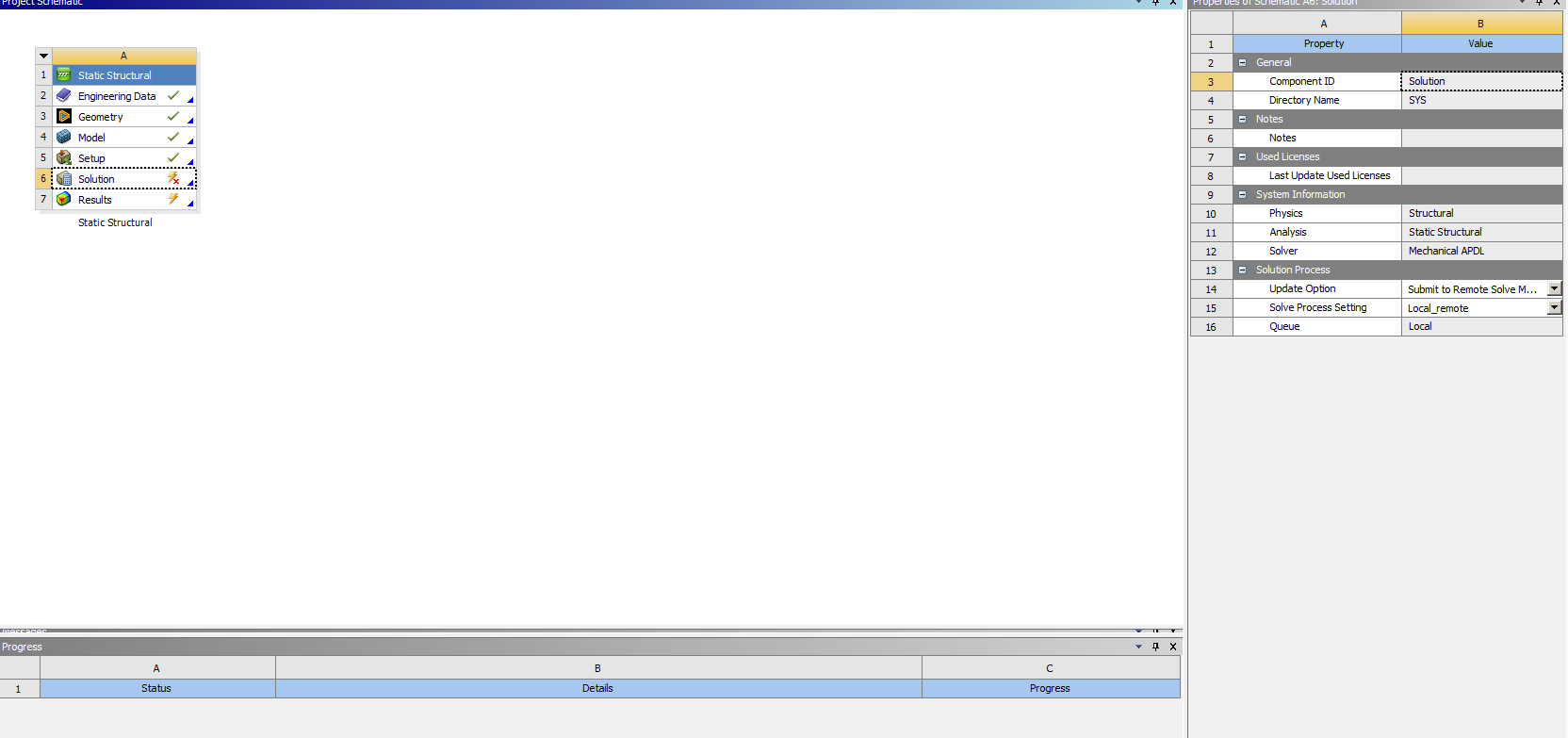
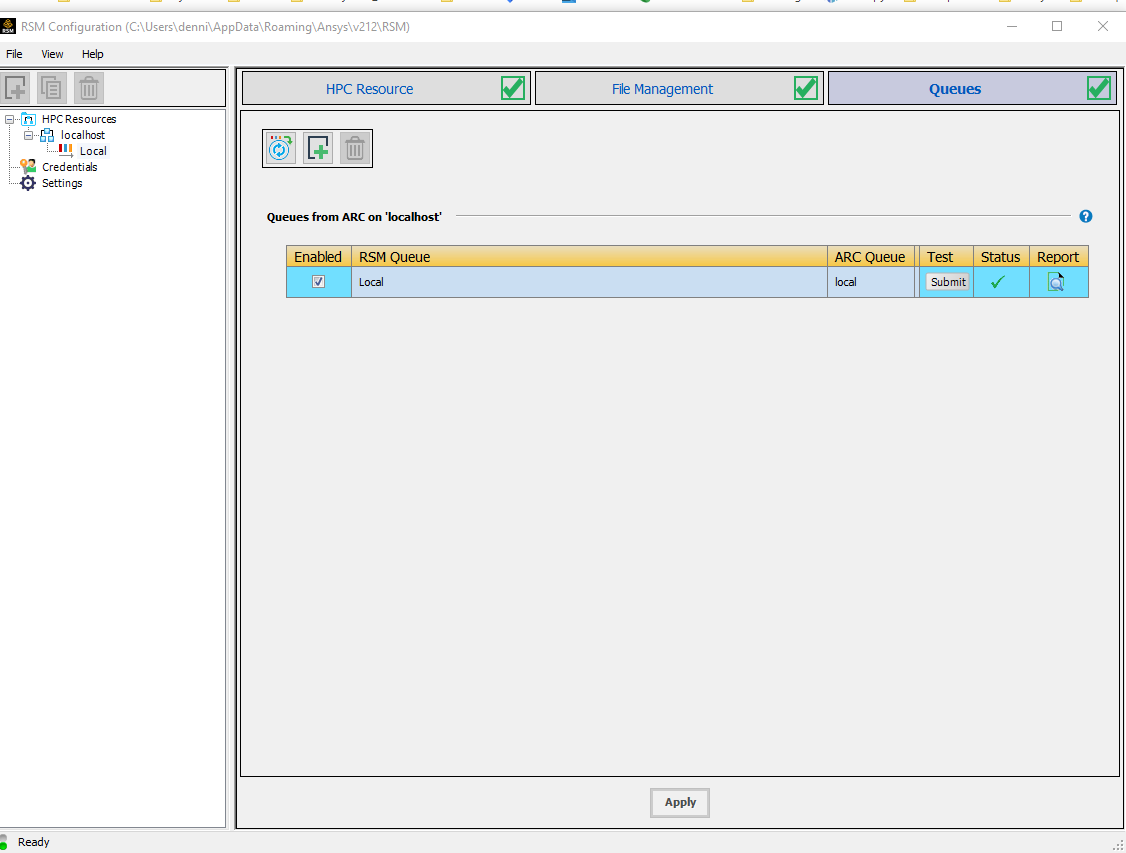
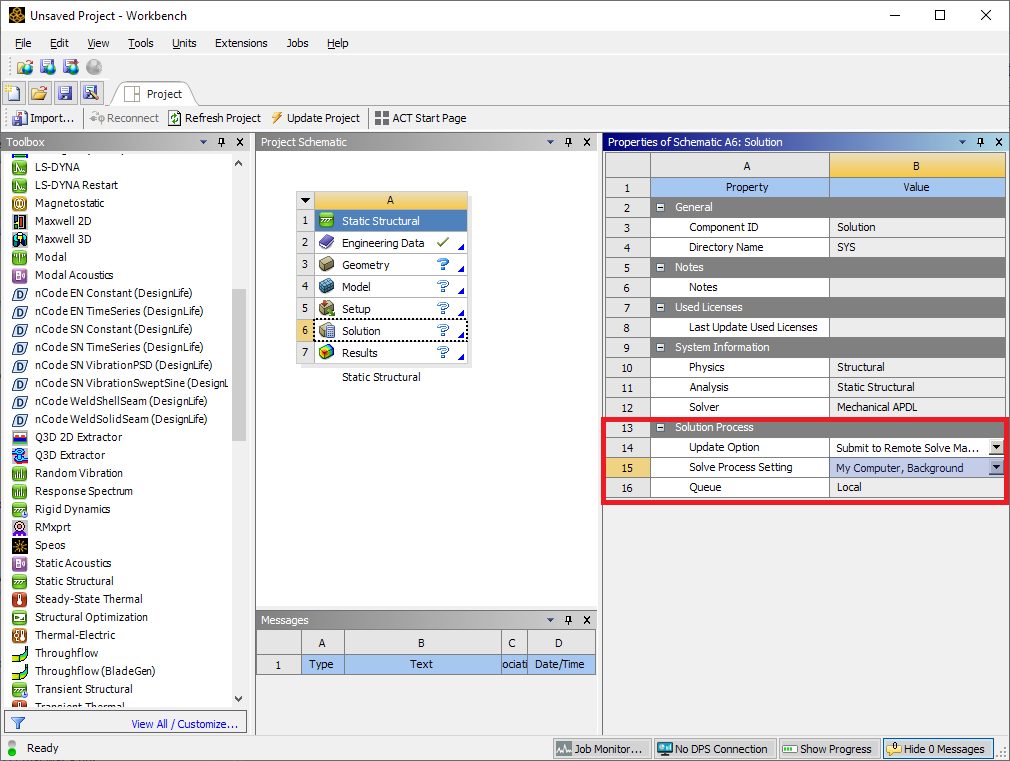
      @mmadore, Hello, I have already tried that as well. In the property setting, I went ahead and changed the default solving method to "RSM" and set the queue to the queue I created in the RSM configuration.
      The same error occurs. Please note again that this does not happen in 2021 R1 but happens in 2021 R2.
      I really appreciate it if you can help fix this or somehow make sure this doesn't become a thing in 2022 R1, really appreciate it!

      Best Regards
    • tofuu88
      Subscriber
      can someone please help confirm that this is also happening on your end and not something related to how I installed the 2021 R2? Not having RSM is a huge problem for my study.

      Really appreciate your help.
    • ANSYS_MMadore
      Forum Moderator
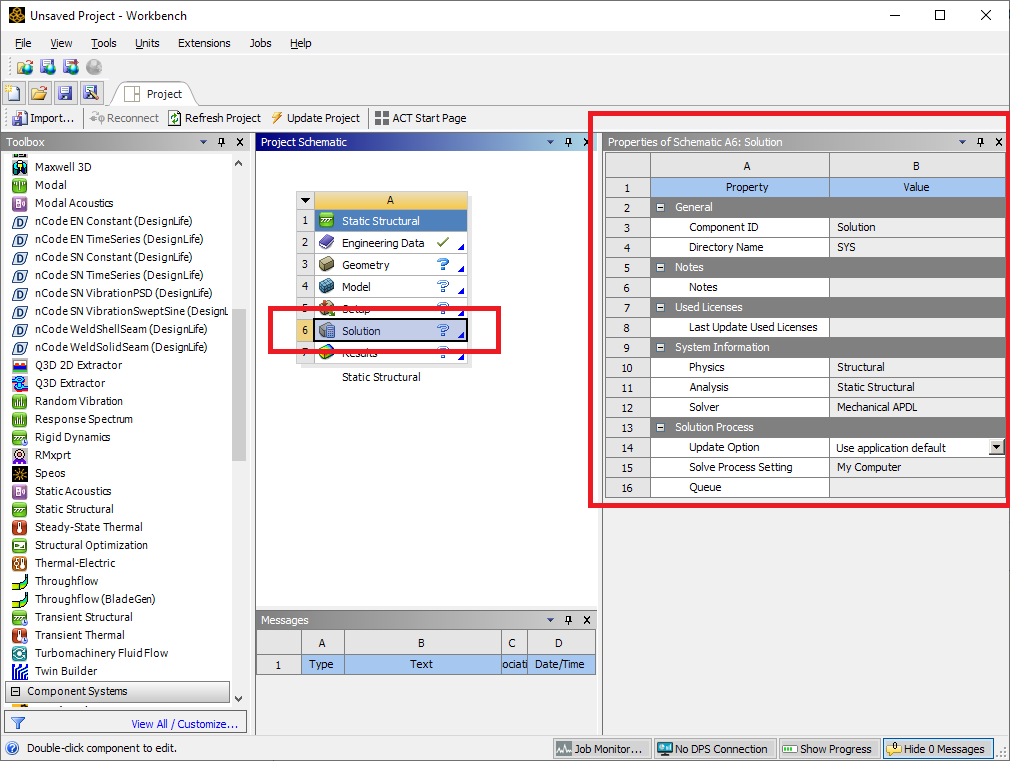
      Please open a file explorer and go to %TEMP%\.ansys and send the full text of any licdebug.ANSYS.212.out and licdebug.MECH.212.out files. Please also share a screenshot of your Workbench desktop showing the Preferences of the Solution cell of your analysis.


    • tofuu88
      Subscriber
      thank you for looking into this for me. Please see attached image and files you requested. The license debug file is converted to text file, hopefully that's ok. I also added any other possible screen shot that I can think of. Really appreciate if someone can at least re-produce this error on their end so I know it's not just my installations. If we can resolve this issue, it would be greatly appreciated.

    • ANSYS_MMadore
      Forum Moderator
      Please try using "My Computer, Background" and set it to use "Mechanical Enterprise" license. Exit Mechanical and any other Ansys windows fully, only the Workbench Project page should be open. Then try running by right-clicking on Solution and "Update".
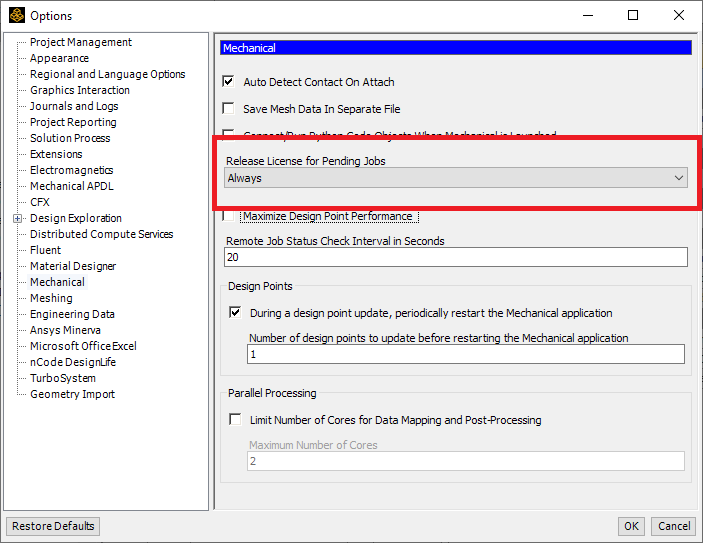
      Please also go to Tools -> Options -> Mechanical from the Workbench project page. For "Release License for Pending Jobs" select 'Always'.

    • tofuu88
      Subscriber
      @mmadore, changing the "release license for pending jobs" to always and solve in background worked! However, it doesn't work if I try to send the job via the Queue I created called "local" even if I solve it in workbench without opening mechanical. If I try to solve in background (after changing to "always) with mechanical open, it also doesn't pull the license.
      I attached the license debug file again (updated with the most recent trials).
      Let me know if there's a way to utilize the RSM ?
    • ANSYS_MMadore
      Forum Moderator
      Mechanical MUST be closed in order to solve. There should be no need to use the local queue you created as My Computer, Background is essentially running the job in RSM in the background.
    • tofuu88
      Subscriber
      @mmadore, do you know what changed between 2021R1 and 2021R2? in 2021R1, everything i did worked just fine and it was set to "on demand" for license release.
      The RSM local queue just queues jobs, which allows me to open a second instance of mechanical and do things while it's solving in background. Is this not allowed in 2021R2 but allowed in 2021R1?
      I am hoping to confirm the intent from the developer if possible.
    • ANSYS_MMadore
      Forum Moderator
      The license allows for a single instance of the application, so your solving is consuming your only license. This means there is no license for any other activity within Mechanical. You don't have a license that allows for Mechanical PrepPost work at the same time as a Mechanical Solve.
    • tofuu88
      Subscriber
      @mmadore, is this a new stipulation in Ansys 2021 R2? In ansys 2021R1, what I've been doing works and I can run multiple instances. Can you please check with the developer and confirm?
Viewing 11 reply threads
  • The topic ‘Ansys 2021 R2 RSM doesn’t allow student license to load’ is closed to new replies.