-
-
November 23, 2019 at 10:16 am
luisdamed
SubscriberHi,
I am getting the message "An error occurred while starting the solver module. Please refer to the Troubleshooting section in the ANSYS Mechanical User Guide for more information" whenever I try to solve any type of Thermal or Mechanical analysis. I already have read all the posts I could find and nothing helped.
It happens for all the ANSYS projects that I created a year ago using v18 (can't remember exactly which one). My laptop is a Windows 10, 64-bit system and I have plenty of Hard drive space and RAM memory and administrative privileges. I even performed a "soft-reset" and installed version Academic Student 2019 R1 - neither my previous projects or new ones work.
 Can anyone help, please? Thanks
Â
Luis
-
November 23, 2019 at 10:22 am
luisdamed
SubscriberAdditional facts:
- When I open the solver directory, there is no Solver.out file.
- All the folders have only English characters, as well as my user and computer IDs
- Renaming the C:UsersluisdAppDataRoamingAnsys v193 file to v193.old did not work.
- Â I checked the name references for the loads and boundary conditions and none of them were modified from one release to another.
- I managed to use FLUENT, though, but I can't open it from the workbench window and have to use the CMD:
               cd C:Program FilesANSYS IncANSYS Studentv193fluentntbinwin64
Â
               fluent ^-r19.3.0 2ddp -meshing -tm8 -t8
Â
Here is the output from a CMD license check:
Microsoft Windows [Version 10.0.18362.476]
(c) 2019 Microsoft Corporation. All rights reserved.
C:Usersluisd>"C:Program FilesANSYS IncANSYS StudentShared FilesLicensingwinx64ansysli_util" -checkout ANS_SOLVER
2019/11/22 17
8:09Â Â INFOÂ Â Â Â Â Â Â Â Demo license file C:Program FilesANSYS IncANSYS StudentShared FilesLicensingstudent.lic exists.
ANS_SOLVER OUT id=DESKTOP-JFRKGAF-LuisD-22052-012666 shared_info=DESKTOP-JFRKGAF-LuisD-22052-012667 is_sharable=yes server=53917@localhost is_academic=yes has_academic_logo=yes max_h_elem=0 max_nodes=0 max_faces=0 max_bodies=0 max_species=0 min_cell_size=0 max_depth=0
Â
    Resolved by Feature: id=183 feature=aa_t_i product=ANSYS Academic Teaching Introductory
Â
Here is the output when opening Mechanical APDL:
2019/11/23 10
5:24Â Â INFOÂ Â Â Â Â Â Â Â Demo license file C:Program FilesANSYS IncANSYS StudentShared FilesLicensingstudent.lic exists.
 ANSYS Academic Teaching Introductory
 2019 R1
 Point Releases and Patches installed:
 Academic Student 2019 R1
FENSAP-ICE 2019 R1
     ***** ANSYS COMMAND LINE ARGUMENTS *****
 INITIAL JOBNAME       = file                                                                                           Â
 DISTRIBUTED MEMORY PARALLEL REQUESTED
    2 PARALLEL PROCESSES REQUESTED WITH SINGLE THREAD PER PROCESS
  TOTAL OF   2 CORES REQUESTED
 DESIGNXPLORER REQUESTED
 MPI OPTION          = INTELMPI
 START-UP FILE MODE      = READ
 STOP FILE MODE        = READ
 GRAPHICS DEVICE REQUESTED  = win32
 GRAPHICAL ENTRY       = YES
 LANGUAGE           = en-us
 INITIAL DIRECTORY = C:Usersluisd
 RELEASE= 2019 R1       BUILD= 19.3   UP20181204  VERSION=WINDOWS x64
 CURRENT JOBNAME=file0 10
5:26Â NOV 23, 2019 CP=Â Â Â 1.109
 /SHOW SET WITH DRIVER NAME= WIN32  , RASTER MODE, GRAPHIC PLANES = 8
 RUN SETUP PROCEDURE FROM FILE= C:Program FilesANSYS IncANSYS Studentv193ANSYSapdlstart.ans
 /INPUT FILE= menust.tmp LINE=    0
 /INPUT FILE= C:Program FilesANSYS IncANSYS Studentv193ANSYSapdlstart.ans LINE=    0
 ACTIVATING THE GRAPHICAL USER INTERFACE (GUI). PLEASE WAIT...
 *** NOTE ***              CP =    1.656  TIME= 10
5:26
 The directory "C
Users/luisd/AppData/Roaming/Ansys/ansys19.3" has beenÂ
 created to maintain ANSYS settings.                  Â
 CUTTING PLANE SET TO THE WORKING PLANE
 PRODUCE NODAL PLOT IN DSYS= 0
 TURN OFF WORKING PLANE DISPLAY
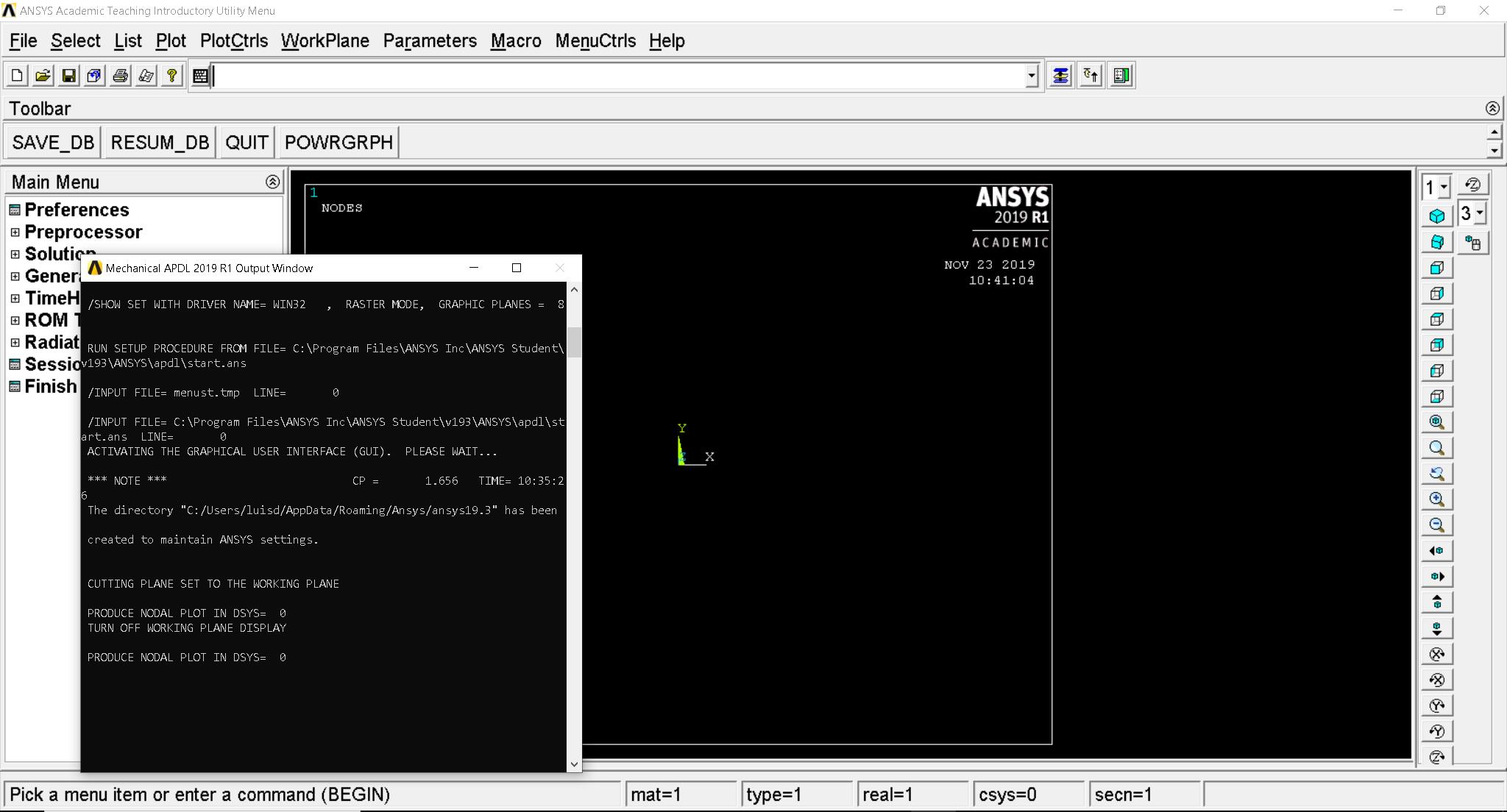
Â
Honestly, I never tried opening Mechanical APDL before.

-
November 23, 2019 at 10:53 am
luisdamed
Subscriber-  I managed to solve one of the static structural simulations I made, using Mechanical APDL (thanks to tsiriaks for his advice). However, when reading the results for a transient thermal simulation in Workbench, I get the error
 Your product license has numerical problem size limits, you have exceeded these problem size limits and the solver cannot proceed.
Â
- I checked the license status from Mechanical APDL and I got this
Â
ANSYS Licensing Interconnect path is empty.
Â
Please see the Troubleshooting Section in the ANSYS Licensing Guide for more details.
Â
ANSYS FLEXlm License path=C:Program FilesANSYS IncANSYS StudentShared FilesLicensingstudent.lic
Â
Â
***** Note: Due to a FLEXlm limitation, all tasks may not be found *****
____________________________________________________________________
Â
Â
***** ANSYS FLEXlm LICENSE SERVER STATUS: C:Program FilesANSYS IncANSYS StudentShared FilesLicensingstudent.lic *****
Â
Â
 *** ERROR ***
Â
lmutil - Copyright (c) 1989-2015 Flexera Software LLC. All Rights Reserved.
Flexible License Manager status on Sat 11/23/2019 14:49
Â
[Detecting lmgrd processes...]
Error getting status: No SERVER lines in license file. (-13,66)
child killed: SIGABRT]
Â
But I made these simulations with the same type of Ansys Academic license originally, and everything used to solve without problems.
Â
-
November 26, 2019 at 11:06 pm
tsiriaks
Ansys EmployeeFor your original issue, that happened with ANSYS Mechanical (in Workbench) , right ? not Mechanical APDLÂ What if you create a brand-new, test static structural project, does this encounter the same issue ? Please post the screenshot of the all relevant errors.
For the issue with size limit, see this (this is for ANSYS Mechanical but may give some idea for Mechanical APDL)
/forum/forums/topic/mesh-size-errors-even-if-it-should-work/
Â
Â
-
November 27, 2019 at 10:38 pm
-
December 2, 2019 at 5:57 pm
tsiriaks
Ansys EmployeeFrom your Mechanical GUI above, click Tools -> Write Input File , then save it somewhere.
Open M-APDL Launcher, specify 'ANSYS Batch' in Simulation Environment and specify the path and file name of your Input File, change Working Directory to C:Temp, then click Run. Post any error that comes up from this.
-
November 16, 2022 at 2:17 pm
DANUSH DATTHATHIREYAN K
SubscriberAn error occurred while starting the solver module. Please refer to the Troubleshooting section in the Ansys Mechanical User Guide for more information.
help me out
-
- The topic ‘An error occurred while starting the solver module on ANSYS Academic Student 2019 R1’ is closed to new replies.
-
4763
-
1565
-
1386
-
1242
-
1021
© 2026 Copyright ANSYS, Inc. All rights reserved.









