-
-
July 14, 2026 at 5:17 pm
enoch0831
SubscriberHello,
I am a third-year undergraduate student in the Department of Physics at National Tsing Hua University. I am having trouble launching Ansys Electronics Desktop Student 2025 R2 on Windows 11.
Whenever I try to start AEDT, I receive the following error message:
Unable to detect installed products. Please make sure that config/admin.xml exists in your installation directory and is syntactically correct.
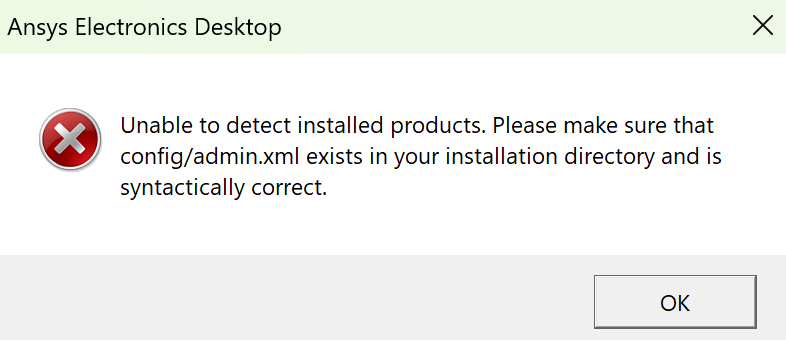
I have tried running the program as an administrator and reinstalled the software several times, but the same error still appears.
Could anyone advise me on what may be causing AEDT to fail to detect the installed products and how I can fix it?
-
July 30, 2026 at 1:29 pm
rjadhav
Forum ModeratorHi,ÂNormally, the electromagnetic field product creates a temporary folder in your home directory ($HOME/Ansoft) when you use it or for windows Document/AnsoftThis can happen if there's no space in your home directory or if there’s no Ansoft folder in your home directory. This message appears when the temporary folder can't be created.Try making sure you can write a temporary folder to $HOME/Ansoft for windows in Documents/Ansoft you can try to rename the Ansoft folder to Ansoft.old
-
Viewing 1 reply thread
- You must be logged in to reply to this topic.
Innovation Space
Trending discussions
Top Contributors
-
6880
-
1906
-
1544
-
1344
-
1217
Top Rated Tags
© 2026 Copyright ANSYS, Inc. All rights reserved.
Ansys does not support the usage of unauthorized Ansys software. Please visit www.ansys.com to obtain an official distribution.