

-
-
December 15, 2020 at 2:52 pm
sfed06
SubscriberDecember 18, 2020 at 1:02 pmAniket Chavan
Forum ModeratorAnsys staff can not download images on the student portal, so if you want to reach a larger audience to get answers from, please insert the images inline.n-AniketnHow to access Ansys help linksnGuidelines for Posting on Ansys Learning ForumnFebruary 26, 2021 at 11:53 amramgopisetti
SubscriberU cannot access the wizards directly as an in ACT, you need to invoke them by opening an system and click on Automatation and then choose the additive wizard and form there it is pretty much easy. Look into followign image so you can have an idea on how to work it. n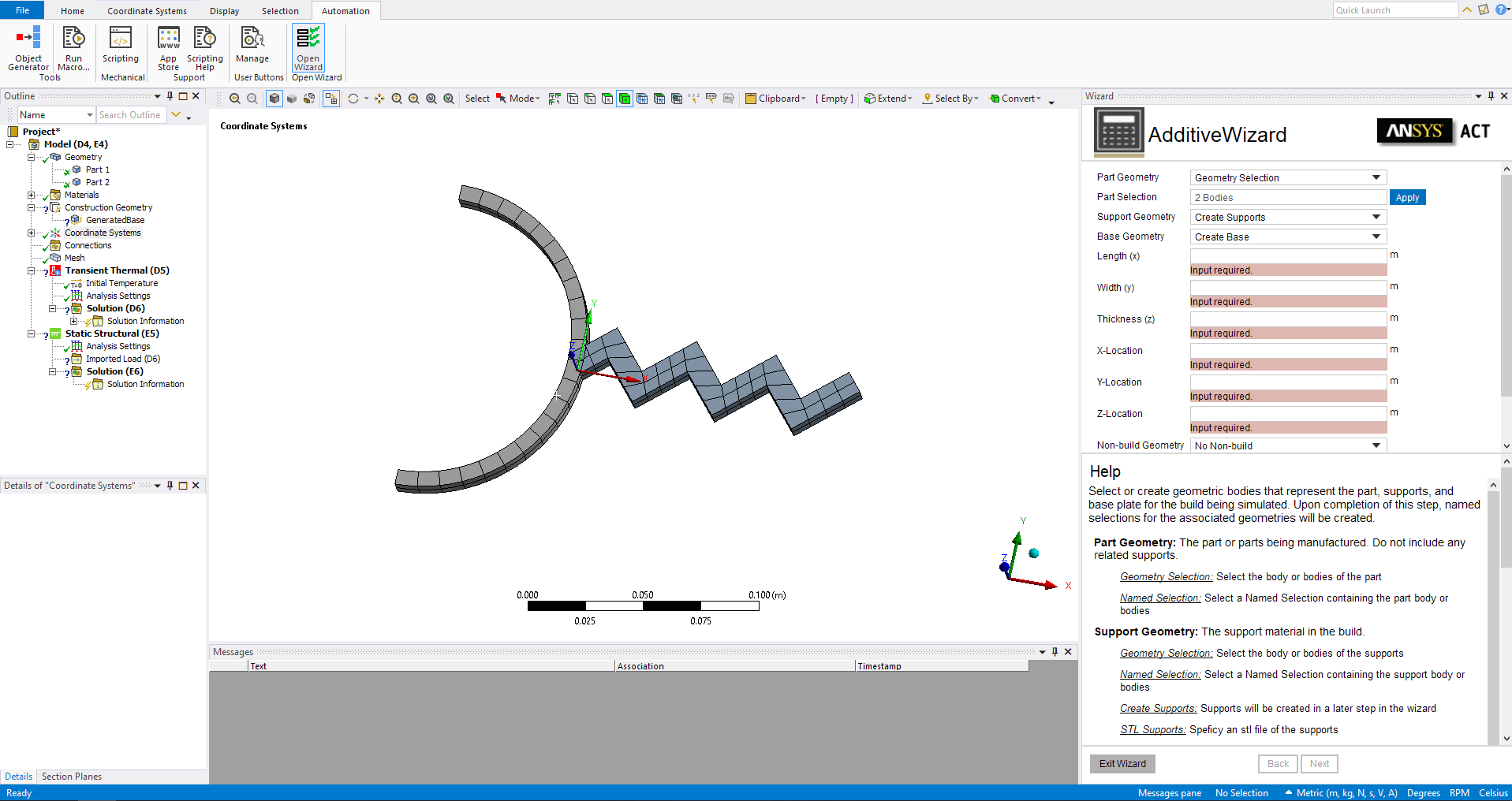 Hope you have solution now, All the bestnCheers, nRamn
Viewing 2 reply threads
Hope you have solution now, All the bestnCheers, nRamn
Viewing 2 reply threads- The topic ‘Additive Wizard Installation (ANSYS Mechanical 2020 R2)’ is closed to new replies.
Innovation Space Trending discussions
 Top Contributors
-
peteroznewman
 5094
5094 -
scabo
 1829
1829 -
Dennis Chen
 1387
1387 -
javat33489
 1248
1248 -
Shyam Prasad V Atri
1021
Top Rated Tags
© 2026 Copyright ANSYS, Inc. All rights reserved.
Ansys does not support the usage of unauthorized Ansys software. Please visit www.ansys.com to obtain an official distribution.
-


The Ansys Learning Forum is a public forum. You are prohibited from providing (i) information that is confidential to You, your employer, or any third party, (ii) Personal Data or individually identifiable health information, (iii) any information that is U.S. Government Classified, Controlled Unclassified Information, International Traffic in Arms Regulators (ITAR) or Export Administration Regulators (EAR) controlled or otherwise have been determined by the United States Government or by a foreign government to require protection against unauthorized disclosure for reasons of national security, or (iv) topics or information restricted by the People's Republic of China data protection and privacy laws.

 You are navigating away from the AIS Discovery experience