Ansys Learning Forum › Forums › Discuss Simulation › Process Integration and Design Optimization › Setup Optimetrics at HFSS 3D Layout Design › Reply To: Setup Optimetrics at HFSS 3D Layout Design
December 6, 2024 at 5:54 am
 Yang Zhao
Ansys Employee
Hi Fran,
Yes, you can click the project name (or the main menu Project->Project Variables) to see the project variables.
You can change the value and check the model.
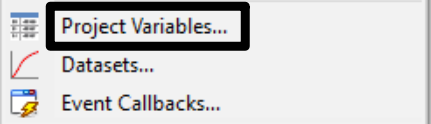
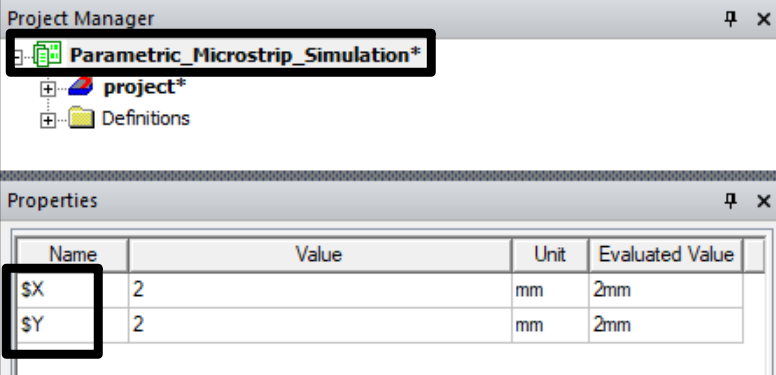
The variables with $ are project variables, and those without $ are design variables.
In the video, it uses design variables so the variables are shown when clicking the design name.

 You are navigating away from the AIS Discovery experience