Ansys Learning Forum › Forums › Installation and Licensing › Ansys Free Student Software › Ansys MAxwell student data e4xport › Reply To: Ansys MAxwell student data e4xport
September 11, 2024 at 11:14 am
 Harinath Vudumula
Ansys Employee
Hello Ji Hyeon,
Please follow below steps:
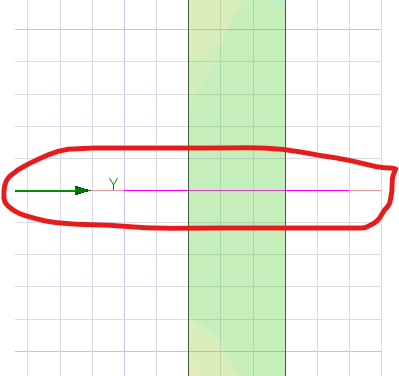
- Please draw a line where you want to observe field (As shown in below fig)
2. Right click on results and take field report.
3. Select geometry as polyline (which you drawn)
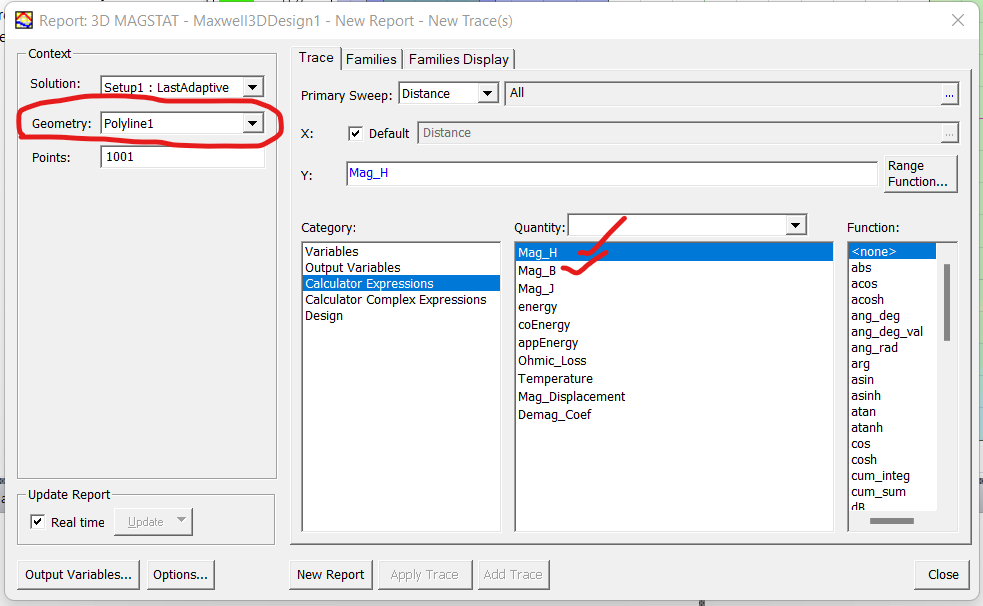
4. Select the quantity and plot. you will get below plot
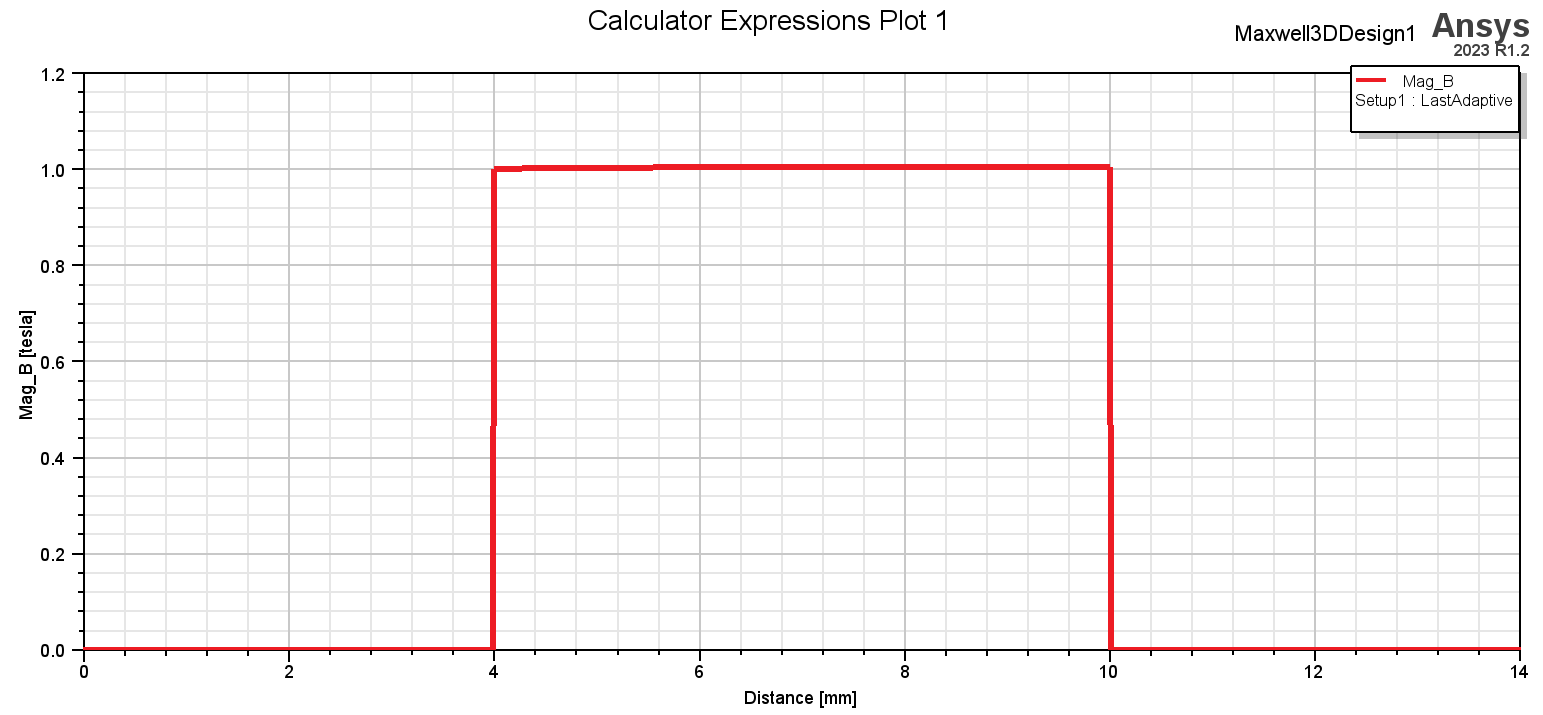
5. Right click on the plot and export as .csv file.
Thank you,
Harinath Vudumula.

 You are navigating away from the AIS Discovery experience