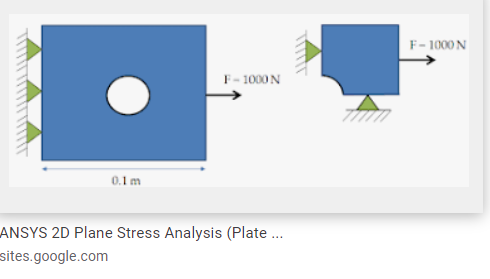
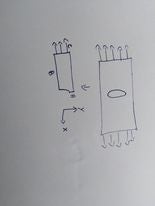
It could be because you are in 2D - in 2D it is easy to define symmetry, just pick that edge and assign either a X or Y displacement (these are the dof that we have for this analysis) equal to zero. In short, the displacement constraint (X or Y) should prevent that edge of crossing the symmetry line, that is the displacement constraint we need to apply).nAlso just for reference we should have our 2D geometry lying on the XY plane.nSo as an example, say we have a plate with a hole (say 2D plane stress), and we want to model a quarter due to symmetry in geometry and loads. We need then to apply the displacement constraint as we said, preventing the symmetry edge from crossing the symmetry lines. So the symmetry constraints are perpendicular to the symmetry line/edge, just as shown in the right image below. This is easy to do with a pure displacement BC object in Ansys WV Mech.n
nn



















 You are navigating away from the AIS Discovery experience