-
-
April 23, 2021 at 8:34 pm
Chris Kopetski
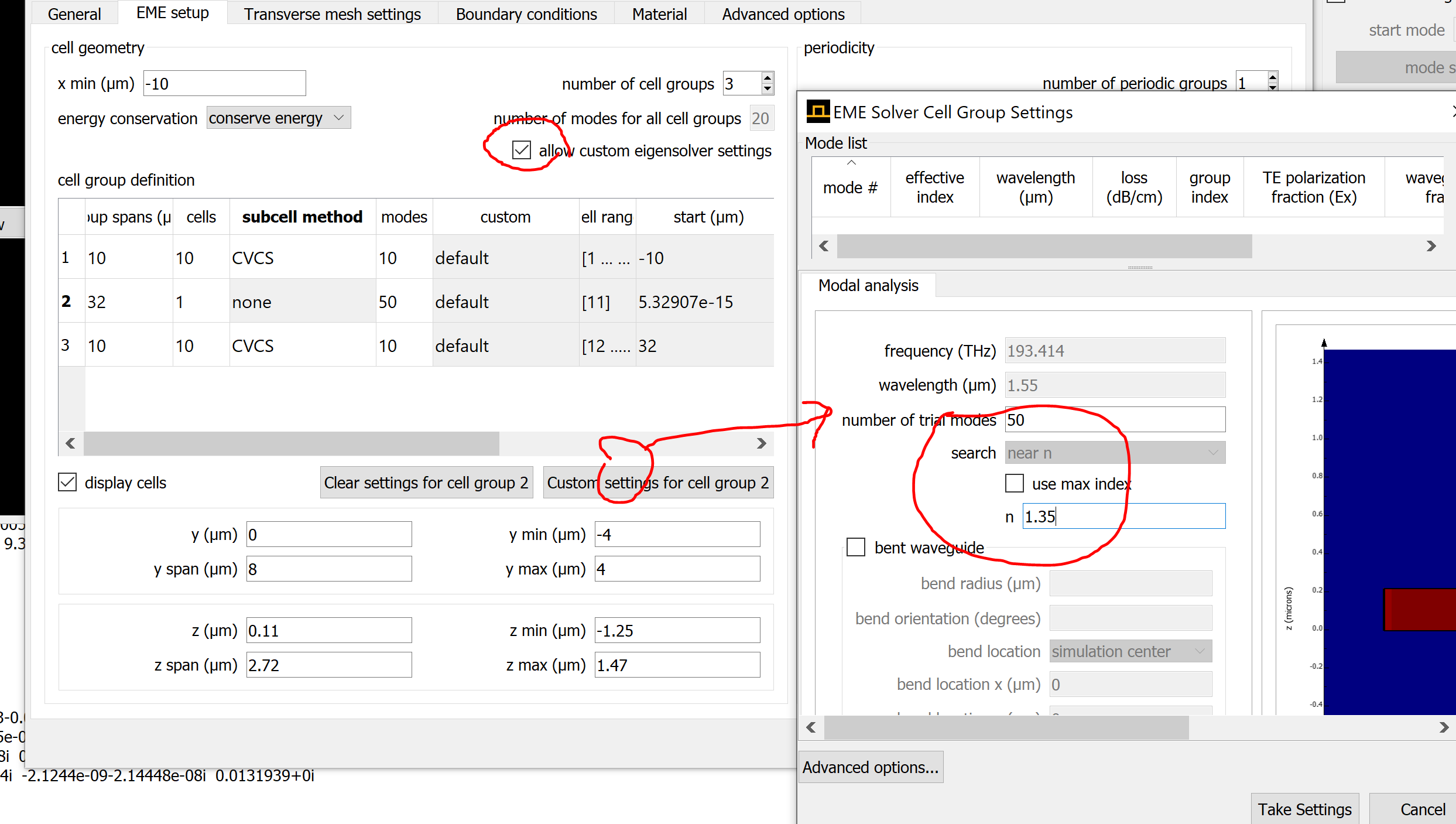
Ansys EmployeeBy the default setting of EME, the searching index was defined as ?use max index?, but in my case, the waveguide is not the highest index material in a simulation region. Usually, I used the following scripts to do that in the FDEnset(?search?, ?near n?);nset(?use max index?, 0);nset(?n?, core_index);nHow do I make that type of change in the EME solver?.Question migrated from the Lumerical Knowledge Exchangen -
April 23, 2021 at 8:36 pm
Chris Kopetski
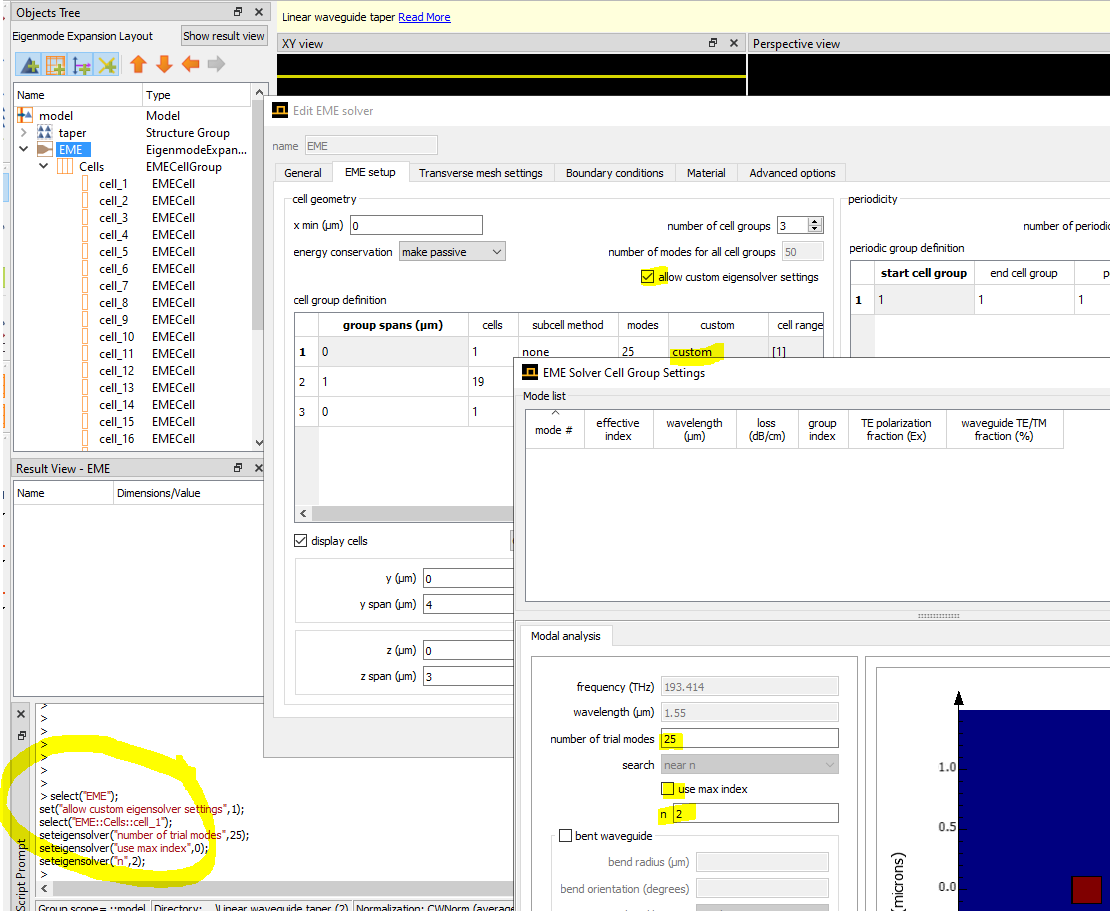
Ansys Employee.Use the seteigensolver command:Â
Here's a simple example that changes the mode solver settings for cell 1 of the EME solver
select("EME");set("allow custom eigensolver settings",1);select("EME::Cells::cell_1");seteigensolver("number of trial modes",25);seteigensolver("use max index",0);seteigensolver("n",2);
. -
August 12, 2021 at 6:28 pm
dravo
Subscriber.Related to this:
How can I custom select specific modes for each cell group? Say for example for group span 2 with cell nos 7-12, I want to select modes 4,5 and 7 only. Or alternatively, how to set the search for modes in a range like we can with FDE? That particular property seems to be inactive.
. -
August 12, 2021 at 11:49 pm
Guilin Sun
Ansys Employee.Unfortunately, EME does not allow users to select specific modes. However, you can take some measures to get the modes
1: use symmetry type of BCs to get ride of modes with unwanted polarization, if the modes desired have such symmetry property;
2: search the modes around a specific refractive index
However, both method may not give the modes with specific mode number.Please note that using symmetry BCs will give you mode list different from without it. A reliable way might be to check the polarization, and the neff.
.
-
- The topic ‘How to set the search index of the mode solver in EME with a script’ is closed to new replies.

-
6575
-
1906
-
1463
-
1311
-
1022
© 2026 Copyright ANSYS, Inc. All rights reserved.