LS Dyna

LS Dyna

Topics related to LS-DYNA, Autodyn, Explicit STR and more.

How To run and see results of LS Dyna 2020

TAGGED: 

    • marcansyl
      Subscriber
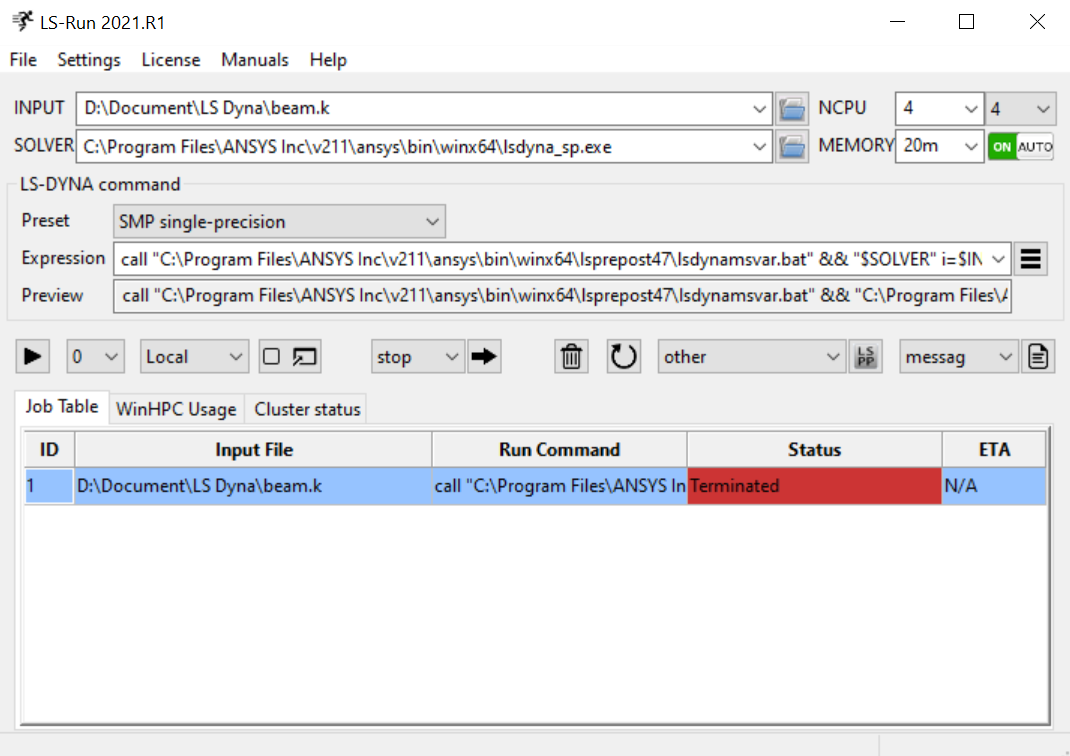
      nHello all,nI have installed LS Prepost(17Feb2020) and LS Run on my computer. I am trying to run a model I created, but I cannot find the way to read the results. In LS Run, it is said that the analysis is terminated after maybe 10 s as seen in the screenshot. What I did is a beam on roller and hinge with elastic material. nCan you help figure out how can I read the results?nThank you !nMarcn
    • Ram Gopisetti
      Ansys Employee
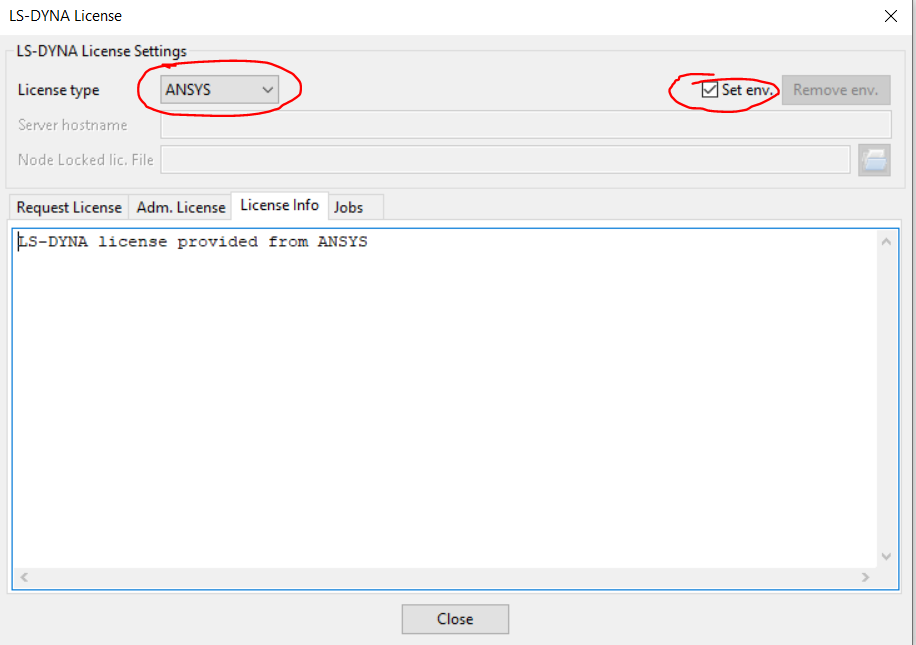
      As specified in your comments, you have installed LS-PREPOST and LS Run which are bundled with the ANSYS when you select LSDYAN to be installed. As long as you have valid licence( check if you can run it via LSDYNA WB) you can able to run the using LS Run just change the licence option from Licence>LSDYNA icence and restart the tool, it should work fine.nIf you dont have proper acedamic licences you can request one in the following link nn comment down your response for futher helpnCheers, Ram
    • marcansyl
      Subscriber
      Thank you I have a licence and I was able to run it on LSRun. However, I still have an error 70004. If there is any suggestion on how to deal with this error, let me know. n
    • Ram Gopisetti
      Ansys Employee
      can you able to open an new discussion with some images showing the error nCheers, Ramn
Viewing 3 reply threads
  • The topic ‘How To run and see results of LS Dyna 2020’ is closed to new replies.