TAGGED: ansys-maxwell, ansys-workbench, maxwell, maxwell2d, system-coupling
-
-
April 17, 2021 at 11:59 pm
hadisc2
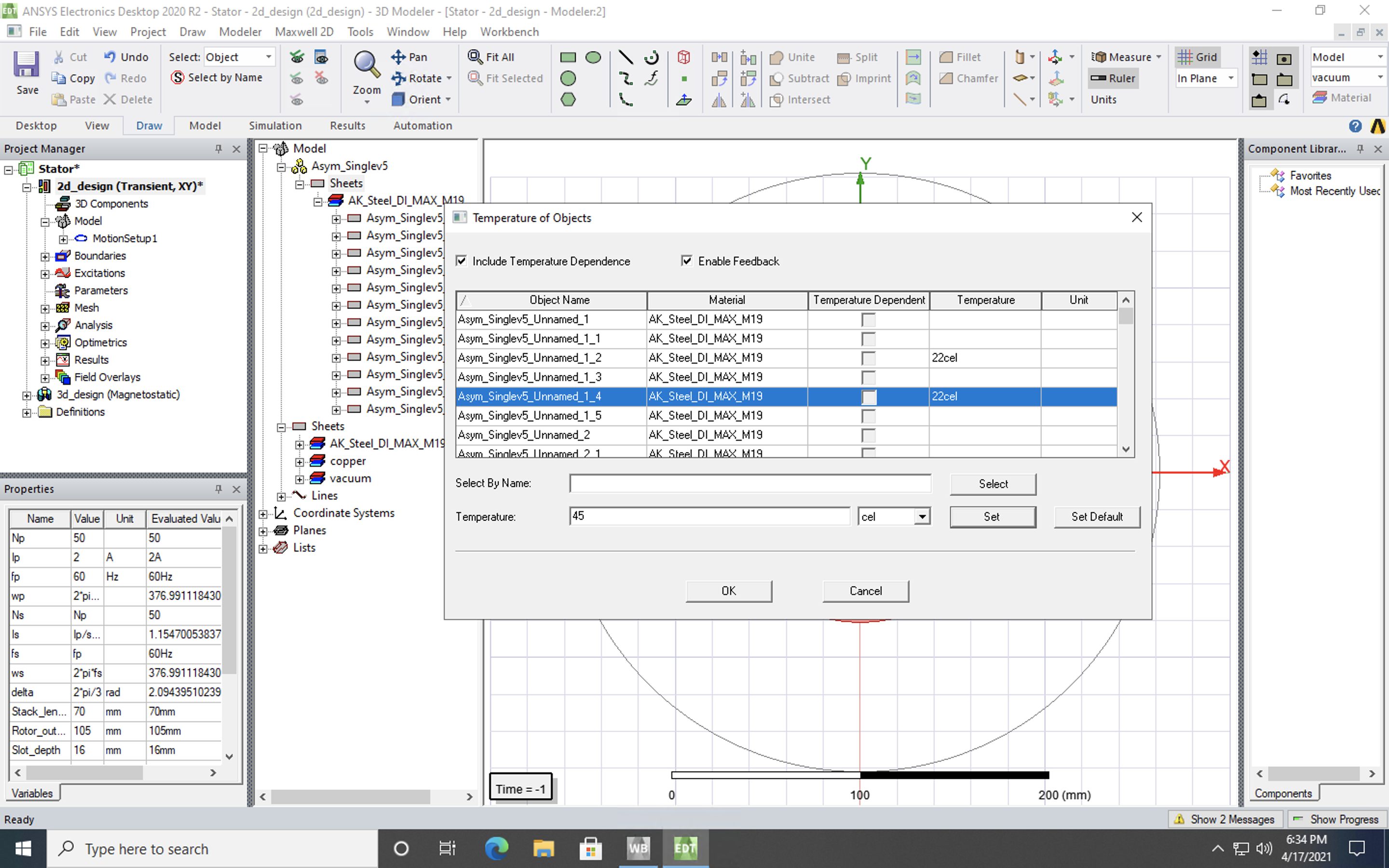
SubscriberHello guys,nI'm working on a research project and I'm modeling a SynRM. I'm currently working on coupling Maxwell2D and with steady-state thermal through the workbench. For this process, I tried to set the object temperature through the project manager but I can't seem to set it. After turning on temperature dependence and enabling feedback, I tried to set the temperature to 45C but whenever I select the object, input 45 into the temperature field and hit set, it doesn't show up. Instead, if I click set default, 22cel shows up in the relevant object's temperature field.Any guidance with this issue would be greatly appreciated!nnRegards,nHadi
nn
-
April 19, 2021 at 10:04 am
NKC
Forum ModeratorHi Array
You can look at these well-explained tutorials from the below link for maxwell coupling.
https://ansyshelp.ansys.com/account/secured?returnurl=/Views/Secured/prod_page.html?pn=System%20Coupling&pid=SystemCoupling&lang=en
If you are using a student version of the software you can follow the below forum discussion to understand how to get to this link.
/forum/discussion/3978/how-to-access-the-ansys-online-help#latest
Regards,
Navya
-
June 10, 2021 at 2:57 pm
Marie_TNO
Subscriber.Hi hadisc2, this option is not available unless you set a thermal modifier for any of the material properties, in your case AK_Steel. If it doesn't matter for the electric or magnetic properties what your current temperature is, you don't need to create a two-way coupled setup (because no feedback loop necessary). You could just calculate the losses in Maxwell and import them for the thermal calculation or find out what the thermal modifiers for your material is (for bulk conductivity etc). Hope that helps!
.
-
Viewing 2 reply threads
- The topic ‘Can’t set object temperature in Maxwell2D’ is closed to new replies.
Innovation Space
Trending discussions
Top Contributors
-
4683
-
1565
-
1386
-
1242
-
1021
Top Rated Tags
© 2025 Copyright ANSYS, Inc. All rights reserved.
Ansys does not support the usage of unauthorized Ansys software. Please visit www.ansys.com to obtain an official distribution.