Hi all,
I'm using 22R2 SpaceClaim to create a 3D model. In the process that I was using "pull" tool on a feature, SpaceClaim showed out a warning and the SpaceClaim shutdown. The file cannot be modified anymore with any operation as shown below.

Besides, when I tried to find the autosave file to get recovery at an early stage, but there is empty file in the autosave file directory.
I tried to reboot the SpaceClaim and computer but it couldn't help. The corrupted file can be opened but cannot be edited, even show and hide is not functioned.
Besides, I tried to open it in Discovery and it's shown below. In the Discovery , the software also cannot worked.
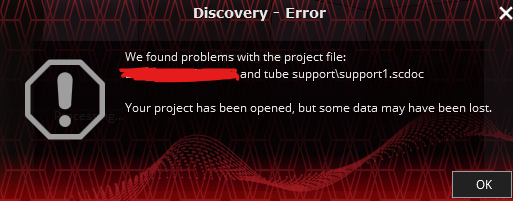
Anyone have any suggestions? I have worked on this model for a long time without saving it, I want to recover the work. Any suggestions will be highly appreciated.
Regards


















 You are navigating away from the AIS Discovery experience