-
-
June 25, 2026 at 11:03 pm
abtharpe42
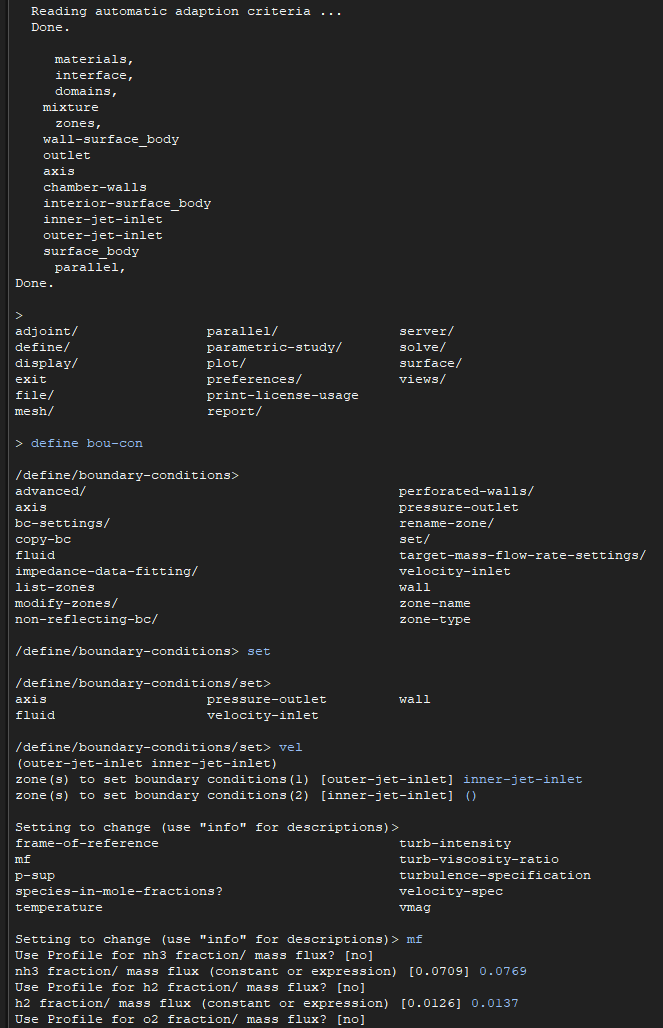
SubscriberI'm trying to learn how journal files work in Fluent and I'm going with the tactic of using the GUI to setup the whole simulation and then using the journal file to tweak settings during runtime if I want something about the settings to change automatically. This will definitely make running my simulations on an HPC way less of a headache. However, I've hit a snag when it comes to setting species boundary conditions with the TUI window when I'm using a large chemical mechanism:
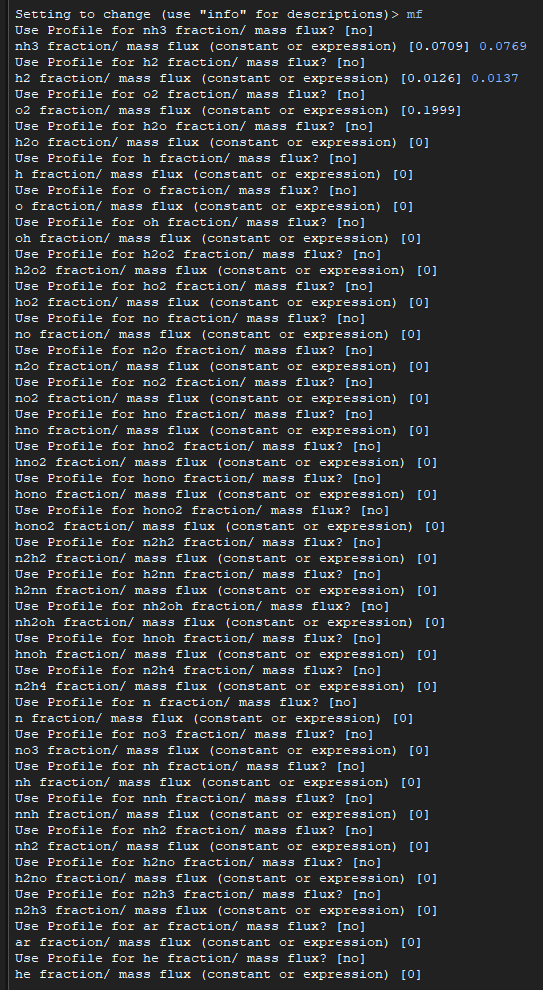
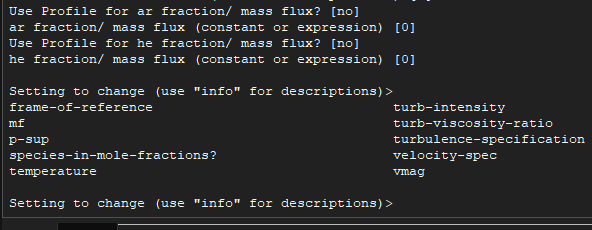
Fluent forces me to go down the whole list of species instead of being able to choose just the specifc ones I want to set. This chemical mechanism only has 31 species and it's already a chore trying to go down the list, nevermind trying to type out the full sequence in a journal file. Is there a way to be more targeted with the species boundary conditions with TUI commands and journal?
-
June 26, 2026 at 6:44 am
NickFL
SubscriberYou could create variables to only change the values you want. An example:
(define mf_nh3 0.0769)
(define mf_h2 0.0137)
(define mf_o2 0.1999)
(ti-menu-load-string (format #f “/define/boundary-conditions/set vel (inner-jet-inlet) mf n ~d n ~d n ~d n (more goes here)” mf_nh3 mf_h2 mf_o2 ) )
Then the next time you wanted to do it, you simply redefine (using define or set!) and then copy and paste the ti-menu line. Note the ~d is a placeholder which is filled in by the entries after the quotes.
(define mf_o2 0.01)
(ti-menu-load-string (format #f “/define/boundary-conditions/set vel (inner-jet-inlet) mf n ~d n ~d n ~d n (more goes here)” mf_nh3 mf_h2 mf_o2 ) )
-
June 26, 2026 at 7:48 am
Rob
Forum ModeratorTo add, PyFluent is intended to allow direct access to species but you'd need to check the GitHub for details. One comment on journals, the , (comma) accepts a default so your journal would be:
/define/boundary-conditions/set vel "inner-jet-inlet" mf , , , , etc , number , ,
Nick's suggestion looks like Scheme so whilst more powerful also comes with more
responsibilityrisks.You'll need to check approach but another option might be to set the species mass fraction you want to change as a single value Expression or parameter and then just change that. Much as Nick's shown but without the Scheme element.

-
June 26, 2026 at 7:55 am
NickFL
SubscriberRob's idea with the Expressions is the right way of doing it (the heat must be getting to me). It would simply be a TUI command like:
/define/named-expressions edit mf_nh3 definition "0.4" q
Much more simple than the nonsense I wrote above.
-
-
June 26, 2026 at 8:02 am
Rob
Forum ModeratorNick - nothing wrong with your comment, you just missed some of the newer functions. We do include Release Notes in the documentation for a reason! ;) Even Staff read those sometimes..... How are you finding the new AI functions?
-
June 26, 2026 at 8:13 am
NickFL
SubscriberWell I do use Expressions everyday....
As for AI functions, I haven't looked. What I need is AI that does what I want instead of what I type. I am still trying to get projects that allow me to investigate Rocky and FreeFlow. You guys keep adding things too quickly.
-
June 26, 2026 at 8:27 am
Rob
Forum ModeratorGood to hear.
I use Rocky (slowly and with help) as an extension to Fluent, so new approaches where the traditional granular models need more physics. Free Flow is on the "to do" list, ie I need to learn how to make it do stuff as opposed to knowing it can do stuff.
The AI tools are progressing nicely, I won't comment further as I get to play with all of them. But... if you have commercial licences (I don't know) you may want to talk to us.
-
-
-
- You must be logged in to reply to this topic.
-
6765
-
1906
-
1490
-
1330
-
1127
© 2026 Copyright ANSYS, Inc. All rights reserved.