TAGGED: ansys-classic, apdl, archard-wear, archard-wear-model, mapdl, morphing-mesh, remeshing, wear
-
-
May 6, 2026 at 7:04 am
matthew.jessop
SubscriberHello Ansys Community,
This is a pretty niche question but I have been having trouble with it for a little while and haven't been able to work out a fix.
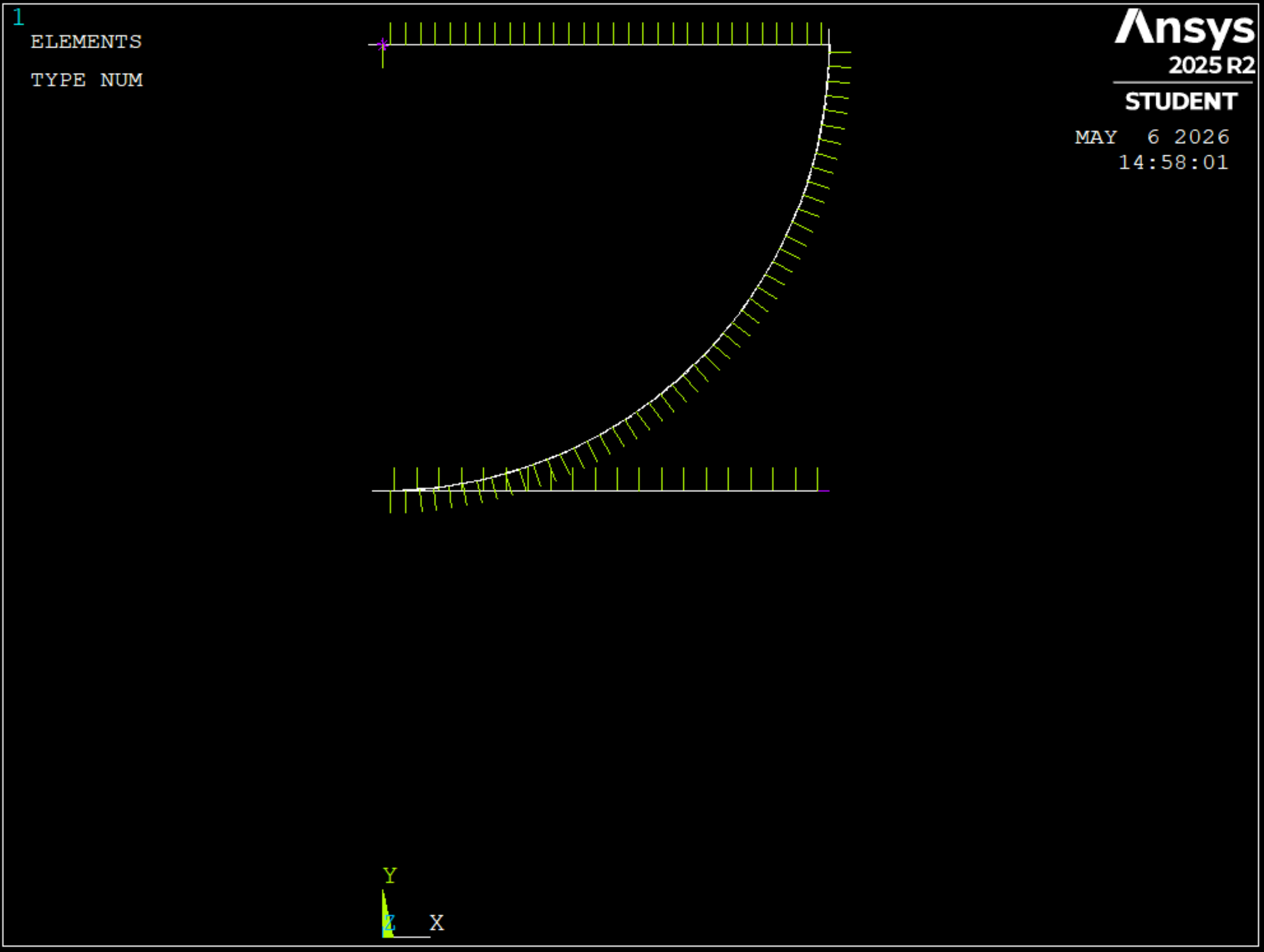
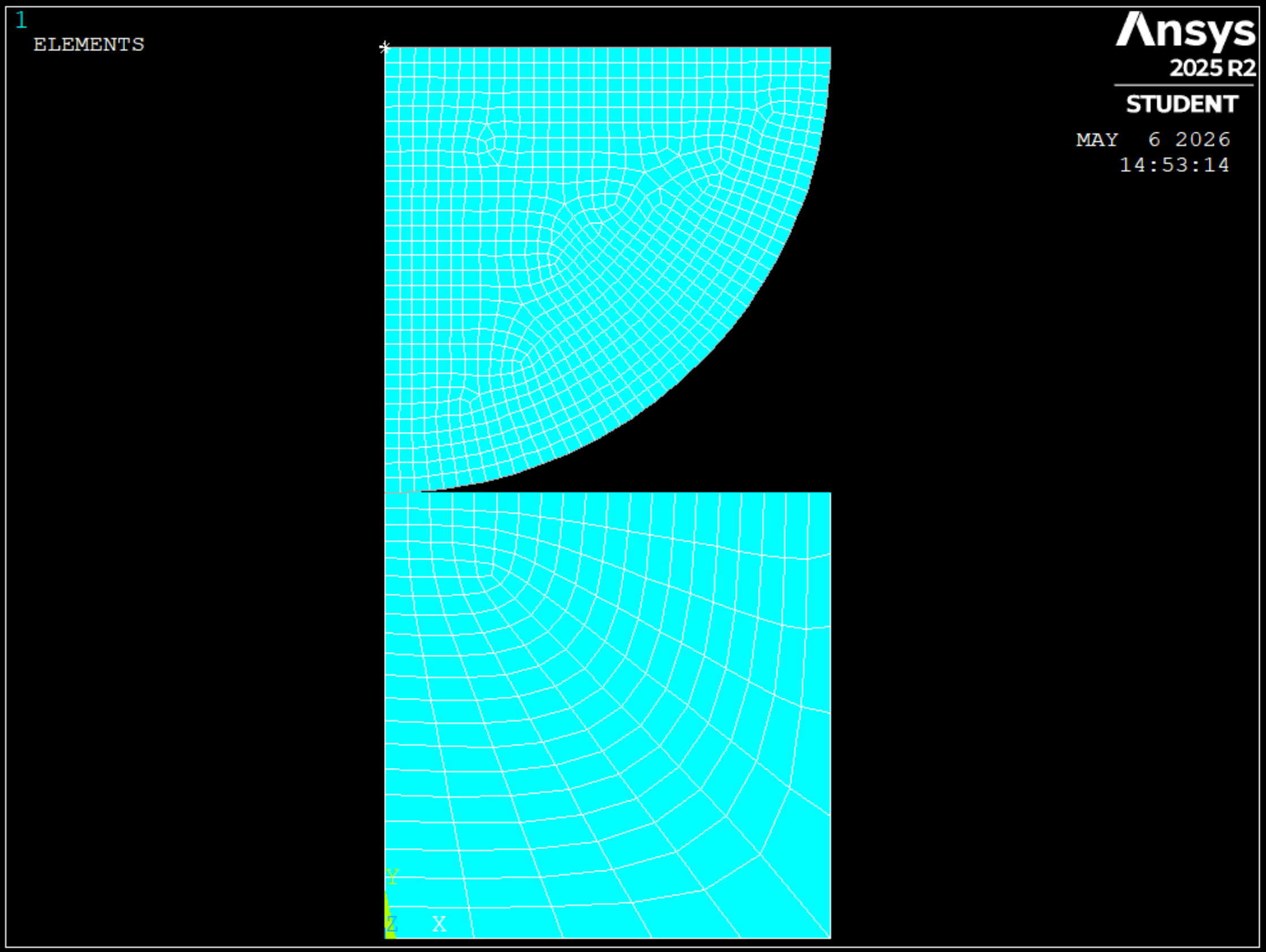
Pretty much I am working on a model for a Pin-On-Disc wear test, I am moddelling it in two dimensions so that it can solve quickly and have applied the following remshing constraint, where conwearel are the contact elements in Figure 4 (the curved surface is the contact elements the top flat surface are MPC contact elements and the lower flat surface is the target surface).
nlad,conwearel,ADD,contact,wear,0.2
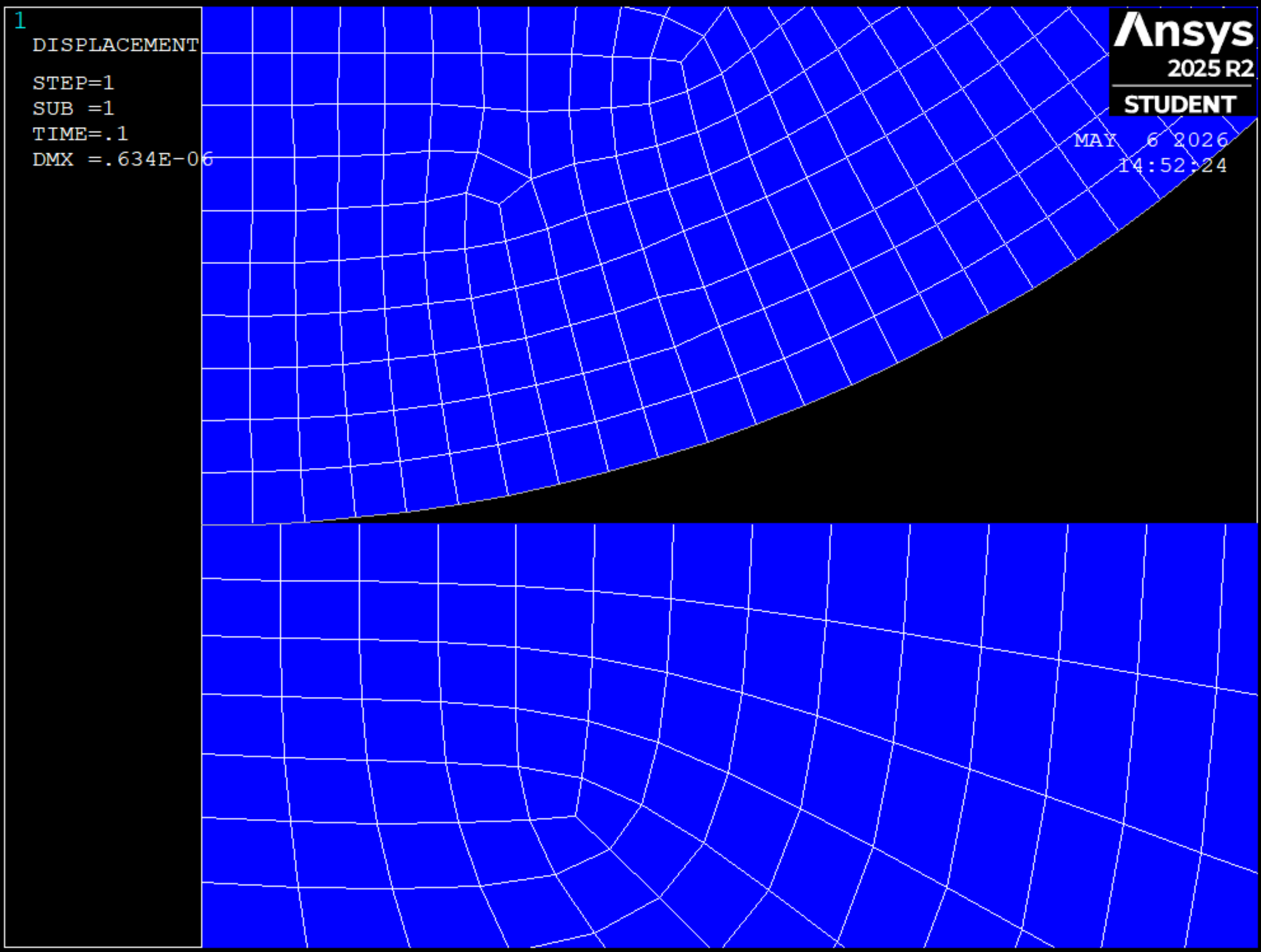
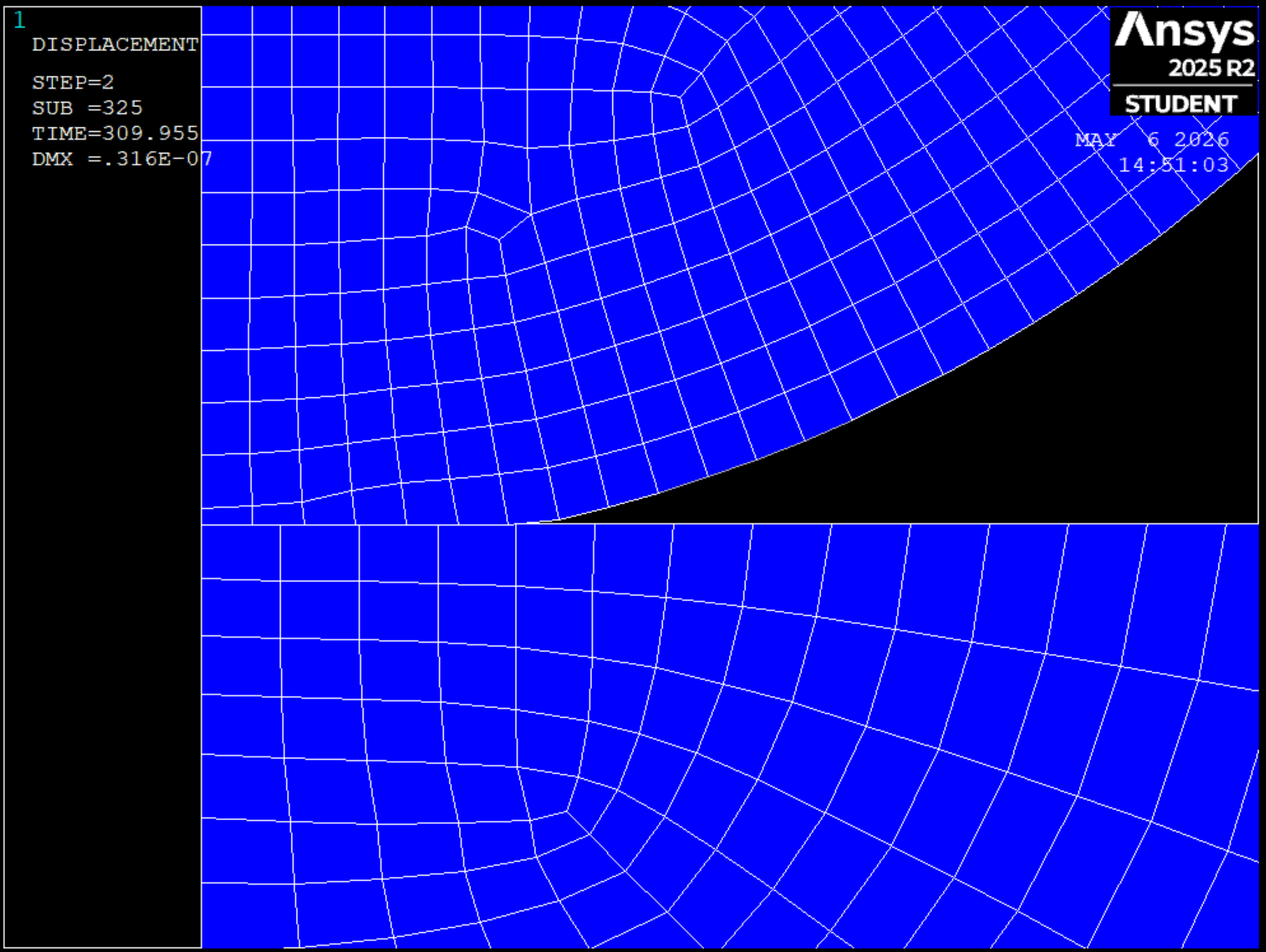
nlad,conwearel,ON,ALL,ALL,1,,TravelDistance+1This works are morphing most of the nodes (see figure 2 and 3 for before and after morphing has been applied duering the wear model), however the nodes along the axisymmetric line do not morph meaning that for longer distances and hence greater wear depths (or for finer meshes), the axisymmetric nodes drop below the target elements the model becomes unstable and crashes.
My qusetion as a result is weather there is a way to apply the wear on the curved contact surface that not only morphs the underlying nodes but also the nodes along the axisymmetric line?
-
May 6, 2026 at 11:41 am
peteroznewman
SubscriberHello Matthew,
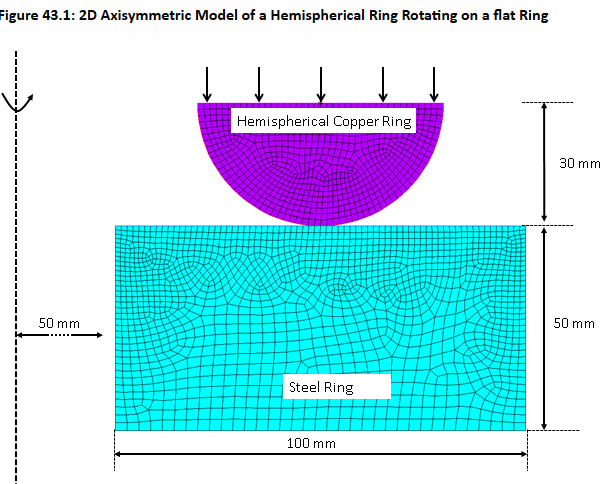
Have you seen Technology Showcase Chapter 43 which has a hemispherical ring rotating over a flat ring? That uses an axisymmetric model. I studied that model and have a discussion about an issue I found.
The hemispherical ring touches the flat ring at a 100 mm radius from the rotation axis, which causes a sliding distance to accumulate wear over time (though in this showcase, they don’t do any actual sliding).
In your model, you changed the hemispherical ring into a hemispherical pin and put it on the rotation axis. This seems like a mistake since the sliding distance at the contact point will be zero since the radius is zero.
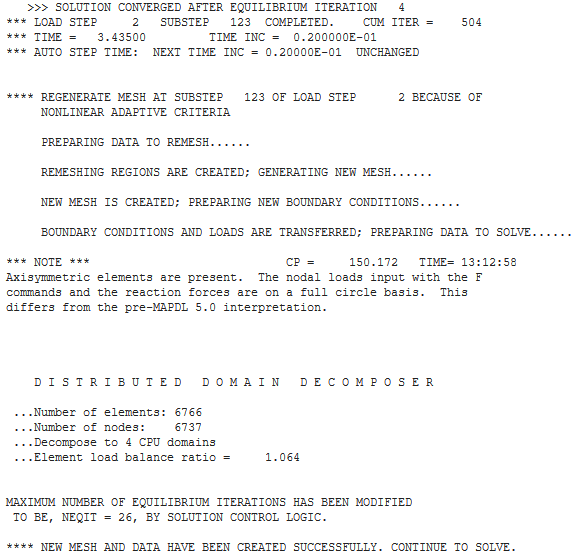
However, if you follow TD43 which has no sliding and solves in Static Structural, then you can still have wear. I can see that in your images. Perhaps the problem is your NLAD is not working. What evidence do you have that a remesh occured? Below is what I see in solve.out when NLAD is working. Do you see that in your solve.out file?
Here is a disucssion where the NLAD was not initially working. You might need to follow what was learned there.
If you want to model a pin-on-disk and not a ring-on-disk, and use a Transient simulation to get true sliding, you would do that in 3D.
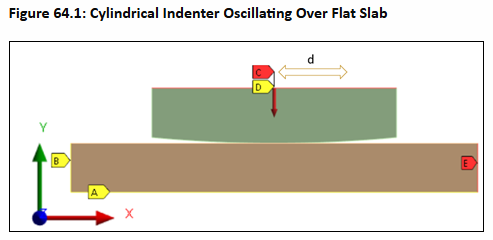
There is 2D Plane Strain model in Technology Showcase Chapter 64 which is a transient model that slides left and right.
Good luck,
peteroznewman
-
May 7, 2026 at 3:21 am
matthew.jessop
SubscriberHello Peter,
Thankyou for your reply,
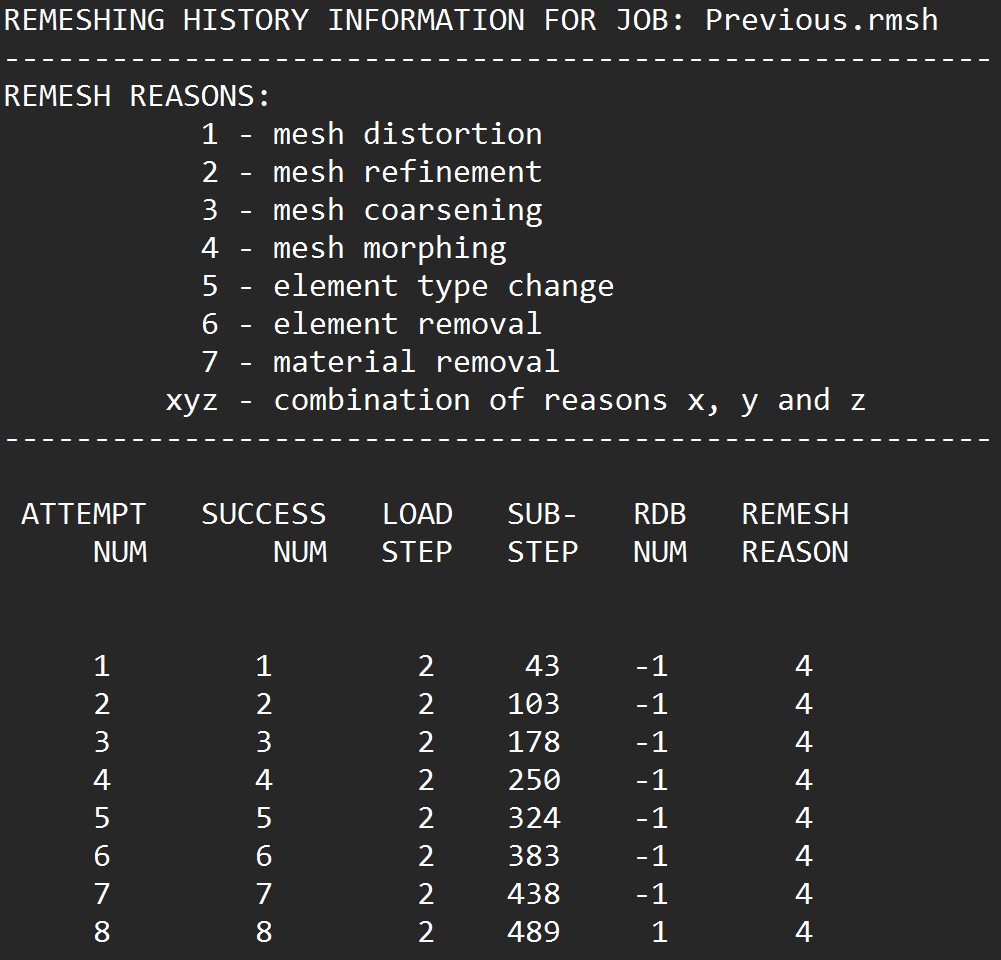
Please find the remeshing history information in figure 5 attached below,
I think you are correct about the NLAD not working as I managed to get the mesh morphing working from the Chapter 43 showcase previously but it seems like the nodes along the axisymetric line in my model are locked as geometry points and so with reference to figure 2 and 3, the nodes are all morphing to keep the element area as it was originally except for the axisymetric nodes which as the body wears they drop below the target surface and distort/flip the element on the bottom left of the pin.
In regards to the position of the pin on the axisymetric line, I was under the impression that the archard equation in apdl only required the contact pressure and the sliding speed hardness etc. where all given in the TBDATA code.
Overall though I suspect that this is simply a limitation of NLAD when working with wear simulations in two dimensions so I might look into manual remeshing for the time being and in future give the three dimensional wear simulations a go instead.
Thankyou agian for your reply Peter and I hope you have a wonderful day 🥳,
Best Regards,
Matthew Jessop -
May 7, 2026 at 1:43 pm
peteroznewman
SubscriberHello Matthew,
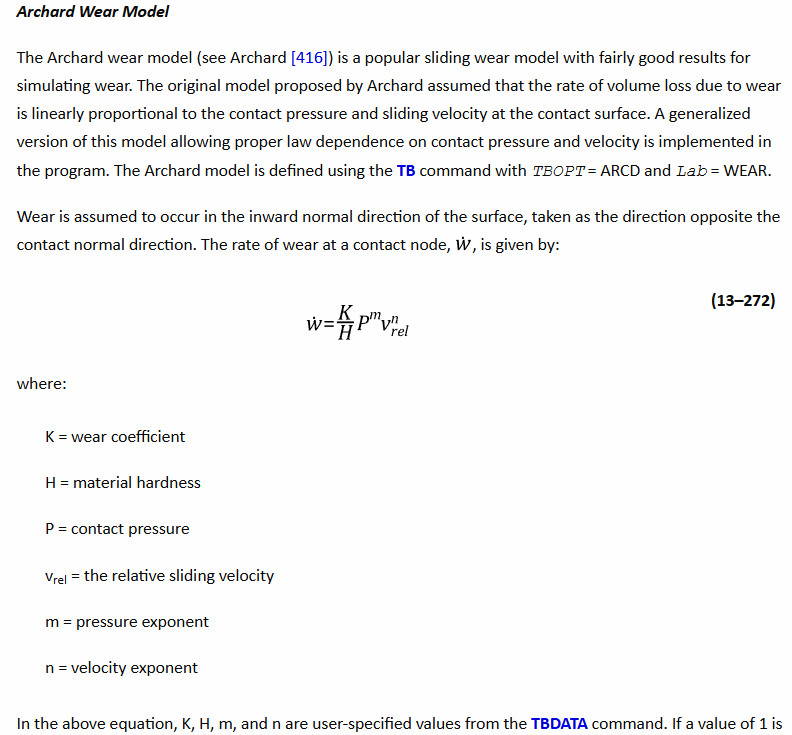
Read the Theory Manual and note equation 13-272 shows the rate of wear is a function of the contact pressure P but also the relative sliding velocity.
-
May 8, 2026 at 2:14 am
matthew.jessop
SubscriberHello Peter,
Thankyou for your reply, I believe the trick is though is that the equation defines the sliding velocity rather than it being a model geometry definition. The reason I say this is that for the ring on ring wear model (Technology Showcase Chapter 43), they define a USER wear definition which defines the wear coefficient in terms of distance from the axisymetric line, instead of just useing the ARCH wear definition. Additionally, if it was spinning around the axisymetric line there would be no wear exibited in my wear model at the centre of the pin but this is not the case.
In any case I worked out a method of getting the remeshing to work 🥳. Since the elements around the axisymetric line (specifically the first four elements radially along the entire verticle length) are almost perfect squares I can define an mesh distortion check and since this is a sufficiently large area to remesh it is quite happy to remesh this error when they distort as a result of the NLAD,ComWearEl,CONT,WEAR,0.5 remeshing command that is ignoring the axisymmetric nodes and as seen in figure 3 causes distortion in the third element along the pins contact surface.
Best Regards,
Matthew Jessop
-
May 8, 2026 at 2:33 am
peteroznewman
SubscriberRead Chapter 43.3.1. Defining the Wear Model in the Technology Showcase to see that three wear models are demonstrated but only the third model is a USER wear model.
Do you have any experimental wear data to validate your model or are you only generating simulation results?
-
May 8, 2026 at 2:40 am
matthew.jessop
SubscriberHello Peter,
Yes, I have five different experimental wear data values and I am createing the models to correlate with these, they are correlating with 10% error so I am pretty happy with them on that front it was just getting the models to remesh was the issue I was haveing but it is all working now, just took a couple of tricks to get going,
Best Regards,
Matthew Jessop
-
May 8, 2026 at 10:55 am
peteroznewman
SubscriberHello Matthew,
I'm interested in experimental wear data and learn how it is converted into inputs for the Archard Wear Model.
Would you be willing to share your data and show me your conversion?
Best Regards,
Peter Newman
-
May 8, 2026 at 11:55 am
matthew.jessop
SubscriberHello Peter,
Sure thing, the papers I am using are as follow. Please note also that the first paper by Podra is an excellent paper on the modelling process and how it integrates with Archard:
Podra: https://www.sciencedirect.com/science/article/pii/S0301679X99000122
Joshi: https://www.jstage.jst.go.jp/article/trol/17/3/17_162/_article/-char/ja/
Hegadekatte: https://www.sciencedirect.com/science/article/pii/S0301679X08000534
Jia: https://www.sciencedirect.com/science/article/pii/S0043164896074236
Shien: https://ieeexplore.ieee.org/abstract/document/5535855
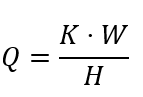
I suspect however that most of these are behind paywall, and unfortunately I am doing this as a part of my thesis so I cannot share my report just as its the uni's intelectual property, however to get the Archard wear model from experimental data, in engineering at least we deal mostly with the dimensional wear coefficient instead of the standard wear coefficient, so by using a standard shape like a pin you can determine the wear volume from the wear depth. With this and using the standard archard equation (refer to equation 1), you can get the dimensional wear coefficient 👍. For reference also I input it into ansys like this TBDATA,1,DimWearCoef,1,1,0,0 and for the second reference because it had a significantly different transiet regime I varied the wear coefficient during the transient regime, however for the other references I could get away with a single wear coefficient for the entire sliding distance.
Best Regards,
Matthew Jessop
-
- You must be logged in to reply to this topic.
-
6380
-
1906
-
1457
-
1308
-
1022
© 2026 Copyright ANSYS, Inc. All rights reserved.