Hi everyone,
In Ansys Electronic Desktop 2024 R1, I am trying to create an advanced report in SPIsim , SPro, for UCIe 1.1 (ideally 2.0 but 1.1 will be good enough), but when I try to setup the report using the UCIe 1.1 Channel by going to "Built-in spec" -> window appears "Load built-in spec. template" where you have a dropdown list -> there should be a template option "UCIe 1.1 Channel", but it is not there. I am simply trying to figure out how to include this template in the dropdown list.
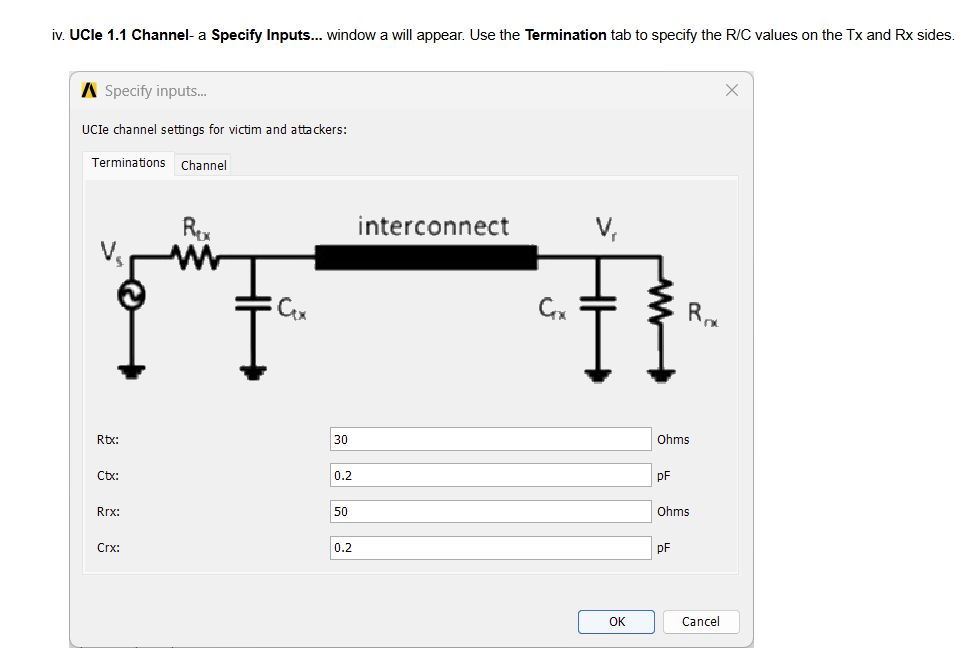
I have attached some images showing the pop up window I should see if I had the UCIe 1.1 Channel option under "Load built-in spec template" window. Here is the site referencing the UCIe 1.1 Channel and how to use it: https://ansyshelp.ansys.com/public/Views/Secured/Electronics/v252/en/Subsystems/Circuit/Content/Circuit/SPISimSProComplianceAnalysisReport.htm
I have also attached screenshots of what I am seeing in my software:
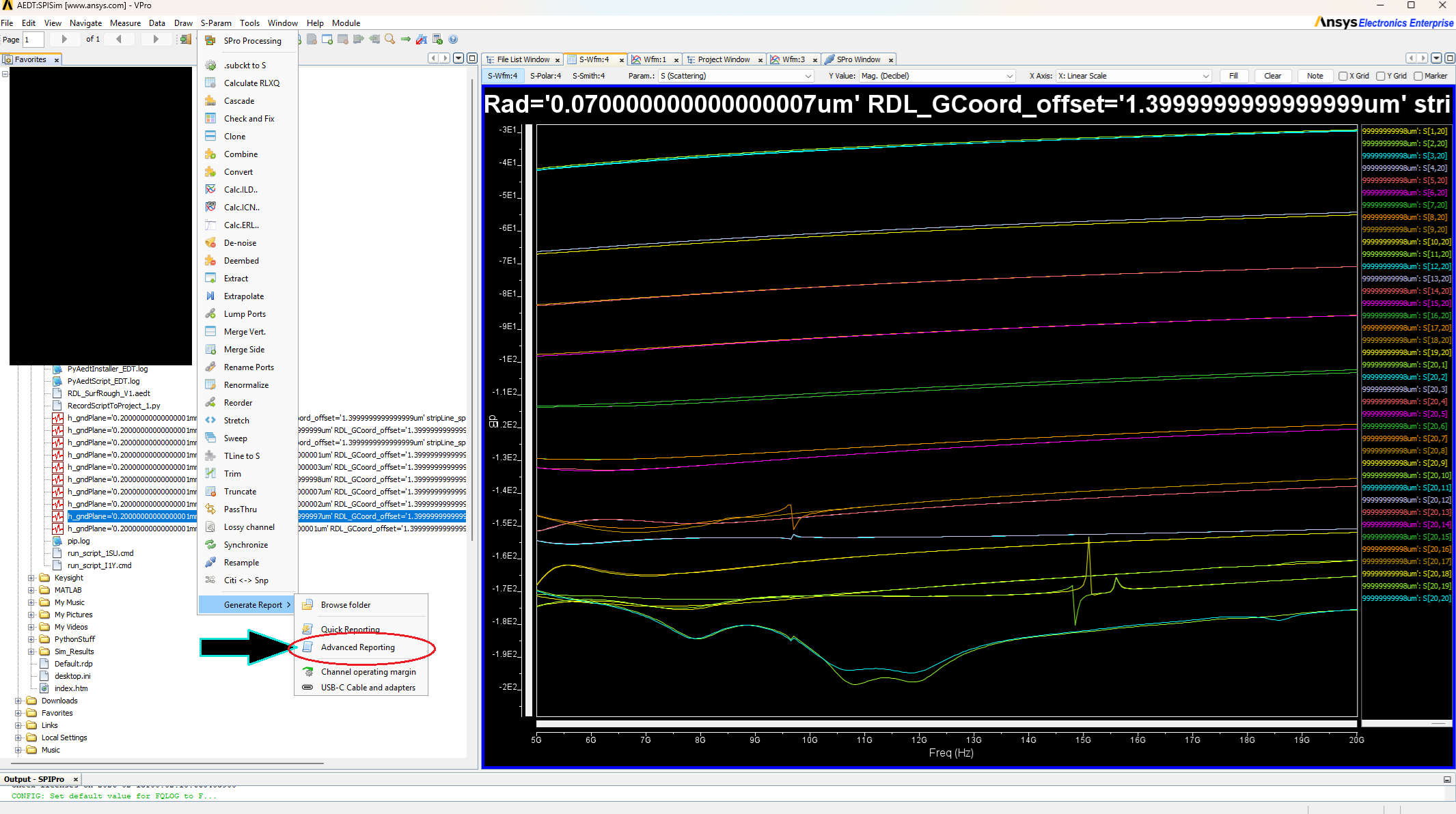
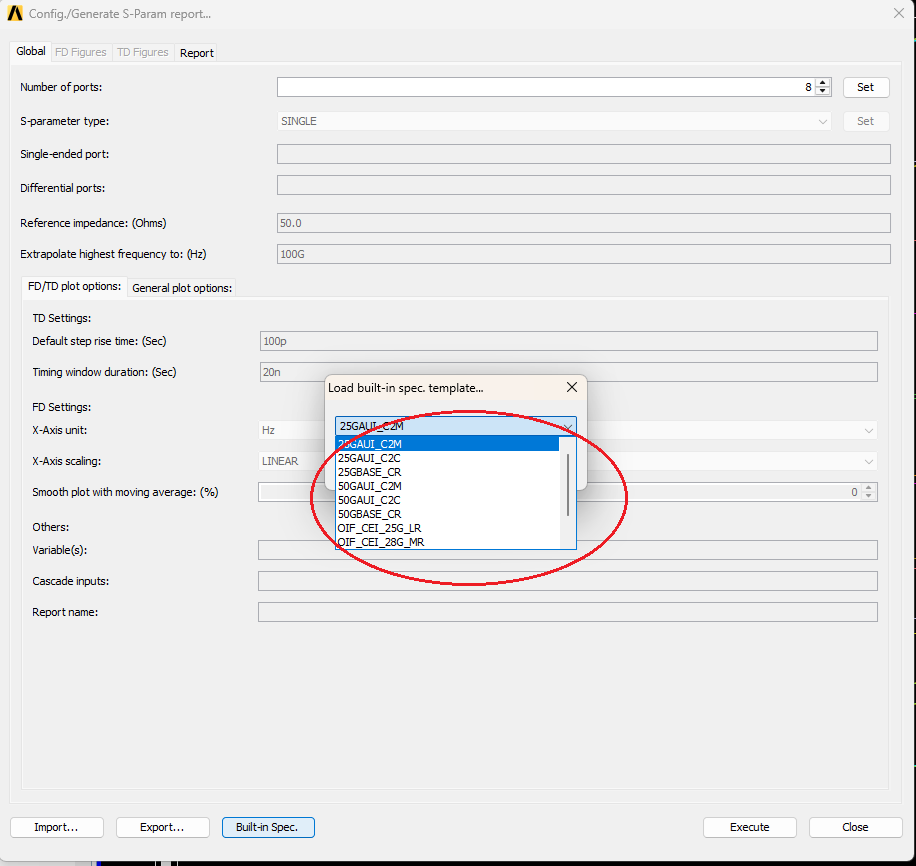
For background information: As I mentioned at the beginning, I am currently using the full enterprise version 2024 R1 of Ansys Electronic Desktop. I havent found any way to install this option, I havent found a .config file, or any other type of file to enable UCIe 1.1 Channel option.
I am not sure if this an option that is locked to a specific version of the software. Any help would be greatly appreciated.
Thank you.

















 You are navigating away from the AIS Discovery experience