The license is working, when I am using the research license. But after compiling the umat code and using it the mesh deformation is not visible in the prost processing this is the code which I replaced in the subroutine umat 41. It is just not showing the deformation but there is change in the resultant velocity at nodes. What may the reason and how to fix this.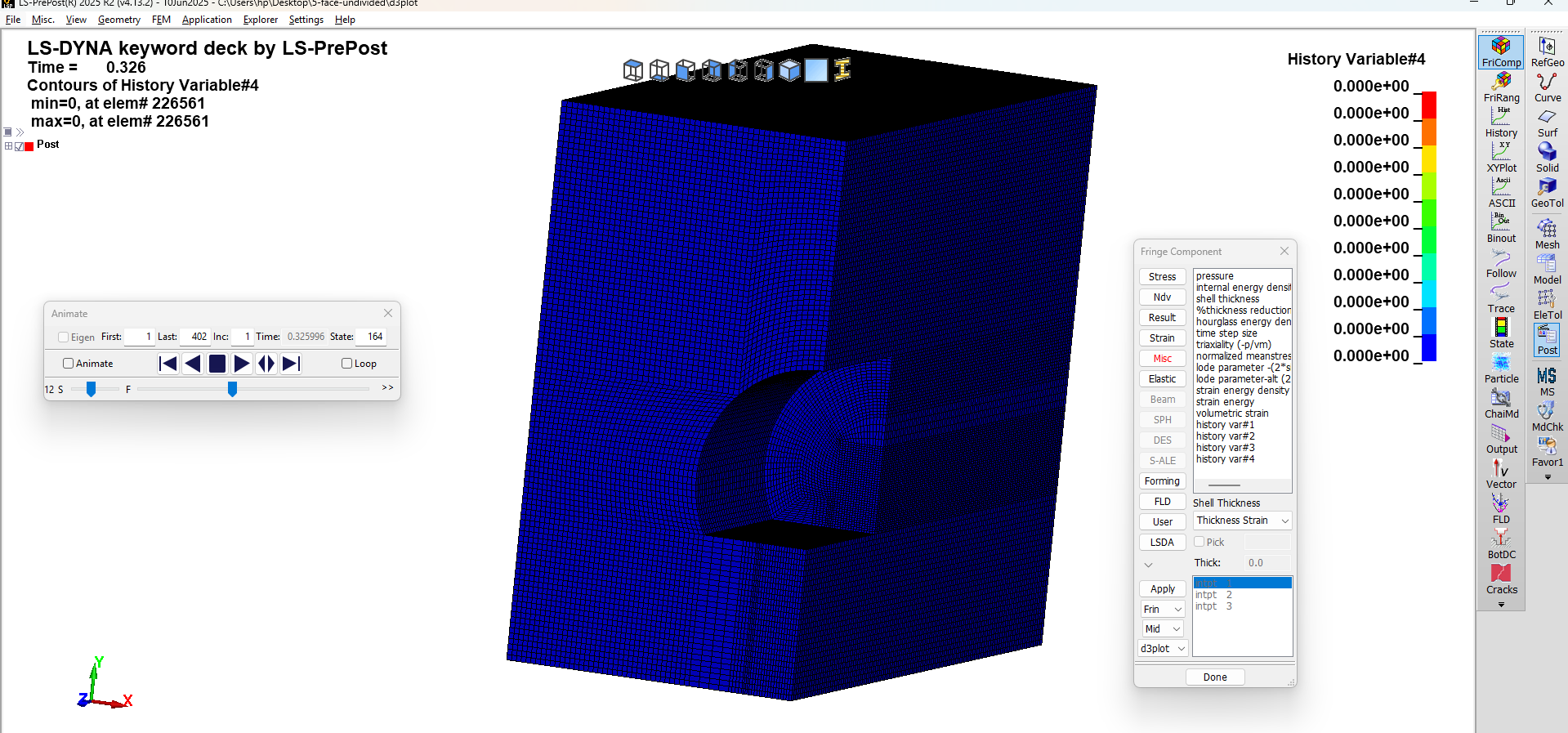
subroutine umat41 (cm,eps,sig,epsp,hsv,dt1,capa,etype,tt,
& temper,failel,cma,qmat,elsiz,idele,reject)
include 'nlqparm'
include 'bk06.inc'
include 'iounits.inc'
dimension cm(*),eps(*),sig(*),hsv(*),cma(*),qmat(3,3)
logical failel,reject
character*5 etype
integer*8 idele
c ===============================
c LOCAL VARIABLES
c ===============================
real*8 Kmod,Gmod,sig_t,phi,coh,alpha,beta
real*8 Kmod_d,Gmod_d
real*8 eps_v,eps_cr,Cd,D
real*8 e1,e2,e3
real*8 I1,J2,s1,s2,s3
real*8 phi_r,dp_a,dp_k,f,scale
real*8 tiny
tiny = 1.0d-20
c ===============================
c MATERIAL PARAMETERS FROM CARD
c ===============================
Kmod = cm(1)
Gmod = cm(2)
sig_t = cm(3)
phi = cm(4)
coh = cm(5)
alpha = cm(6)
beta = cm(7)
c ===============================
c ONLY FOR SOLID TYPE ELEMENTS
c ===============================
if (etype.eq.'solid'.or.etype.eq.'sph '.or.
& etype.eq.'sldax'.or.etype.eq.'sld2d') then
if (.not.failel) then
c ===============================
c VOLUMETRIC STRAIN
c ===============================
eps_v = eps(1)+eps(2)+eps(3)
c ===============================
c CRITICAL TENSILE STRAIN
c (using bulk modulus relation)
c ===============================
eps_cr = sig_t/(3.d0*Kmod + tiny)
c ===============================
c DAMAGE EVOLUTION
c ===============================
if (eps_v.gt.eps_cr) then
Cd = alpha*(eps_v-eps_cr)**beta
else
Cd = 0.d0
endif
D = 1.d0 - dexp(-Cd)
c ===============================
c DEGRADED STIFFNESS
c ===============================
Kmod_d = (1.d0-D)*Kmod
Gmod_d = (1.d0-D)*Gmod
c ===============================
c DEVIATORIC STRAIN
c ===============================
e1 = eps(1)-eps_v/3.d0
e2 = eps(2)-eps_v/3.d0
e3 = eps(3)-eps_v/3.d0
c ===============================
c ELASTIC STRESS UPDATE
c ===============================
sig(1)=sig(1)+Kmod_d*eps_v+2.d0*Gmod_d*e1
sig(2)=sig(2)+Kmod_d*eps_v+2.d0*Gmod_d*e2
sig(3)=sig(3)+Kmod_d*eps_v+2.d0*Gmod_d*e3
sig(4)=sig(4)+Gmod_d*eps(4)
sig(5)=sig(5)+Gmod_d*eps(5)
sig(6)=sig(6)+Gmod_d*eps(6)
c ===============================
c DRUCKER-PRAGER YIELD CHECK
c ===============================
I1 = sig(1)+sig(2)+sig(3)
s1 = sig(1)-I1/3.d0
s2 = sig(2)-I1/3.d0
s3 = sig(3)-I1/3.d0
J2 = 0.5d0*(s1*s1+s2*s2+s3*s3)
& +sig(4)*sig(4)+sig(5)*sig(5)+sig(6)*sig(6)
phi_r = phi*3.14159265358979d0/180.d0
dp_a = 2.d0*dsin(phi_r)/(dsqrt(3.d0)*(3.d0-dsin(phi_r)))
dp_k = 6.d0*coh*dcos(phi_r)/(dsqrt(3.d0)*(3.d0-dsin(phi_r)))
f = dsqrt(J2 + tiny)-3.d0*dp_a*I1-dp_k
c ===============================
c RADIAL RETURN (STABLE)
c ===============================
if (f.gt.0.d0) then
scale = (3.d0*dp_a*I1+dp_k)/(dsqrt(J2)+tiny)
sig(1)=sig(1)*scale
sig(2)=sig(2)*scale
sig(3)=sig(3)*scale
sig(4)=sig(4)*scale
sig(5)=sig(5)*scale
sig(6)=sig(6)*scale
endif
endif
endif
return
end.


















 You are navigating away from the AIS Discovery experience