-
-
June 17, 2020 at 12:57 pm
pblasiak
SubscriberHi
I have a cylinder1 with outer diameter of 28 mm and inner diameter of 26 mm.
It is connected with a cylinder2 of diameter 28 mm at the thin surface (it is named cyl1_cyl2_interface) marked below (Fig1).
Â
I changed the diameters of cylinider1 into 15 and 13 mm.
Then I changed the diamater of the curve at the cylinder2 into 13 mm using Pull->Pivot.
Next I changed outer diameter of cylinder2 into 15 mm using Pull.
Â
The problem is that when I go back to Meshing, named selection of the cyl1_cyl2_interface is missed.
What do I do wrong? I tried also copy and extrude curve using Pull but it does not work.
Â
best regards
-
June 17, 2020 at 1:46 pm
Rob
Forum ModeratorWhen you change the sizes and reshare topology I suspect that face is either removed or remade so it's not so much lost the named selection as not been labelled.Â
-
June 18, 2020 at 6:52 am
pblasiak
SubscriberYes it disapears and meshing does not recognize that surface.
However, it is strange that this surface is deleted with pull->pivot becausa I only change diameters, not deleting.
Is it possible to preserve named selections?
-
June 18, 2020 at 10:56 am
Rob
Forum ModeratorNot exactly. When you change the sizes the cylinders are no longer touching, so there is no contact face. Then you change the second cylinder re-making the contact face.Â
-
June 26, 2020 at 2:14 pm
-
June 26, 2020 at 2:20 pm
-
June 26, 2020 at 3:51 pm
RK
Ansys EmployeeHello,Â
For a named selection, it is best to use named selection via face id. That way, even if you change the dimensions, the face will still be recognized.Â
-
June 26, 2020 at 5:31 pm
pblasiak
SubscriberHow can I do this? What is named selection via face id?
-
June 26, 2020 at 5:52 pm
RK
Ansys EmployeeYou can do it through the script editor. Click on the "Insert Selection" dropdown menu and choose index. Now select the face and add it to a named selection, So, this way, the face is recognized by it's idÂ
-
June 27, 2020 at 2:05 am
-
June 27, 2020 at 9:07 am
pblasiak
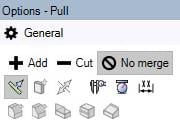
SubscriberI applied No merge
-
June 30, 2020 at 5:17 am
Keyur Kanade
Ansys Employeecan you please check that after changing geometry diameter that orange face still exist.
from images it looks like when you reduce diameter that orange face face disappears as it is out of range of diameter.Â
Regards,
Keyur
Â
If this helps, please mark this post as 'Is Solution' to help others.
Guidelines on the Student Community
How to access ANSYS help links
Â
-
June 30, 2020 at 12:02 pm
-
July 1, 2020 at 5:46 am
Keyur Kanade
Ansys EmployeeI think I misunderstood it. Can you please explain with clear pictures with some arrows and some annotations.Â
Â
-
July 11, 2020 at 10:11 am
pblasiak
SubscriberMaybe this short movie will explain it better:
http://fluid.itcmp.pwr.wroc.pl/~pblasiak/download/spaceclaim.mp4
-
July 13, 2020 at 4:26 am
Keyur Kanade
Ansys EmployeeAs ANSYS Staff, we can not download attachments. Please insert images using insert image functionality.Â
Pleas insert more clear images with some arrows to describe it.Â
Regards,
Keyur
Â
If this helps, please mark this post as 'Is Solution' to help others.
Guidelines on the Student Community
How to access ANSYS help links
Â
-
- The topic ‘Spaceclaim loses named selection’ is closed to new replies.
-
6575
-
1906
-
1463
-
1311
-
1022
© 2026 Copyright ANSYS, Inc. All rights reserved.