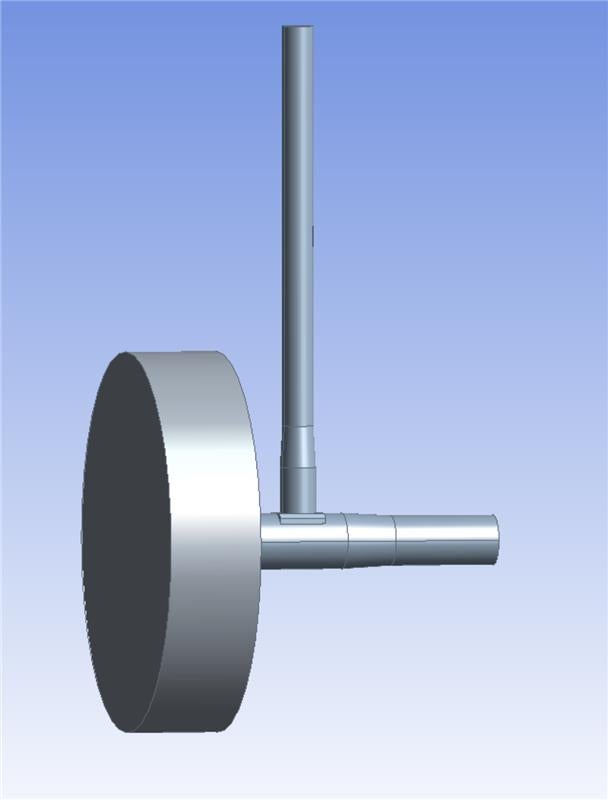
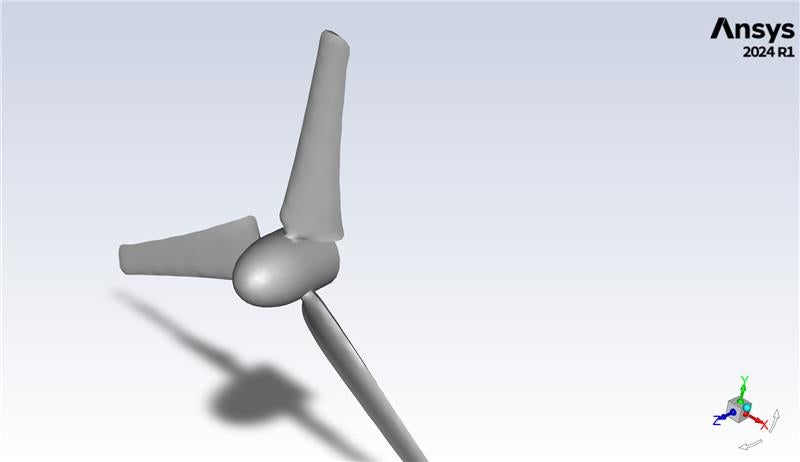
Hello, I'd really appreciate some help with a persistent Fluent issue. I am performing tidal turbine simulations using Ansys FLUENT 2024R1 (although I also encountered the problem using 2025R2). I am using a sliding mesh technique where a disk is placed on the turbine blades, and then the turbine is boolean subtracted from both the disk and the outer domain (a box) to leave a void (as the turbine is not to be meshed). This is shown below:
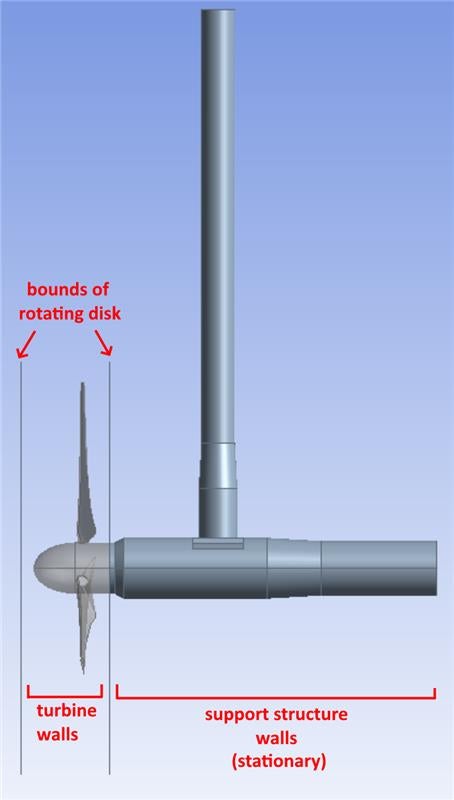
Named selections are applied so that the turbine_walls apply to rotating walls around the void inside the disk, and support_structure_walls apply to the stationary walls around the void in the outer domain. This is shown below:
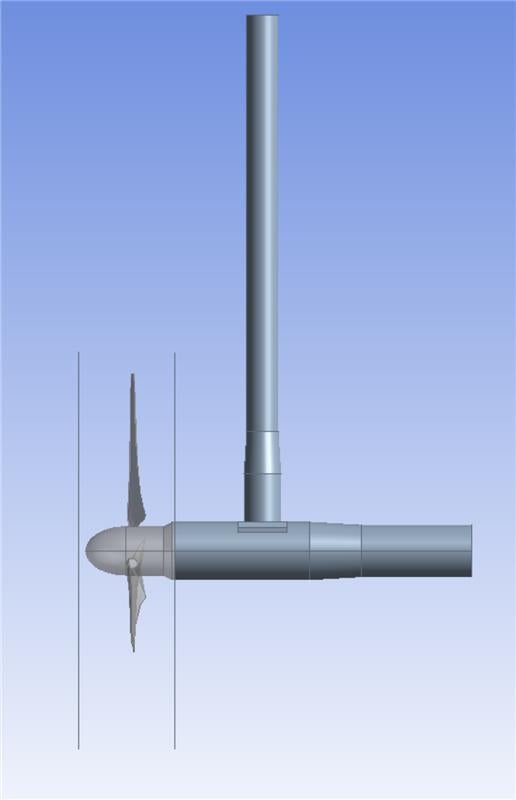
My problem is that when the disk covers only the part of the turbine that is supposed to be rotating (to the left of the slanted incline in the figure below), when the domain is meshed and imported into Fluent, only the back half of turbine_walls inside the rotating disk are correctly assigned as walls:
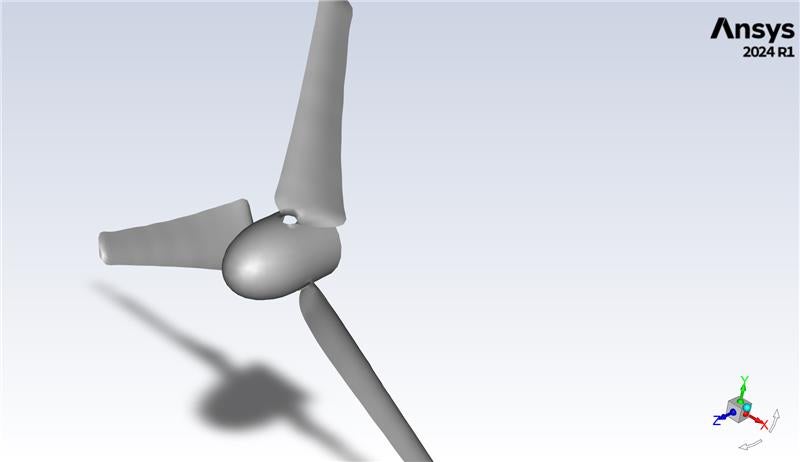
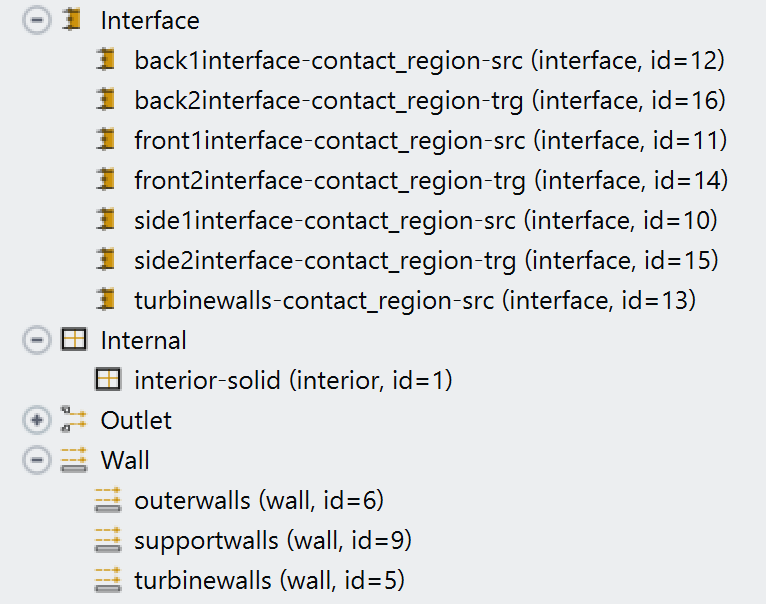
The front half is initially assigned as an interface and is automatically called turbine_walls-contact_region-src. I deleted the auto-generated Mesh Interface and assigned my own interfaces based on the disk faces, and Fluent let me reassign turbine_walls-contact_region-src as a wall:
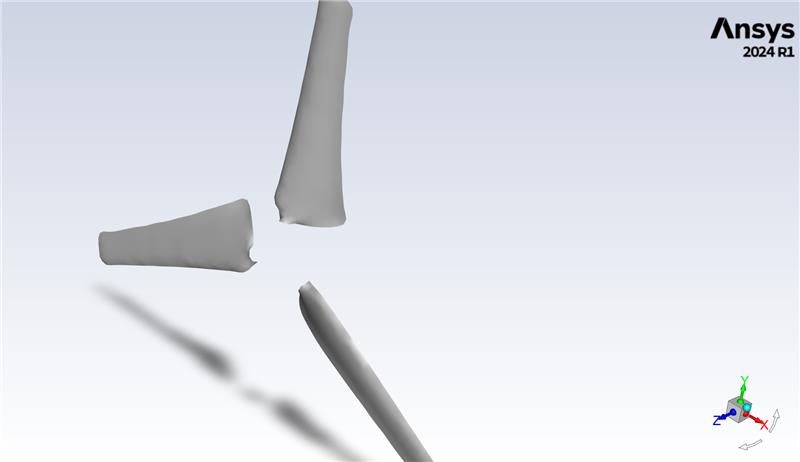
However, when I run my DES simulation and report the forces over the two walls, I get incorrect values, and I think it is because Ansys is not correctly seeing that the walls are connected and surrounding a void, and is counting forces on either side of the wall.
I have tried increasing the diameter of the rotating disk and extending it further to the left with no change. If I extend the rotating domain to the top of the slanted incline, as shown below, I do not get this issue as Ansys does not split turbine_walls into an interface and a wall:
This is not a permanent fix as the slanted incline is not supposed to be rotating. What could be causing this? The geometry is imported from SolidWorks and processed using DesignModeler, and I'm using Ansys meshing (although changing the mesh does not seem to have any impact on this problem). How can I remedy this?


















 You are navigating away from the AIS Discovery experience